
On This Page
Staying connected should feel simple, not frustrating, especially for seniors who value clarity and ease in daily use. The best cell phone for elderly users in 2026 focuses on large displays, straightforward navigation, and dependable performance that fits real everyday needs.
1. What is the Best Cell Phone for Elderly Users?
The best mobile phone for elderly should feel easy to use from the first touch, without causing confusion or frustration. Many families often wonder what is the best phone for an elderly person when choosing a device that supports comfort, safety, and daily communication.
- Large buttons or icons help reduce mistakes when dialing or opening apps, especially for seniors with vision challenges
- Clear and loud audio ensures conversations are easy to hear without repeating or straining
- A simple menu interface makes it easier to navigate without getting lost in complicated settings
- Bright, easy-to-read display allows seniors to see messages and contacts more clearly
- The Emergency SOS button provides quick access to help in urgent situations
- Long battery life reduces the need for frequent charging and ensures the phone is always ready
- Hearing aid compatibility improves sound clarity for users who rely on hearing devices
- Durable design helps the phone withstand drops and everyday handling
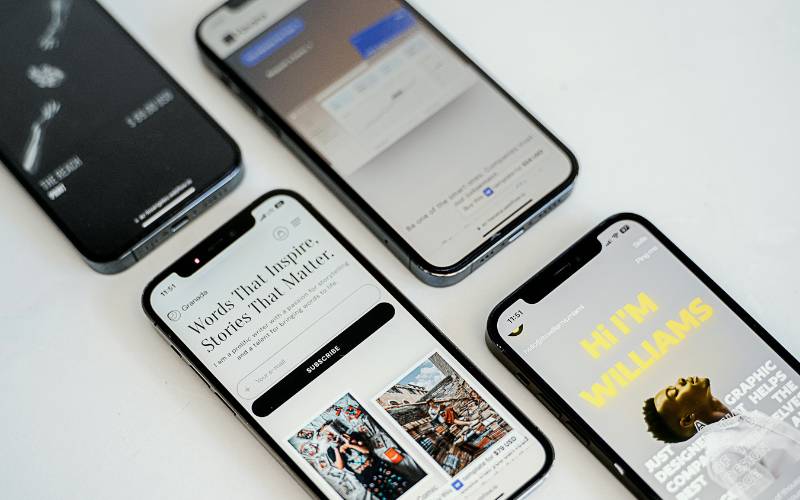
Some suggested cell phones for the elderly. (Image by Unsplash)
2. Best Phone for Elderly: Models Recommended
Not every senior needs the same type of phone. Some prefer simple calling, while others want a few smart features without complexity. Many families also ask what is the best dumb phone for the elderly when looking for something reliable, easy to use, and stress-free.
What is the best dumb phone for the elderly? To make it easier to compare and choose, here are some of the most senior-friendly phone options available today:
3. Are There Free Cell Phones for the Elderly?
Yes, some seniors may qualify for free or discounted devices, but Lifeline Program itself primarily helps eligible households reduce the cost of phone or internet service rather than directly providing free phones.
Seniors can typically qualify in two ways:
- Your household income is at or below 135% of the Federal Poverty Guidelines.
- Participation in assistance programs such as Medicaid, SNAP, or SSI
4. Steps For Seniors to Apply and Get a Free Phone
Getting a free phone can be simple when you follow the right steps and prepare your information in advance.
Check Your Eligibility
The first step is to confirm whether you qualify for the Lifeline Program. Eligibility is usually based on household income or participation in assistance programs such as Medicaid, SNAP, or SSI.
You may need to gather documents like proof of income or benefit enrollment.
Submit Your Application
After choosing a provider, complete the application process online. You will need to enter personal details and upload documents that confirm your eligibility.
Once your application is submitted, it will be reviewed by the provider. If approved, your free phone and SIM card will be shipped directly to your address. Delivery times may vary, but the process is designed to be simple and convenient.
Activate and Start Using
When your phone arrives, follow the activation instructions included in the package. This usually involves inserting the SIM card and completing a few setup steps.
5. Common Mistakes When Choosing a Phone for Elderly Users
Selecting the right phone for seniors can have a big impact on how comfortable and confident they feel using it every day.
Choosing a Phone That Is Too Complex
Many people assume a newer smartphone is always better, but too many features can overwhelm elderly users. Complicated menus, multiple apps, and unfamiliar gestures often create confusion instead of convenience. A phone should feel simple from the first interaction, not something that requires constant learning.
Ignoring Sound and Display Quality
Sound and display quality are often overlooked, yet they play a major role in usability. Seniors may struggle with low volume, unclear audio, or screens that are too small to read comfortably. Poor visibility and weak sound can make basic tasks like calling or reading messages difficult.
Not Considering Emergency Features
Safety features are essential but sometimes forgotten when choosing a phone. Without options like an emergency SOS button or quick-dial contacts, it can be harder to get help quickly in urgent situations.
Overlooking Battery Life
Battery life is another common factor people underestimate when selecting a phone. Devices that require frequent charging can be inconvenient and easy to forget, especially for seniors.
6. FAQs about Cell Phones for Seniors
Getting a phone that feels simple and comfortable to use can raise a few practical questions, especially when balancing ease of use with helpful features.
Which is better for seniors, iPhone or Android?
Both iPhone and Android can work well for seniors, depending on personal preference. iPhones are known for their simple, consistent interface and long-term software updates, which make them easier for beginners.
Android phones offer more variety and customization, allowing users to choose devices with larger screens, simpler layouts, or lower prices.
Which iPhone is easiest to use for seniors?
Older or mid-range models like the iPhone SE are often considered the easiest to use. They have a familiar design with a home button and a smaller, manageable screen size. Features like larger text settings, voice control, and simplified accessibility options also make iPhones more user-friendly for seniors.
What phones will stop working in 2026?
Phones that rely on outdated 2G or 3G networks may stop working as carriers continue to phase out older technology. Most modern smartphones and 4G/5G devices will continue to function normally. Seniors should consider upgrading to a newer phone to ensure reliable service and avoid disruptions in communication.