

On This Page
In Oklahoma, nearly 24% of residents lack adequate broadband access, and over half are limited to just one internet provider, as reported in 2021. This digital divide creates challenges in accessing essential services such as education, healthcare, and job opportunities.
To bridge this gap, the Lifeline program provides free government phones, including iPhones, to eligible low-income individuals. If you’re an iPhone enthusiast, read on to discover the best free government phones Oklahoma iPhone available to you through the Lifeline program!
1. What Is the Best Free Government Phone Program in Oklahoma?
The Lifeline program is Oklahoma’s go-to option for free or discounted phone services for low-income residents. Initiated by the Federal Communications Commission (FCC) in 1985, this program aims to make phone and internet access more affordable.
Over the years, it has become a lifeline for many as it helps them stay connected to the digital world without added financial burden. Here’s how:
- Lifeline offers a $9.25 monthly discount on phone or internet services for eligible individuals. Meanwhile, for residents on Tribal lands, the discount is even more substantial, reaching up to $34.25 per month.
- While Lifeline subscribers can choose between wireline and wireless services, they cannot receive discounts for both at the same time.
- The program also supports broadband internet and broadband-voice bundles. This helps households access a full range of digital services at discounted rates.
The benefits of Oklahoma’s Lifeline closely mirror what the federal initiative offers. So, who qualifies for Lifeline in Oklahoma? Let’s explore:
- Firstly, applicants must meet the income eligibility guidelines, which is at or below 135% of the federal poverty level.
- Instead, if you’re receiving assistance through government programs like Medicaid or food stamps, you can also qualify. For those living on Tribal lands, there may be additional qualifying government programs.

2. Explore Top 5 Best Free Government Phones Oklahoma iPhone
As introduced above, if you sign up for the Lifeline through a third-party service provider, you may get the chance to receive a free phone! But how to choose the best phone that suits your needs? Let us help.
Among the various options, iPhones stand out for their user-friendly features, reliability, and long-term support. Here’s a rundown of the top 5 iPhones available through the Lifeline program in Oklahoma:
| Options | Display | Key features | Who should use it |
|---|---|---|---|
| iPhone 8 | 4.7” Retina HD display | A11 Bionic chip, iOS support | Both seniors and students |
| iPhone 7 | 4.7” Retina HD display | A10 Fusion chip, 1960 mAh lithium-ion battery | First-time smartphone users |
| iPhone 6s Plus | 5.5” Retina HD display | A9 chip, 12MP camera, larger display | Seniors seeking a larger display |
| iPhone SE 2 | 4.7” Retina HD display | A13 Bionic chip, compact form | Students seeking a compact, powerful phone |
| iPhone 7 Plus | 5.5″ Retina HD display | Dual 12MP cameras, A10 Fusion chip, 2900 mAh | Photography enthusiasts |
Confused about which one to choose? Let’s take a closer look at each model:
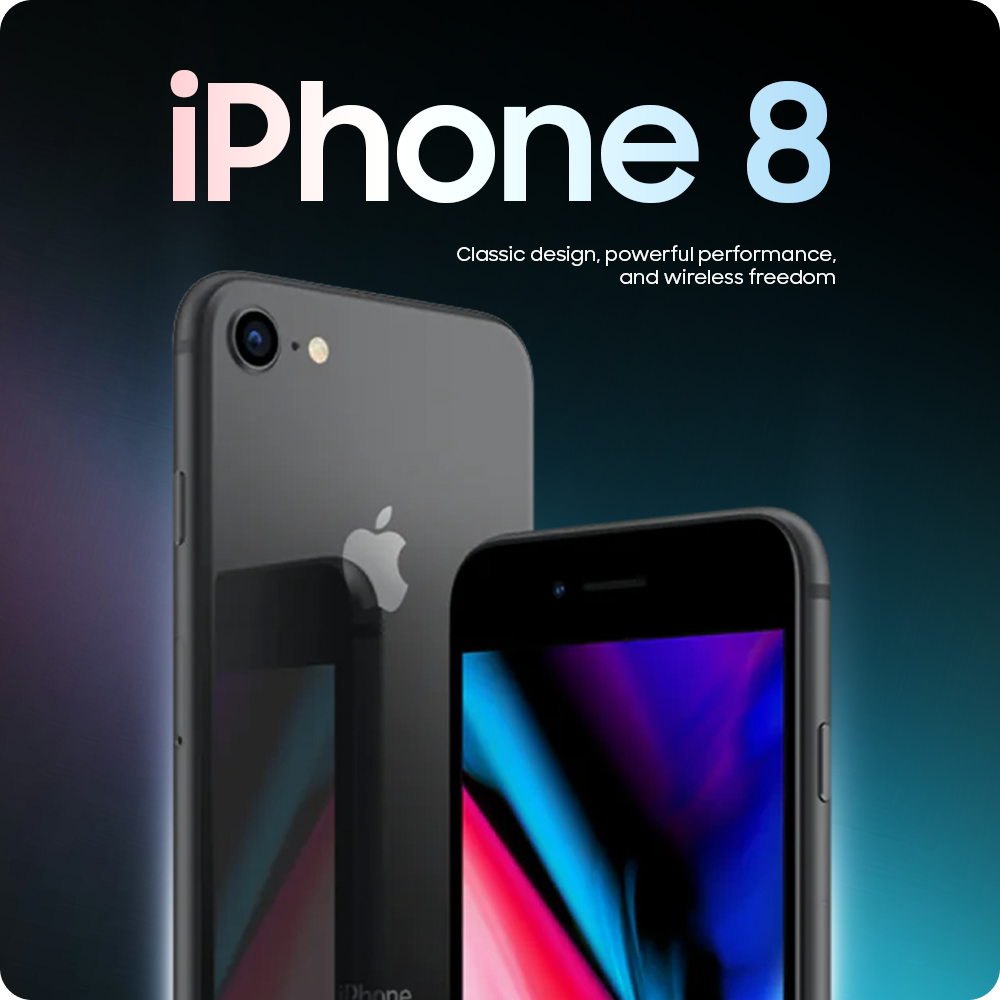
Apply iPhone 8 – Best free iPhone government phone
The iPhone 8 is a perfect balance of modern features and reliable performance. It’s the top choice among best free government phones Oklahoma iPhone. Here’s why:
- With the A11 Bionic chip, it ensures a smooth performance for day-to-day tasks like browsing and social media.
- The 64GB and 128GB storage options provide ample space for apps, photos, and videos, making it ideal for everyday users.
- Additionally, the 12MP rear camera is a solid performer, capturing sharp, clear photos. If you’re into photography, it won’t disappoint you.
Also read: Free iPhone 8 Government Phone: How To Claim Yours With Ease!
Apple iPhone 7
The iPhone 7 is perfect for first-time iPhone users or anyone looking for an entry-level device with great performance. Let’s see what makes it special:
- Featuring the A10 Fusion chip, it runs smoothly for most essential tasks like calling, texting, and browsing.
- The 1960 mAh battery offers excellent all-day battery life.
- The 4.7-inch display provides a comfortable size for easy handling without compromising screen space.
Apple iPhone 6s Plus
The iPhone 6s Plus is a fantastic option for seniors who appreciate a larger screen for easier reading and navigation. Let’s explore what makes it a good fit:
- With a 5.5-inch Retina HD display, users can easily navigate, watch, and read. It’s especially perfect for seniors with eye problems.
- The A9 chip provides decent performance for most everyday tasks. Though it might feel slower than newer models, it’s still great for seniors.
Apple iPhone SE 2
If you’re looking for power in a compact form, the iPhone SE 2 is the device for you. It’s particularly ideal for students who need a reliable and portable phone.
- With the A13 Bionic chip, it performs exceptionally well for its size and can handle everything from gaming to multitasking with ease.
- The 4.7-inch display is compact but still offers a great viewing experience.
- The 12MP rear camera produces vibrant, sharp photos.
Apple iPhone 7 Plus
If you love photography, the iPhone 7 Plus is an excellent choice. Why?
- With its dual 12MP cameras, this device allows for professional-quality portraits with the portrait mode feature.
- The 5.5-inch display is big enough to enhance your viewing experience, whether for social media, browsing, or entertainment.
- Also, powered by the A10 Fusion chip, this iPhone model offers great performance for multitasking and gaming.
Among the various options, iPhones stand out for their user-friendly features, reliability, and long-term support.
- **Step 1: **First, you need to check your eligibility by reviewing the eligibility criteria mentioned earlier in this article or check with your local county’s Lifeline guidelines to ensure you qualify.
- **Step 3: **If Lifeline is available in your area, you will be directed to select a phone plan. To receive a free iPhone, choose one of the Lifeline Standard to Unlimited options. Alternatively, you can select the Bring Your Own Device plan if you have another phone in mind.
- **Step 4: **Now comes the fun part: This is where you can choose your desire iPhone! Just use the search box to type “iPhone” and all iPhone devices available in your area will show up. Choose the one you love the most and hit “Select”.
- **Step 5: **Prepare all documents to prove your eligibility, such as proof of income or participation in qualifying government programs. After that, upload those documents and submit your application.