

On This Page
What does getting the best free tablet with EBT really mean? Through government assistance programs like Lifeline, qualifying individuals and families can receive free or heavily discounted devices, along with low-cost or free internet service.
With a functional free tablet and reliable internet access, you’ll have the tools you need to stay connected with loved ones and access online resources.
**1. How to Use Your EBT/SNAP Benefits to Get a Free Tablet and Internet Service **
Receiving SNAP benefits is one of the most common ways to qualify for discounts on phone and internet service through the Lifeline program.
The Lifeline program is a federal benefit that helps low-income households by providing discounts on phone and internet services.
Eligible participants can receive a **discount of up to $9.25 **per month on phone, internet, or bundled services. The monthly discount for eligible subscribers on Tribal lands is $34.25 per month.
Lifeline itself **does not **provide a free tablet or phone. Any free device is a promotional offer directly from the participating providers.
Certain companies offer a free or heavily discounted tablet or phone when you sign up for their Lifeline service plan.
If you or a member of your household participates in SNAP/food stamps, you are automatically eligible** **for the Lifeline Program.
Your household also automatically qualifies through any of the following assistance programs:
- Medicaid
- SSI
- FPHA/Section 8
- Veterans Pension and Survivors Benefit
- Certain Tribal assistance programs (for those living on federally recognized tribal lands)
Additionally, you can qualify based on income if your household income is at or below 135% of the Federal Poverty Guidelines.

**How to get a free iPad with EBT? (Image by Pexels) **
To receive a free tablet benefit with EBT, SNAP recipients simply need to** apply directly** through a participating provider in their area that offers free device promotions. The provider will assist you with completing the sign-up process.
In most cases, your eligibility will be automatically verified, but occasionally you may be asked to provide supporting documents to confirm your qualification.
When choosing a provider, look for those that specifically offer a free or low-cost tablet as part of their Lifeline package. This offer varies widely by company and state.
**2. Top 10 Best Free Tablets for SNAP Recipients Available Today **
A range of high-quality tablets is now available for eligible households from Lifeline providers. They offer solid performance at little to no cost.
Take a look at the best government tablets currently offered:
**Samsung Galaxy Tab E – Best for Everyday Use **
The Galaxy Tab E remains one of the easiest tablets to use through the Lifeline program. Thanks to its lightweight design, it’s perfect for surfing the internet or watching videos.
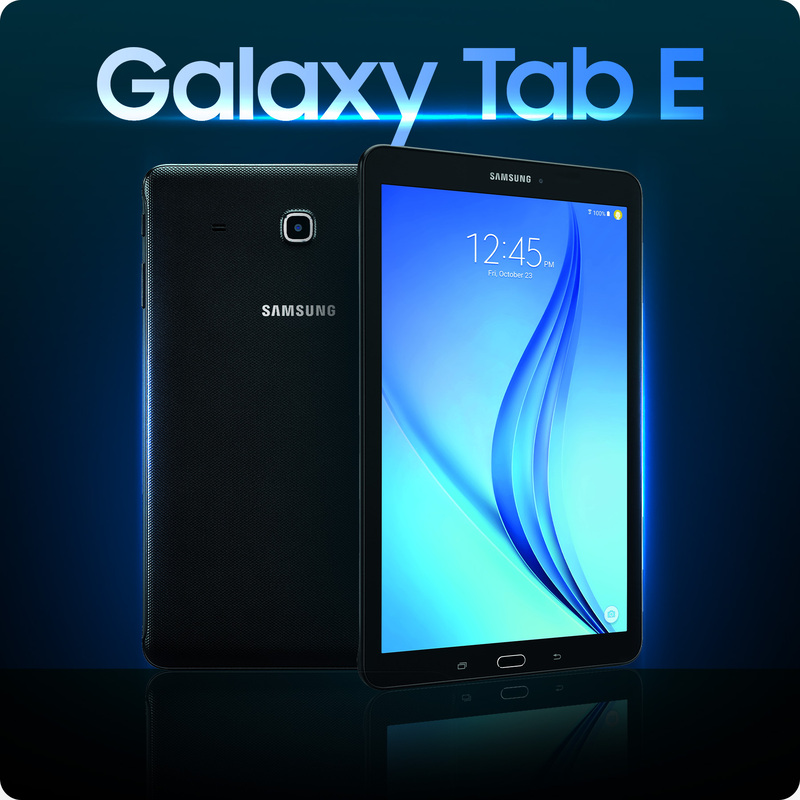
**Samsung Galaxy Tab E – Best free tablet with EBT for students and the elderly **
**TCL Tab 10 5G – Best for Connectivity **
The TCL Tab 10 5G offers a powerful 5G connection. It features a large HD screen, smooth multitasking, and a long-lasting battery. It’s a wonderful choice for online learning and video calls.
**Alcatel JOY TAB – Best Budget Pick **
**Sky Pad 8 – Best for Light Users **
It’s a solid option for everyday tasks and a good pick for students or families on a budget. The Sky Pad 8 combines affordability with essential features. It’s portable and easy to carry, while still large enough for reading or social media.
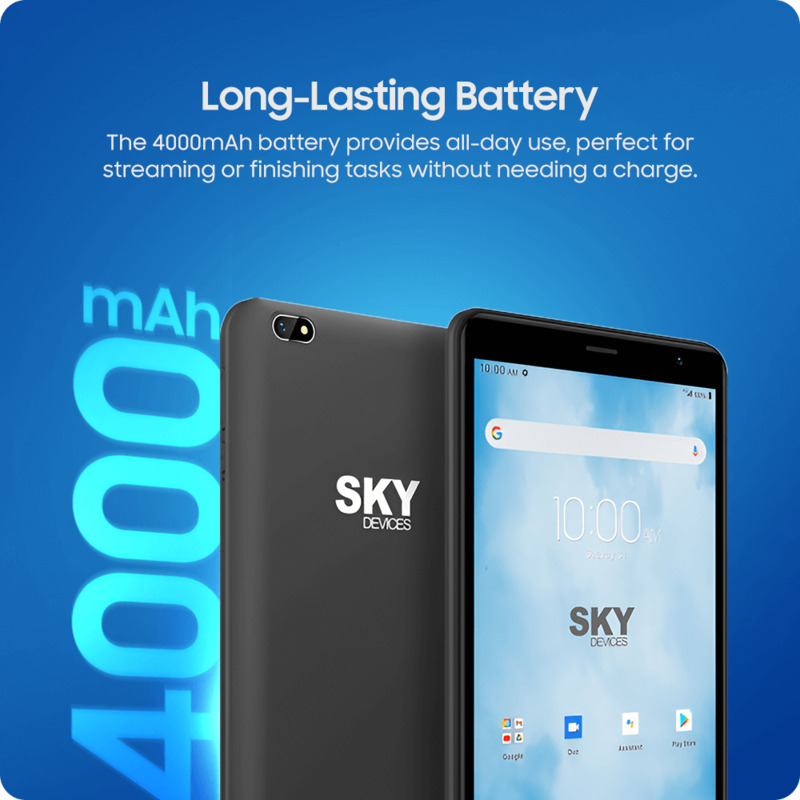
Sky Pad 8 – A great pick for families with children on a budget.
**Samsung Galaxy Tab S2 9.7 – Best for Media and Entertainment **
The Galaxy Tab S2 9.7 stands out for its vivid display and sleek, premium design. It’s ideal for watching movies, video chatting, or editing photos.
**Samsung Galaxy Tab 4 – Best for Simple Daily Tasks **
The Galaxy Tab 4 is a durable, easy-to-use tablet that’s perfect for everyday tasks like browsing. It still runs smoothly and has a solid battery life.
**Samsung Galaxy Tab S4 – Best for Performance **
The Galaxy Tab S4 provides a high-quality tablet experience with a sharp display and powerful multitasking features.
It is an excellent option for anyone seeking professional-grade performance without a hefty price tag.
**Apple iPad Air 2 – Best for Apple Fans **
The iPad Air 2 is still a popular choice thanks to its slim design, smooth performance, and high-quality display. It runs most modern apps with ease and syncs perfectly with other Apple devices.
*»> Explore Free iPhone Deals Right Now *
**Apple iPad Mini 2 – Best Entry-Level iPad **
The iPad Mini 2 still performs well for basic needs like browsing, reading, or video chatting. Its display offers sharp visuals.
**Apple iPad Mini 4 – Best Compact Tablet **
The iPad Mini 4 provides the complete iPad experience in a small, lightweight form. If you like a more compact device that is convenient to carry yet durable enough for daily tasks, the Mini 4 is an ideal choice.
**3. Step-by-Step Guide: How to Apply for the Best Free Tablet with EBT **
Follow the step-by-step guide below to complete your application successfully:
**Step 1: Check Service Availability in Your Area **
**Step 2: Select a Lifeline Plan with Device Benefits **
Look for plans that include free or discounted tablet options. Choose the plan that best fits your internet usage and device needs.
**Step 3: Choose Your Preferred Tablet **
- Samsung Galaxy Tab E
- Sky Pad 8
- iPad Mini 4
- Alcatel JOY TAB
- And more
Device options may vary depending on inventory and location, so be sure to check the most recent offers before applying.
**Step 4: Verify Your Eligibility **
In most cases, your eligibility can be verified automatically. If automatic verification is not possible, you will need to upload proof of eligibility, such as:
- Notices of Action
- Notices of Approval
- Verification of Benefits Letters
Note: An EBT card is no longer accepted as valid proof of eligibility.
**Step 5: Complete and Submit Your Application **
Please ensure that you thoroughly review your details, including your name, address, and eligibility documents, before submitting your application.
FAQs
**Can I get a free iPad with EBT? **
Your participation in SNAP qualifies you for the Lifeline program, and certain Lifeline service providers offer an iPad as a promotional device.
The availability of an iPad (or any Apple product like an iPhone) is completely dependent on a specific provider’s current inventory and promotional offers in your area.
**Can you get a free laptop with EBT? **
While the Lifeline program generally focuses on a discount for service, some providers may have their own separate promotional offers that include a free or heavily discounted device. You would need to verify with individual Lifeline providers in your area.
Keep in mind that ACP, which offered a one-time discount of up to $100 toward the purchase of a laptop, desktop computer, or tablet from a participating provider, ended in 2024.
**How to get a free 10 inch tablet from government? **
*»> Take a look at the Free 10-inch Government Tablets Available Now *
**How long does it take to receive my tablet? **
In general, once your application is approved, your device will be shipped to your address within a few business days.
**Do all EBT users qualify automatically? **
Only eligible consumers can enroll in the Lifeline Program. If you participate in SNAP/food stamps, you automatically qualify for this program.
However, it’s important to remember that Lifeline rules allow only one benefit per household. This means that even if multiple members of the same household, defined as people who live together and share income and expenses, qualify through SNAP, the entire household is limited to one Lifeline discount for phone or internet service.
**Conclusion **
Free government tablets offer everything you need to stay connected: browsing the web, streaming videos, checking emails, and joining video calls. Beyond communication, they open the door to online learning and access to important services, ensuring you can take full advantage of digital resources.