
On This Page
Switching phones has become much easier than it was years ago, but many users still wonder what actually happens after moving a SIM card into another device.
Questions like “can I put my SIM card in another phone” often come up during phone upgrades, carrier changes, travel situations, or when temporarily borrowing another device.
In many cases, simply moving the SIM card allows the new phone to connect to the carrier network almost immediately. However, not everything stored on the original phone transfers automatically with the SIM itself.
Modern smartphones now separate carrier authentication, cloud backups, app data, and personal storage much more than older mobile phones did.
This guide explains what happens when switching SIM cards between devices, what information transfers successfully, and what users should check before moving a SIM card into another phone.
1. Can You Put Your SIM Card in Another Phone?
Yes, in many situations you can place your SIM card into another compatible phone and start using service almost immediately.
If the phone is:
- Carrier compatible
- Unlocked when necessary
- Using the correct SIM size
- Supported on the carrier network
then the SIM card may activate automatically once inserted into the new device.
This is why the answer to can I put my SIM card in another phone is usually yes for most modern smartphones.
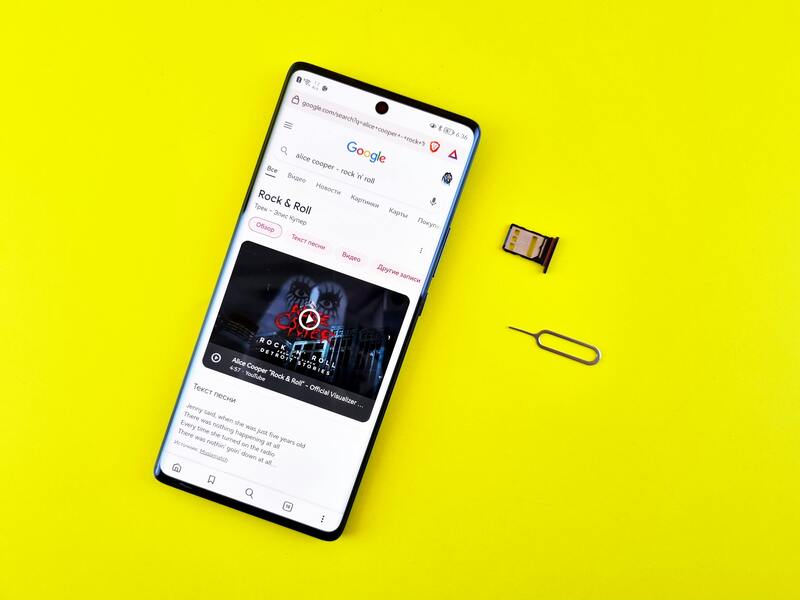
What transfers automatically when switching SIM cards. (Image by Pexels)
Switching SIM cards works especially smoothly when:
- Both phones support the same network technology
- The carrier allows BYOD (Bring Your Own Device) activation
- The SIM card already supports LTE or 5G service properly
However, some situations may still require:
- Carrier activation updates
- eSIM transfers
- Network reprovisioning
- Updated APN settings
What Usually Transfers With the SIM?
Many people asking “can you switch SIM Cards between phones” or can I put my SIM Card in another phone expect all personal information to move automatically along with the SIM card.
In reality, the SIM card mainly transfers network-related information rather than complete phone content.
What usually transfers successfully includes:
- Your mobile phone number
- Carrier authentication access
- Basic network connectivity
- Limited SIM-stored contacts on some devices
This means calls, texting, and mobile data may begin working quickly once the SIM card connects properly to the network.
What Does NOT Automatically Transfer?
One of the biggest misunderstandings about SIM cards is assuming all personal content moves together with the SIM automatically.
Most smartphone content today remains tied to:
- Internal phone storage
- Cloud accounts
- Google backups
- iCloud synchronization
This means the following usually do not transfer automatically with the SIM card:
- Photos
- Apps
- Downloaded files
- App passwords
- Device settings
- Full message histories
- Cloud backups
Most smartphone content today is linked to cloud accounts and internal device storage instead of the SIM itself. Photos, apps, account logins, downloads, and most message histories usually remain connected to the original phone or backup system even after the SIM card is moved into another device.
This is why someone researching “can I put my SIM Card in another phone” may still need cloud backups or account sign-ins to fully restore personal content on the replacement device.
2. What to Check Before Moving Your SIM Card?
Before placing the SIM card into another device, several compatibility checks can help avoid activation or connection problems.
It is important to confirm:
- The new phone supports the carrier network
- The phone is unlocked if required
- The SIM card size matches the tray
- LTE or 5G compatibility is supported
- The device supports eSIM if needed
Some phones may also require updated carrier settings before mobile data functions properly.
This becomes especially important when:
- Switching between Android and iPhone
- Upgrading to newer 5G devices
- Using international carrier models
- Moving from physical SIM to eSIM activation
Questions like can you switch SIM Cards between phones become slightly more complicated when the devices use different activation technologies or unsupported carrier bands.
Checking compatibility first can help prevent:
- “No Service” errors
- Activation failures
- Mobile data issues
- SIM detection problems
3. Physical SIM vs eSIM When Changing Phones
Changing devices works differently depending on whether the phone uses a removable SIM card or eSIM technology.
With a physical SIM card, users can usually remove the SIM manually and place it into another compatible device within minutes.
An eSIM works digitally instead.
Instead of physically moving a card, users may need to:
- Transfer the eSIM profile
- Reactivate through the carrier
- Scan a QR code
- Use built-in device transfer tools
eSIM adoption continues growing as more smartphone manufacturers move toward digital activation systems instead of removable SIM trays. Because of this shift, transferring service between devices may now involve QR code setup, carrier apps, or wireless eSIM transfers rather than manually swapping physical SIM cards.
For users asking can I put my SIM card in another phone, the process may therefore depend heavily on whether the device uses a physical SIM card or eSIM activation instead.
Many modern smartphones now support both technologies simultaneously, making it easier to manage multiple numbers or carrier profiles across devices.
4. Consider Getting A Free Phone and a New SIM Card If You Qualify
Sometimes moving an older SIM card into another phone works perfectly. In other cases, outdated SIM technology or older devices may still create compatibility issues with newer LTE or 5G networks.
- Compatible smartphones
- New SIM card activation
- eSIM-ready device options
- BYOD wireless plans
- Monthly talk, text, and data service
Some supported devices may include:
- LTE and 5G compatibility
- Dual SIM support
- eSIM activation capability
- Wi-Fi calling features
The application process generally includes:
- Checking eligibility through qualifying programs or income requirements
- Entering a ZIP code to confirm service availability
- Selecting either a device plan or BYOD option
- Uploading verification documents for approval
- Completing the online application process
- Activating service after approval using either a physical SIM card or eSIM setup
Available devices, wireless plans, SIM options, and monthly data amounts may vary by state and may change over time depending on inventory and network availability.
For users still wondering can you switch SIM cards between phones, upgrading both the phone and SIM technology together may sometimes provide a smoother long-term experience.
Final Thoughts
The answer to can I put my SIM card in another phone is yes in many situations, especially when both devices support compatible carrier networks and SIM technology.
Moving a SIM card usually transfers your phone number and carrier access quickly, but most personal content such as photos, apps, and cloud backups remain stored separately from the SIM itself.
Understanding the difference between physical SIM cards, eSIM technology, and cloud-based storage systems can make switching devices much easier while avoiding unnecessary confusion during activation.
As smartphones continue evolving toward eSIM and digital carrier activation, knowing how SIM transfers actually work becomes increasingly important for upgrading devices smoothly.