
On This Page
Many people switch from Android phones to iPhones and wonder if they can keep using their current SIM card. A common question is, can you put an Android SIM card in an iPhone, especially when changing devices but staying with the same mobile carrier? In most cases, this is possible because SIM cards are connected to the carrier network rather than the phone brand.
1. Can an Android SIM Card Work in an iPhone?
Yes, an Android SIM card can usually work in an iPhone because SIM cards are connected to the mobile carrier’s network, not to a specific phone brand or operating system.
As long as the iPhone is unlocked and the SIM card size matches the device’s SIM tray, the SIM from an Android phone can typically be inserted and used without issues. Once installed, the iPhone should be able to connect to the carrier’s network for calls, text messages, and mobile data just like it did on the Android device.
2. Requirements for Using an Android SIM Card in an iPhone
Using a SIM card from an Android phone in an iPhone is possible in many situations, but several conditions must be met for it to work properly. Before inserting the SIM card, users should confirm that the device, SIM format, and carrier network are all compatible.
The iPhone Must Be Unlocked
First, the iPhone must be carrier unlocked. A locked iPhone is restricted to a specific mobile carrier and may not accept SIM cards from other networks. For people asking can you put an Android SIM card in an iPhone, the answer is usually yes if the iPhone is unlocked and able to connect to different carrier networks.
SIM Card Size Must Match
Another important factor is the SIM card size. Most modern iPhones use a nano-SIM, which is the smallest SIM format commonly used today. If the SIM card from the Android phone is a micro-SIM or another size, it may need to be replaced or adjusted with a compatible nano-SIM before it can be used in the iPhone.
Carrier Network Compatibility
Finally, the carrier network must be compatible with the iPhone. Different carriers operate on various network technologies and frequency bands. If the carrier used on the Android device supports the same network bands as the iPhone, the SIM card should work normally once it is inserted into the device.
3. How to Transfer a SIM Card From Android to iPhone
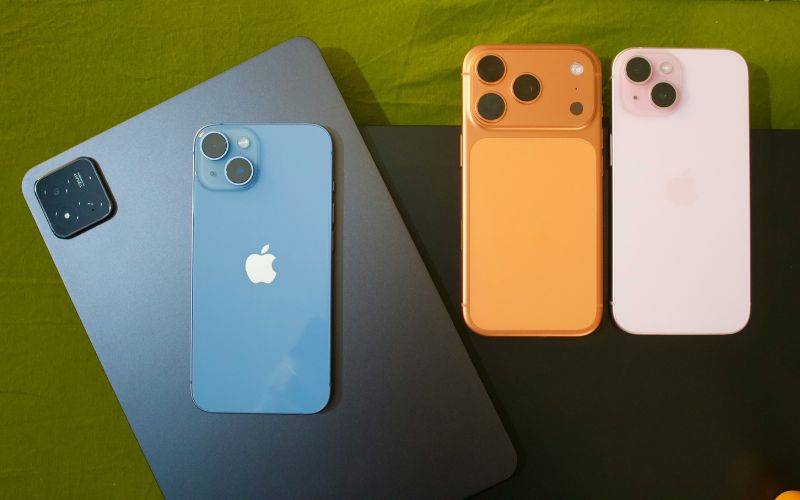
Can you put an Android SIM card in an iPhone? Detailed guide about how to transfer a SIM card from Android to iPhone. (Image by Unsplash)
Moving a SIM card from an Android phone to an iPhone is usually a quick process if both devices use the same SIM format. By following the steps carefully, users can transfer their existing mobile number and continue using the same carrier service on the new device.
Step 1: Turn Off Both Phones
First, the user should turn off both the Android phone and the iPhone before handling the SIM card. Powering down the devices helps prevent potential network errors and protects the SIM card during the transfer process. This step also allows the phones to recognize the SIM properly once it is inserted again.
Step 2: Remove the SIM From the Android Phone
Next, the user needs to remove the SIM card from the Android phone. Most Android devices have a SIM tray that can be opened using a SIM eject tool or a small paperclip. After the tray pops out, the SIM card should be carefully taken out and kept in a safe place.
Step 3: Insert the SIM into the iPhone
After removing the SIM card from the Android device, the user should locate the SIM tray on the side of the iPhone and open it using a SIM eject tool. The SIM card can then be placed into the tray with the correct orientation before sliding the tray back into the phone.
At this point, many users wonder can you put a Samsung SIM card in an iPhone, and the answer is typically yes if the SIM size matches and the iPhone is unlocked.
Step 4: Turn on the iPhone and check the Network Signal
Finally, the user can turn on the iPhone and wait for the device to connect to the mobile carrier’s network.
Once the phone finishes starting up, the carrier name and signal bars should appear at the top of the screen. When the signal is visible, the iPhone is ready to make calls, send messages, and use mobile data.
4. Switching From Android to iPhone? Explore iPhone Options
Many people who switch from Android to iPhone begin looking for devices that are compatible with their carrier and support modern connectivity features such as eSIM and dual SIM. Choosing the right iPhone model can make the transition smoother and help ensure reliable performance for calls, messages, and mobile data.
Depending on availability and eligibility, customers can explore several iPhone models that work well with modern cellular networks.
*Disclaimer: Offers may vary and are subject to future updates.
- Check your eligibility: Start by confirming whether you qualify for Lifeline-supported service. Eligibility is often based on participation in government assistance programs or meeting certain income requirements.
- Choose a plan and select a compatible device: After confirming coverage, you can review available plans and choose a device option if phones are offered. Some plans also support eSIM activation, allowing faster setup without inserting a physical SIM card.
- Complete the online application: Fill out the application form with basic personal information such as your name, address, date of birth, and contact details.
- Upload documents if verification is required: If the system cannot automatically confirm eligibility, you may be asked to upload documents such as proof of program participation or proof of income.
- Submit the application and wait for approval: After submitting the form, the provider reviews the application. If approved, the device and activation instructions will be sent so you can start using your mobile service.
5. Final Words
Switching from Android to iPhone is easier than many people expect, especially when it comes to SIM compatibility. If you have been wondering, can you put an Android SIM card in an iPhone? The answer is often yes, as long as the device is unlocked and the SIM size fits the iPhone. Understanding these basics can help you move to a new device without interrupting your mobile service.