
On This Page
Can you use a phone without a SIM card? The answer is yes, but with certain limitations depending on how you plan to use the device. Without a SIM, your phone cannot connect to cellular networks for calls, texts, or mobile data, but it can still function over Wi-Fi for apps, browsing, and messaging services. Understanding these differences helps you choose the right setup.
1. Can You Use a Phone Without a SIM Card?
Yes, you can use a phone without a SIM card, but its functionality will be limited to Wi-Fi-based activities. You can still browse the internet, use apps, stream content, and make calls through online services like messaging or VoIP apps.
However, without a SIM card, your phone will not be able to access cellular networks, which means no traditional calls, SMS, or mobile data connectivity.
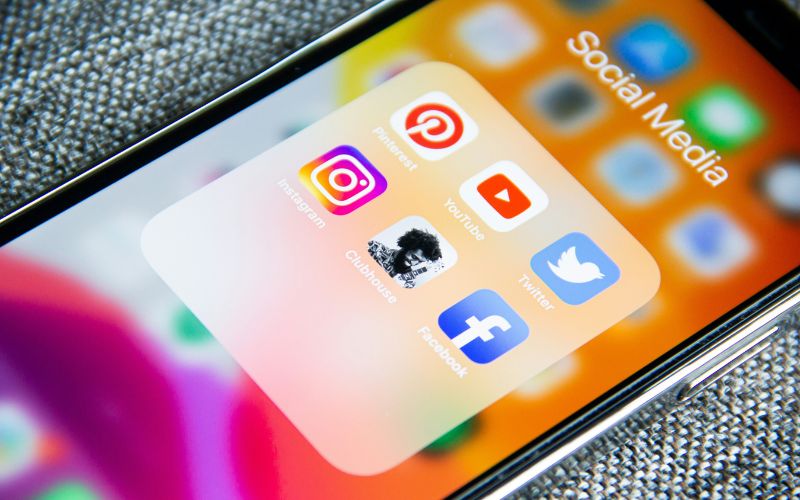
Can you use a phone without a SIM card? Yes, you can use some online applications to communicate instead. (Image by Unsplash)
2. What You Can Do Without a SIM Card
Even without a SIM card, your phone can still perform many useful functions through Wi-Fi and built-in features. Understanding these capabilities helps you make the most of your device and clearly answers the question can you use a phone without a SIM card in everyday situations.
Connect to Wi-Fi
You can connect your phone to any available Wi-Fi network and access the internet without needing a SIM card. Once connected, your device functions much like a tablet, allowing you to browse websites, download apps, and stay online. This is especially useful at home, in cafés, or in public spaces with free Wi-Fi. A stable connection ensures smooth performance for most online activities.
Use Apps and Messaging Services
Your phone can run a wide range of apps without a SIM card as long as it has internet access. You can use messaging platforms like WhatsApp, Facebook Messenger, or Telegram to communicate with others in real time. Email apps, social media, and productivity tools also work normally over Wi-Fi. This allows you to stay connected and productive even without a cellular plan.
Make Calls Over Wi-Fi
You can make voice and video calls using internet-based services such as Zoom, Skype, or WhatsApp. These apps rely on Wi-Fi instead of cellular networks, allowing you to communicate globally without a SIM card. Call quality often depends on your internet speed, but with a stable connection, it can be just as clear as traditional calls. This is a practical solution for users who rely on online communication.
Watch Videos and Browse the Web
Without a SIM card, you can still stream videos, listen to music, and browse the internet using Wi-Fi. Platforms like YouTube, Netflix, and Spotify work seamlessly as long as you have a stable connection. This makes your phone a great entertainment device even without mobile data. You can also read news, shop online, and access cloud-based content anytime.
Use Offline Features
Even without Wi-Fi or a SIM card, your phone still offers useful offline features. You can access downloaded apps, play games, view photos and videos, use the camera, and listen to saved music.
Tools like alarms, calendars, notes, and documents remain fully functional. This ensures your device continues to be useful for daily tasks, even without any network connection.
3. What You Can’t Do Without a SIM Card
While a phone can still function in many ways without a SIM card, certain core features depend entirely on cellular connectivity. Understanding these limitations helps you decide when a SIM card is necessary for everyday communication and access.
Make Regular Phone Calls
Without a SIM card, your phone cannot connect to a carrier’s cellular network, which means you cannot make or receive traditional phone calls. Regular voice calls rely on your mobile number and carrier service, both of which are tied to the SIM card.
Although internet-based calling apps can serve as alternatives, they require Wi-Fi and may not replace standard calling in all situations, especially for emergency or official communication.
Send or Receive SMS Messages
SMS messaging depends on your carrier network and phone number, both of which are linked to a SIM card. Without one, your device cannot send or receive standard text messages.
While messaging apps can work over Wi-Fi, they only function if both users are connected to the same platform. This limitation can be inconvenient when communicating with contacts who rely on traditional SMS services.
Use Mobile Data
Mobile data access requires an active SIM card connected to a cellular plan. Without it, your phone cannot use 4G or 5G networks to browse the internet, stream content, or access apps outside of Wi-Fi coverage. This means you will need a stable Wi-Fi connection at all times to stay online. For users who travel frequently or need constant connectivity, relying only on Wi-Fi may not be practical.
Receive Verification Codes
Many online services send verification codes via SMS to confirm your identity, though some offer alternative methods like email or authenticator apps. Without a SIM card, your phone cannot receive these codes, which may prevent you from logging into accounts or completing secure transactions.
This can be especially limiting for banking, social media, or work-related platforms that require two-factor authentication. Having an active SIM ensures you can receive important messages and maintain secure access to your accounts.
*»> Also read: *How to Get a Free SIM Card: Best 2026 Offers And Deals
4. Turning a Phone Without a SIM Into a Fully Connected Device
While a phone without a SIM card can still be useful, many users eventually want full functionality, such as calling, texting, and mobile data on the go. The Lifeline program is a government-supported initiative that helps eligible low-income users access affordable or free mobile service, making it easier to stay connected every day.
- Check your eligibility based on income level or participation in qualifying government assistance programs
- Complete the online application form with your personal and eligibility information
- Submit any required documents to verify your qualification status
- Wait for approval and confirmation from the provider
- Receive your free phone along with a SIM card or eSIM
- Insert the SIM or complete activation steps to start using calls, texts, and mobile data seamlessly
Final Words
Using a phone without a SIM card can still be practical for Wi Fi tasks, but it limits essential features like calls, texts, and mobile data. Understanding these limitations helps you decide when it is time to upgrade your setup for full connectivity.