

On This Page
Can you use an iPhone without a SIM card, especially when switching devices or using an older phone? The answer is yes, but the experience depends on how you plan to use the device. While some features stop working, a large part of the iPhone still functions normally with Wi-Fi.
1. Can You Use an iPhone Without a SIM Card?
To answer clearly, can you use an iPhone without a SIM card? Yes, you can. The phone does not shut down or become unusable when the SIM is removed.
Instead, it simply loses access to cellular service. If you are also wondering whether a brand-new device works the same way, the answer is usually yes, although there are a few exceptions during setup.
Can I still use my iPhone with no SIM?
For sure, you checked several times for “Can I use my new iPhone without a SIM card?” An iPhone without a SIM card can still handle many everyday tasks. As long as you connect to Wi-Fi, you can open apps, browse the internet, and communicate through online services. Messaging apps such as iMessage and video calls through FaceTime continue to work. This means you can still stay in touch even without a phone number linked to a carrier.
What an iPhone can do on Wi-Fi only
When used on Wi-Fi only, the iPhone becomes similar to a compact tablet. You can stream videos, check emails, use social media, and download new apps from the App Store. Other functions, such as taking photos, recording videos, and listening to music, are not affected at all.
Because of this, many people continue using an iPhone without a SIM for entertainment or light daily use.
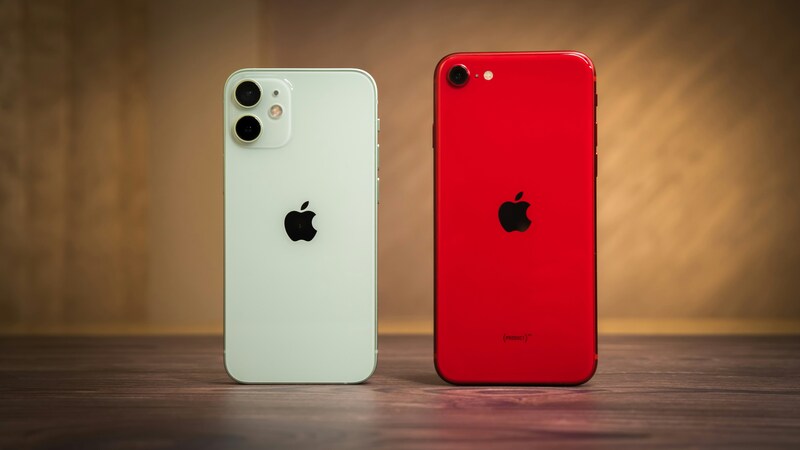
Can you use an iPhone without a SIM card (Image by Unsplash)
2. What Happens if You Have No SIM Card on an iPhone?
When there is no SIM card installed, the iPhone will show a “No SIM” or “No Service” message. This is simply an indicator that the phone is not connected to a mobile network.
What features stop working without a SIM
Without a SIM card, the iPhone cannot connect to your carrier. This means standard calling and SMS texting will not work. Mobile data is also unavailable, so you will need Wi-Fi for internet access.
These are the main limitations, but they do not affect the rest of the device.
What still works without mobile service
Even without cellular service, the iPhone remains fully usable in many ways. You can still access the internet through Wi-Fi, use apps, and store files locally or in the cloud.
The camera, media playback, and most built-in features continue to function the same. Removing the SIM does not erase any data or change your stored content.
3. How to Set Up an iPhone with No SIM Card
If you are starting with a new device, you might still be asking can you use an iPhone without a SIM card during setup. In many cases, the answer is yes.
Setting up a new iPhone without a SIM
Modern iPhones usually allow setup through a Wi-Fi connection. After turning on the device, you can connect to a network and follow the on-screen steps. Signing in with your Apple ID gives you access to apps, iCloud, and other services.
This makes it possible to begin using the phone without inserting a SIM card right away.
When activation may still be required
There are situations where setup may not complete without a SIM. This often happens if the iPhone is tied to a specific carrier or has not been activated before. If activation fails, inserting a SIM card or contacting the carrier may be required to finish the process.
4. Common Reasons People Use an iPhone Without a SIM Card
There are several reasons someone might choose to use an iPhone without a SIM card rather than activate a full phone plan.
Using an old iPhone on Wi-Fi
Many people keep older iPhones and use them as Wi-Fi-only devices. They can still browse the web, watch videos, or act as a backup device at home. This is a simple way to increase a phone’s value without paying for service.
Using an iPhone for apps, video, or kids
Another common use is for children or limited-purpose devices. Without a SIM card, the iPhone can run apps, games, and videos, but won’t have access to calls or mobile data. It can also be used as a dedicated device for music, reading, or streaming without interruptions.
5. Staying Connected With a SIM Card
Relying only on Wi-Fi is not always practical in every situation.
Why phone service still matters
There are times when a working phone number is necessary. Important calls, appointment confirmations, or emergencies often require access to a cellular network. Wi-Fi alone may not always be available when you need it most.
If you’re using an iPhone without a SIM card, you’re essentially limited to Wi-Fi features. That works for basic tasks, but it also means no calls, no mobile data, and no full-day reliability outside of internet zones. If you want to turn that device into something you can actually rely on anywhere, adding cellular service is the key step.
Instead of paying standard carrier prices, eligible users can receive a free SIM card with an active, affordable plan, and in many cases, even a free smartphone, depending on availability.
The process is also straightforward. If you qualify based on income or participation in programs like SSI or SNAP, you can apply online, select a plan, and have everything shipped directly to your home.
Once activated, your iPhone works like a standard mobile device again, no longer restricted to Wi-Fi.
6. FAQs
Can I still use my iPhone with no SIM?
Yes, you can still use your iPhone with no SIM as long as you have a Wi-Fi connection. Most apps and internet-based features will continue to work.
Can an iPhone work without a physical SIM?
Yes, an iPhone can function without a physical SIM. Some models also support eSIM, which allows activation without inserting a card.
Will I lose my photos if I take out my SIM card?
No, your photos are stored on the device or in cloud storage. Removing the SIM card does not affect your files.
Can you use an iPhone camera without a SIM card?
Yes, the camera works normally even without a SIM card in the phone.