
On This Page
If you’re wondering “does iPhone 11 Pro have eSIM“, you’re not alone. Many users want to take advantage of dual SIM functionality for travel, work, or managing multiple numbers. The iPhone 11 Pro does support eSIM, allowing you to use a digital SIM alongside a physical one.
This guide will explain its eSIM capabilities, how to activate it, and what limitations to expect, so you can decide if it fits your needs.
1. Does iPhone 11 Pro Have eSIM Support?
Yes, the iPhone 11 Pro fully supports eSIM technology. It features a built-in digital SIM alongside a nano-SIM slot, enabling dual-SIM functionality for managing multiple carriers or travel plans seamlessly.
The iPhone 11 Pro supports dual SIM (one physical SIM + one eSIM), allowing you to have two different phone numbers or carriers active at the same time. While you can store multiple eSIM profiles on the device, only one can be active at a time alongside your physical SIM.
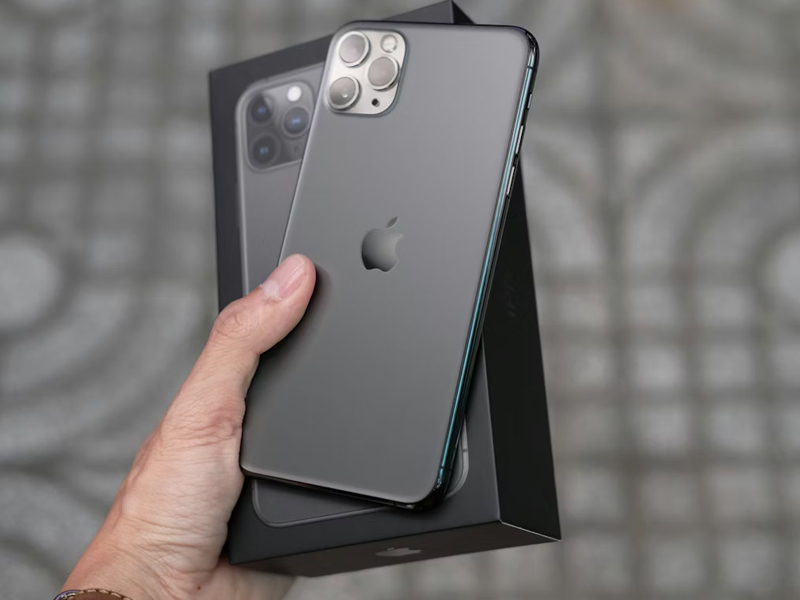
Does iPhone 11 Pro have eSIM? The iPhone 11 Pro supports eSIM technology (Image by Unsplash)
Besides, how do I know if my iPhone 11 Pro has eSIM?
Not all iPhone 11 Pro models behave the same. Regular iPhone 11 Pro units sold outside Mainland China, Hong Kong, and Macao support one physical SIM plus one eSIM, while models from China, Hong Kong, and Macao replace eSIM with two physical SIMs. So, it’s understandable that some users need to confirm which version they own.
If you are wondering if your iPhone has eSIM, you can easily verify this by navigating to Settings > General > About. Check for an EID number under the “Available SIM” or “Digital SIM” section to confirm your device is compatible.
2. How Do I Activate eSIM on My iPhone 11 Pro?
Activating an eSIM on your iPhone 11 Pro allows for dual-SIM functionality, letting you use a digital plan alongside a physical SIM. Here is how to do it:
Using a carrier app
Many carriers support eSIM activation directly through their official app. Simply download the app from the App Store, log in to your account, and follow the on-screen instructions to activate or add a new line to your iPhone 11 Pro.
Scanning a QR code
If your carrier provided a QR code, go to Settings > Cellular > Add eSIM > Use QR Code. Use your iPhone’s camera to scan the code provided and follow the prompts to complete the cellular plan installation.
Transferring from another iPhone
If your old iPhone is nearby and supports eSIM Quick Transfer, and both devices are running iOS 16.0 or later, you can follow these steps: On your new iPhone 11 Pro:
- Go to Settings > Cellular > Add eSIM
- Select Transfer From Nearby iPhone
Then, follow the on-screen instructions on both devices to confirm the transfer.
Make sure both iPhones:
- Have Bluetooth and Wi‑Fi turned on,
- Are signed in with the same Apple ID,
- Are close to each other.
3. Can iPhone 11 Pro Have Two eSIMs?
No, the iPhone 11 Pro cannot have two eSIMs active at the same time.
While it supports Dual SIM functionality and can store multiple eSIM profiles in its settings, it is limited to using one active eSIM alongside one physical nano-SIM card simultaneously.
Simultaneous dual eSIM support was introduced by Apple only with the iPhone 13 series and later models.
You can absolutely install a second eSIM on an iPhone 11 Pro for travel or a separate business line, but it only supports one active eSIM at a time. This means you’ll need to deactivate your primary eSIM to switch to another, or use it alongside a physical SIM. Running two active eSIMs simultaneously without a physical SIM is not supported on this model.
Program definition and benefits
Benefits often include free monthly data, talk, and text, helping participants stay connected to jobs, family, and emergency services.
Does iPhone 11 Pro have eSIM? Yes, but did you know you can even get a free iPhone with free eSIM?
Qualification guidelines
Generally, participation is based on household income levels – at or below 135% of the Federal Poverty Guidelines – or on enrollment in federal assistance programs such as SNAP or Medicaid. Please note that the service is non-transferable and strictly limited to one service per household.
Application process for free devices
Step 1: Check service availability
Step 2: Select your plan and device
Browse the available Lifeline plans and select your preferred smartphone or tablet. Availability depends on current inventory and location.
Step 3: Enter personal information
Complete the online form with your full legal name, date of birth, residential address, and the last four digits of your Social Security Number (SSN).
Step 4: Upload eligibility documents
Provide proof of eligibility, such as a benefits award letter (e.g., for SNAP or Medicaid) or income documentation (e.g., tax returns). Ensure these images are clear and readable to prevent processing delays.
Step 5: Submit and wait for approval
Review your information and submit the application for review.
Most users receive approval within 20–30 minutes, and once approved, your free phone will typically be shipped to your home within 7–10 business days.
5. FAQs
Is the iPhone 11 Pro eligible for eSIM?
Yes, all standard retail models of the iPhone 11 Pro are eSIM-eligible. This feature allows the device to hold a digital cellular plan without needing a physical card. However, ensure your device is “unlocked” from your carrier to use an eSIM from a different provider.
How do I know if my iPhone 11 has eSIM?
The quickest way to verify is to navigate to Settings > General > About. Scroll down to the “Available SIM” or “Digital SIM” section.
If you see a 15- to 32-digit EID (Embedded Identity Document) number listed, your iPhone 11 Pro is equipped with eSIM technology and ready for activation.
Can I use two eSIMs at the same time on an iPhone 11 Pro?
While the iPhone 11 Pro can store multiple eSIM profiles, it only supports one active eSIM at a time alongside one physical SIM. The ability to run two active eSIMs simultaneously (Dual eSIM) was not introduced until the iPhone 13 series.
Conclusion
Does iPhone 11 Pro have eSIM? Yes, this model does support eSIM technology.
By using a digital SIM, you can enjoy dual-SIM functionality for work or international travel without swapping physical cards. The iPhone 11 Pro remains a highly versatile device for users seeking flexible, modern cellular solutions.