
On This Page
If you are still asking, does iPhone 11 Pro have eSIM capability? The answer is yes, and it reflects Apple’s shift toward more streamlined connectivity. The device integrates eSIM technology directly into its hardware, allowing carriers to provision service remotely. This digital approach reduces reliance on physical components and makes managing your mobile plan more efficient.
1. Does iPhone 11 Pro Have eSIM?
Yes, the U.S. model of the iPhone 11 Pro supports eSIM technology. In addition to its physical nano-SIM slot, the device offers Dual SIM functionality, allowing you to use one physical nano-SIM and one active eSIM at the same time. This setup makes it possible to manage two different phone numbers or carriers on a single device.
With this configuration, you can keep a personal line and a work line separate, or use a domestic plan alongside a travel data plan. As long as your iPhone 11 Pro is unlocked and your carrier supports eSIM activation, you can set up your digital SIM directly through the device settings using a QR code, carrier app, or manual entry method.
2. What eSIM Means for iPhone 11 Pro Users
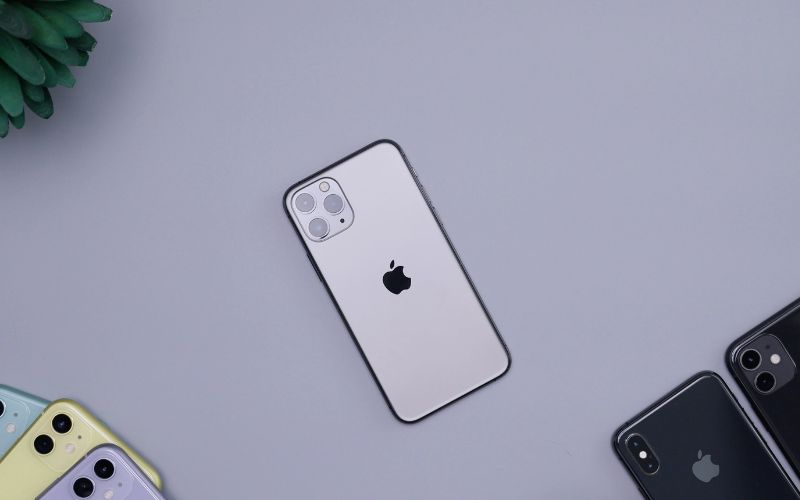
Does iPhone 11 Pro have eSIM? How eSIM works in an iPhone 11 Pro. (Image by Unsplash)
eSIM technology represents a shift toward more flexible and digital mobile connectivity on the iPhone 11 Pro. Instead of depending entirely on a removable SIM card, the device can securely store and manage carrier profiles internally, giving users more control over how their service is activated and maintained.
eSIM is a Built-In Digital SIM
An eSIM is an embedded (built-in) SIM that is permanently integrated into the iPhone 11 Pro’s hardware. Rather than inserting a physical card, your carrier installs a digital profile onto the device. This profile contains the necessary credentials that allow your phone to connect to the carrier’s network securely.
No Need to Swap Physical Cards
Because the eSIM is digital, there is no need to physically remove or replace a SIM card when activating a new line. Plan changes and activations can be completed through software settings. This reduces wear on the SIM tray and eliminates the inconvenience of handling small hardware components.
Easy Carrier Switching
eSIM allows supported carriers to provision service remotely. When switching carriers, users can download a new carrier profile directly to the device without waiting for a physical SIM shipment. As long as the iPhone 11 Pro is unlocked and compatible with the new network, the transition can be completed digitally.
Add a Second Number Without Removing the SIM
The iPhone 11 Pro supports Dual SIM functionality by combining one physical nano-SIM with one eSIM. This means users can keep their primary number active while adding a secondary line. Each line can be assigned for specific uses, such as one for calls and another for mobile data.
Helpful for Travel or Work
For international travel, eSIM makes it easier to activate a local data plan without removing your primary SIM. Business users can also maintain separate personal and work numbers on the same device. Overall, eSIM enhances convenience, improves flexibility, and supports more efficient mobile plan management on the iPhone 11 Pro.
3. Common eSIM Issues on iPhone 11 Pro (And Fixes)
Although eSIM activation on the iPhone 11 Pro is usually straightforward, users can occasionally encounter setup or signal problems. If you’re asking, does iPhone 11 Pro have eSIM, the answer is yes, but proper carrier support and correct configuration are essential for smooth performance. The same applies to iPhone 11 Pro Max eSIM, which uses a similar activation process.
eSIM Not Downloading
If your eSIM profile fails to download, first make sure your device is connected to a stable Wi-Fi network. eSIM installation requires internet access to retrieve the carrier’s digital profile. You should also confirm that the QR code or activation details provided by your carrier have not expired. Restarting your device and retrying the process often resolves temporary software glitches.
No Service After Activation
If the eSIM appears installed but shows “No Service,” verify that the correct line is turned on under Settings → Cellular. Sometimes the plan is installed but not enabled as the active line for calls or data. Toggling Airplane Mode on and off can refresh the network connection. If the issue persists, contact your carrier to confirm that the line is fully provisioned on their system.
eSIM Option Not Showing
If you do not see the “Add eSIM” option in your Cellular settings, check that your iPhone is unlocked and running the latest iOS version. Some carriers restrict eSIM support, so compatibility depends on your provider. Updating iOS and confirming carrier support typically resolves this issue.
Frequent Signal Drops
If your eSIM connection keeps dropping, reset your network settings by going to Settings → General → Transfer or Reset iPhone → Reset → Reset Network Settings.
This will erase saved Wi-Fi passwords, but it often fixes configuration conflicts affecting cellular connectivity. If signal instability continues, your carrier may need to reissue or refresh your eSIM profile.
If you qualify for the Lifeline Program, you may be eligible for free or discounted monthly wireless service based on federal income guidelines or participation in approved assistance programs. This program is designed to make essential phone service accessible for work, healthcare, education, and daily communication without financial strain.
- Free monthly talk minutes for nationwide calling
- Unlimited text messaging
- Monthly high-speed data allowance
- Nationwide coverage on a reliable network
- No long-term contracts
- Standard features like caller ID, call waiting, and voicemail
In case you’re looking for an iPhone 11 Pro but it’s out of stock, it’s always ideal to check out other options like an iPhone 11 or iPhone 11 Pro Max, all at the rarest price you can find anywhere.
Apply for the best phone at the best values for you.
This means you can power on your device and start using your service right away. If you bring your own compatible phone, you can choose between a physical SIM card or a digital eSIM for a fast, hassle-free setup process.