

On This Page
Carrier activation has changed a lot since eSIM became more common on newer iPhones.
For users checking does iPhone 13 have eSIM, the interest usually goes beyond digital activation alone. Some users want dual phone numbers on one device, others want easier travel setup, and many simply want to avoid dealing with physical SIM cards altogether.
In this guide, we’ll break down how eSIM works on iPhone 13, how to activate it, and what to expect during setup.
1. Does iPhone 13 Have eSIM?
The iPhone 13 includes full eSIM support alongside a physical nano-SIM card slot. This means the device can activate carrier service digitally without relying only on a traditional SIM card.
Depending on carrier support and region, iPhone 13 users can:
- Activate a mobile plan through eSIM
- Use a physical nano-SIM card
- Run dual SIM functionality
- Store multiple eSIM profiles on the device
Because of this setup, the iPhone 13 gives users more flexibility when switching carriers, traveling internationally, or managing multiple phone numbers on one device.
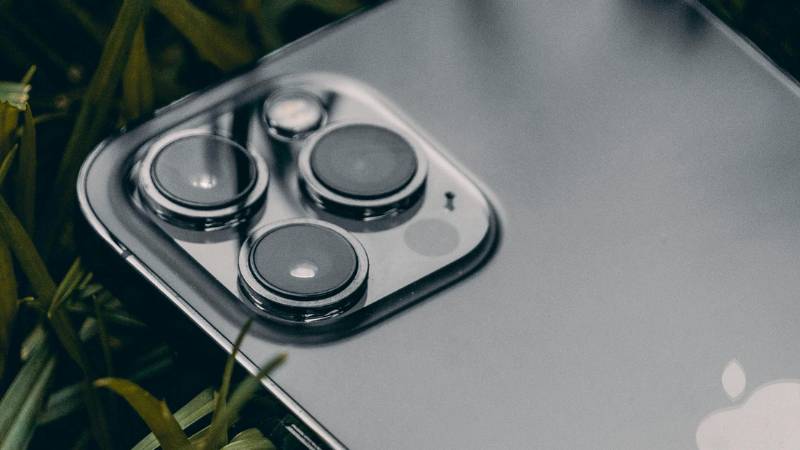
Does iPhone 13 have eSIM? Yes, iPhone 13 supports both eSIM and physical SIM cards, allowing flexible digital activation and dual SIM functionality. (Image by Pexels)
»> Also read: Does iPhone 13 Have a SIM Card? The Full Picture Explained
2. SIM Card vs eSIM on iPhone 13: What’s the Difference?
After understanding the answer to “Does iPhone 13 have eSIM?”, many users also want to know how eSIM compares to a traditional SIM card in daily use.
Physical SIM Cards Still Work Like Traditional Setup
A physical SIM card is the small removable card inserted into the SIM tray of the iPhone 13.
Some users still prefer physical SIM cards because they are:
- Easy to move between phones
- Common at carrier stores worldwide
- Useful for prepaid travel plans
- Familiar with traditional carrier setup
The iPhone 13 uses a nano-SIM card, which is currently the standard SIM size used by most carriers.
eSIM Uses Digital Carrier Activation
eSIM works differently because the mobile plan is installed digitally through software instead of a physical card.
With eSIM, users can:
- Activate service from home
- Download carrier plans instantly
- Switch networks digitally
- Avoid removing the SIM tray
- Reduce the risk of losing SIM cards during travel
Many carriers now activate eSIM through QR codes or mobile apps.
iPhone 13 Supports Both at the Same Time
One advantage of the iPhone 13 is that it supports both nano-SIM and eSIM simultaneously.
This allows users to:
- Keep separate work and personal numbers
- Use one line for travel data
- Add a backup carrier
- Manage multiple plans on one device
Because of this flexibility, many users consider the iPhone 13 one of the easier iPhones for dual-line setups.
3. How to Activate eSIM on iPhone 13 (Step-by-Step)
Once you know your iPhone 13 supports eSIM, the next step is getting your mobile plan set up. In most cases, activation only takes a few minutes, as long as your carrier allows eSIM setup.
Before starting, make sure:
- Your iPhone 13 is connected to the internet
- Your carrier supports eSIM
- Your device is unlocked if switching carriers
- iOS is updated to the latest version
Connect Your iPhone 13 to Wi-Fi
A stable Wi-Fi connection is usually required during eSIM setup because the carrier profile downloads digitally to the device.
Open the eSIM Setup Section
To begin activation:
- Open Settings
- Tap Cellular or Mobile Data
- Select Add eSIM
This section allows you to install a carrier plan without inserting a physical SIM card.
Scan the Carrier QR Code
Most carriers activate eSIM using a QR code.
To continue:
- Tap Use QR Code
- Scan the QR code provided by your carrier
- Follow the setup instructions shown on screen
Some carriers may also activate eSIM directly through their official app.
Finish Activation and Restart if Needed
Once setup completes, your carrier line should appear in the Cellular settings section.
Some carriers may ask users to restart the iPhone 13 before the eSIM becomes fully active.
4. Common eSIM Troubleshooting for iPhone 13
Even after confirming the answer to “Does iPhone 13 have eSIM?”, you may still run into a few issues during setup. Activation problems can happen for several reasons, most commonly related to carrier compatibility, timing, or network settings on the device.
eSIM Not Downloading
If the eSIM profile refuses to download, possible causes include:
- Weak Wi-Fi connection
- Expired QR code
- Carrier activation delays
- Unsupported plan type
Restarting the iPhone or requesting a new QR code from the carrier often resolves the issue.
No Service After Activation
Some users complete the setup successfully but still see “No Service” afterward.
This may happen because of:
- Carrier outages
- Incorrect network configuration
- Incomplete activation
- Temporary signal issues
Users can try:
- Restarting the iPhone
- Turning Airplane Mode on and off
- Updating carrier settings
- Rechecking activation status with the carrier
Carrier Says “Not Supported”
Not every carrier or prepaid plan fully supports eSIM activation on iPhone 13.
This message may appear if:
- The carrier does not support eSIM
- The plan is not compatible
- The device is locked to another network
Before activation, users should confirm eSIM compatibility directly with the carrier.
How to Reset Network Settings
If connection problems continue, resetting network settings may help.
To reset network settings:
- Open Settings
- Tap General
- Select Transfer or Reset iPhone
- Tap Reset
- Choose Reset Network Settings
This process removes saved Wi-Fi passwords and network configurations, so users may need to reconnect to Wi-Fi afterward.
One of the biggest advantages of the iPhone 13 is its flexibility. With support for both eSIM and physical SIM cards, you have more options when choosing how to activate service and which carrier to use. This becomes especially useful if you’re looking for a more affordable way to stay connected.
- Free monthly talk
- Free text messaging
- Free data plans (in supported areas)
Use Your iPhone 13 (BYOD Option)
- A free SIM card or eSIM
- Easy activation on your existing device
- No need to buy a new phone
Because the iPhone 13 supports both eSIM and physical SIM, you can choose whichever setup is more convenient.
Don’t Have a Phone? Get One at a Lower Cost
- Free smartphones (depending on availability)
- Discounted iPhones and Samsung devices
- Limited-time promotional deals
Who Qualifies?
Eligibility is typically based on income or participation in programs such as:
- SNAP
- Medicaid
- SSI
- FPHA
- Veterans Pension
How to Apply
The application process is simple and usually takes just a few steps:
Check availability in your area (ZIP code)
Choose a plan (BYOD or device offer)
Verify your eligibility
Upload documents if required
Submit your application and wait for approval
Once approved, you can activate your service and start using your iPhone 13 right away.
Final Words
The iPhone 13 offers both physical SIM support and modern eSIM functionality on the same device.
For users asking does iPhone 13 have eSIM support, this flexibility can make carrier activation, dual-number setup, and network switching much easier without relying only on traditional SIM cards.