
On This Page
If you are wondering, “Does iPhone 15 have SIM card support?“, the answer depends on which version of the phone you own and where it was purchased.
Apple has continued moving toward eSIM technology, which means many iPhone 15 models no longer rely on a traditional physical SIM card. For some users, this makes activation faster and more flexible. For others, it creates confusion during setup or carrier switching.
In this guide, you will learn how SIM support works on the iPhone 15, why Apple removed the SIM tray in certain regions, how eSIM activation works, and what to expect before switching to the device.
1. Does iPhone 15 Have SIM Card?
The answer to “Does iPhone 15 have SIM card support?” depends on the region where the phone was sold.
U.S. iPhone 15 Models
iPhone 15 devices sold in the United States do not include a physical SIM card tray. Instead, they use eSIM only for cellular activation.
This means:
- You activate service digitally
- No nano-SIM card is required
- All carrier setup happens through eSIM
International iPhone 15 Models
Many iPhone 15 versions sold outside the U.S. still support:
- One physical nano-SIM
- One or more eSIM profiles
So in many countries, users can still insert a traditional SIM card while also using eSIM. The setup varies because Apple uses different hardware configurations depending on regional carrier support and regulations.
In practical use:
- U.S. users rely completely on eSIM
- International users may have both physical SIM and eSIM options available
This is why people often see conflicting answers online when searching does iPhone 15 have SIM card support.
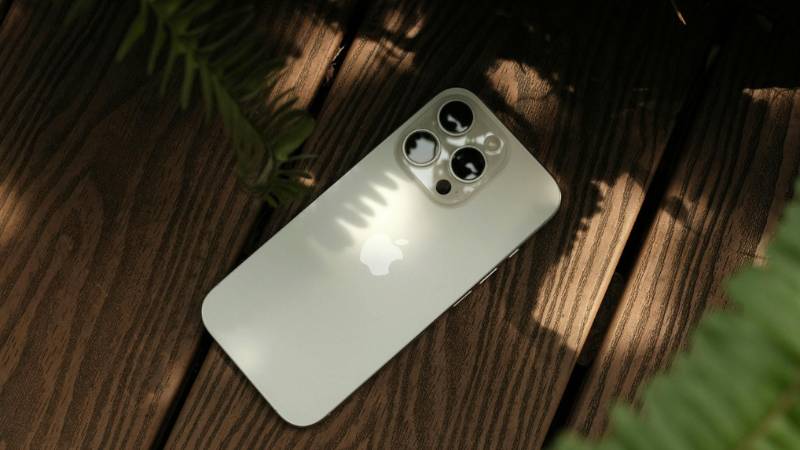
iPhone 15 SIM support depends on the region, with U.S. models using eSIM only while many international versions still support physical nano-SIM cards. (Image by Pexels)
2. Why Did Apple Remove the SIM Card Slot in the U.S.?
Apple removed the physical SIM tray from U.S. iPhone models as part of its push toward fully digital activation through eSIM.
The change was not only about design. It also affects activation speed, security, and how carriers support mobile plans.
Faster Activation and Better Security
eSIM allows users to activate service digitally without handling a physical card.
Benefits include:
- Faster carrier setup
- Easier switching between plans
- Reduced risk of losing or damaging a SIM card
Security also improves because:
- A stolen physical SIM cannot be removed easily
- Carrier profiles are tied digitally to the device
This makes account recovery and protection more streamlined.
Sleeker Design and Improved Water Resistance
Removing the SIM tray frees up internal space inside the iPhone.
This gives Apple:
- More flexibility for internal components
- Fewer external openings in the device
- Better sealing against water and dust
While the difference may seem small, eliminating the SIM tray supports Apple’s long-term move toward cleaner hardware design.
Growing Carrier Support for eSIM
Another major reason is that carrier support for eSIM has expanded rapidly.
Most major carriers now support:
- eSIM activation
- QR-code setup
- Digital carrier transfer between iPhones
Because of this, Apple can rely more confidently on eSIM-only devices in markets like the United States.
For many users, activation is now faster than inserting a physical SIM card manually.
3. How to Activate eSIM on iPhone 15 (Full Guide)
Now you know the answer to “Does iPhone 15 have SIM card support?” Understanding eSIM activation is the next step. Since U.S. models rely entirely on eSIM, setup happens digitally instead of using a physical SIM tray.
Before starting:
- Connect your iPhone to Wi-Fi
- Make sure your carrier supports eSIM
- Prepare your QR code or carrier login details if required
There are several ways to activate eSIM on iPhone 15.
Via QR Code from Carrier
This is the most common activation method.
Steps:
- Open Settings
- Tap Cellular or Mobile Data
- Select Add eSIM
- Choose Use QR Code
- Scan the QR code provided by your carrier
Your iPhone will:
- Download the eSIM profile
- Register the plan with the network
- Activate service automatically in most cases
After setup:
- Restart your device if prompted
- Wait a few minutes for signal bars to appear
Via iPhone-to-iPhone Transfer
Apple also allows direct eSIM transfer from another iPhone.
This works when:
- Both iPhones are nearby
- Both devices support eSIM
- Your carrier allows digital transfer
Steps:
- Place both iPhones close together
- Open Cellular settings on the new iPhone
- Select Transfer From Nearby iPhone
- Follow the on-screen instructions
This method is often faster because:
- No QR code is needed
- Your existing number transfers directly
Via Carrier App
Some carriers provide activation directly through their mobile apps.
In this case:
- Download the carrier app
- Sign into your account
- Follow the eSIM activation instructions
The app may:
- Automatically install the eSIM profile
- Verify your device compatibility
- Complete activation without manual setup
This is becoming more common with major carriers supporting digital onboarding.
4. Does iPhone 15 Support Dual SIM?
Yes, the iPhone 15 allows you to use more than one mobile number on the same device, which is one of the biggest advantages of Apple’s eSIM-focused setup.
This feature is especially useful for users who:
- Want separate work and personal numbers
- Travel frequently and need a second carrier
- Use different plans for calls and data
On U.S. iPhone 15 models:
- Two eSIMs can stay active at the same time
- Multiple additional eSIM profiles can also be stored on the device
This means you can switch between plans without physically removing or replacing anything.
For international versions:
- Many models still combine one nano-SIM with one eSIM
- Some regions also support dual active eSIM, depending on the carrier
In everyday use, switching between lines is handled directly in iPhone settings. You can:
- Choose which number handles calls or messages
- Assign a preferred line for mobile data
- Label each plan separately for easier management
Even without a physical SIM tray on U.S. models, the iPhone 15 still offers flexible multi-line support through eSIM technology.
After learning does iPhone 15 have SIM cards, some users may also start looking for a more affordable way to get an iPhone or activate a compatible device.
For eligible households in the United States, the Lifeline program helps make monthly phone service more affordable through participating providers. Eligible users may receive monthly talk, text, and data benefits depending on the provider and available plans in their area.
Depending on eligibility, users may receive:
- Free monthly talk, text, and data
- A compatible smartphone offer
- SIM or eSIM activation support
However, it is important to understand how iPhone offers typically work.
Some older iPhone models may occasionally be available at no cost through promotions, but advanced models such as:
- iPhone 14
- iPhone 15
- iPhone 16 series
… are usually offered at heavily discounted prices rather than fully free.
This is because:
- Newer iPhones have much higher retail prices
- Inventory and promotions change frequently
- Availability depends on device demand and stock
In some limited-time promotions:
- Certain newer models may become available at extremely reduced pricing
- Rare promotional offers may include free upgrades depending on eligibility and inventory
If you already own a compatible iPhone or want to explore device offers:
- Check Lifeline eligibility through programs like SNAP, Medicaid, or SSI
- Browse available devices and plans
- Complete the application and submit verification documents if required
Users with compatible unlocked iPhones may also use BYOD (Bring Your Own Device) and activate service through eSIM instead of purchasing a new phone.
This gives users more flexibility while still benefiting from affordable monthly service through Lifeline.
6. FAQs About iPhone 15 SIM
Can I switch carriers without a physical SIM?
Yes. Compatible iPhone 15 models can switch carriers digitally through eSIM without using a physical SIM card. However, the phone must be carrier-unlocked to work with another provider.
Can I use my old SIM card in iPhone 15?
That depends on which iPhone 15 model you own.
- U.S. iPhone 15 models do not support physical SIM cards, so you cannot insert your old nano-SIM directly. You must transfer your service to eSIM instead.
- Many international iPhone 15 models still include a nano-SIM tray, which means your old SIM card may continue working if it is compatible with the carrier and network.
If your carrier supports eSIM transfer, moving your existing number is usually quick and does not require replacing your plan.
Final Words
The answer to “Does iPhone 15 have SIM card?” is more complicated than many users expect because Apple now handles SIM functionality differently depending on the region.
While U.S. models rely entirely on eSIM, the overall experience can actually be more flexible once setup is complete. You can activate plans digitally, manage multiple lines more easily, and switch carriers without handling a physical SIM card.