
On This Page
1. Does iPhone 15 Pro Max Have SIM Card Slot?
No, the iPhone 15 Pro Max sold in the United States does not have a physical SIM card slot. U.S. models rely entirely on eSIM technology for cellular connectivity, meaning there is no tray for inserting a traditional nano SIM card.
With eSIM, users can digitally activate their carrier plan without handling a physical card. The device supports multiple eSIM profiles, allowing you to store several plans and use two active lines at the same time. However, because there is no physical SIM slot on U.S. versions, all activation and carrier switching must be done through digital eSIM setup.
2. SIM Support on Apple iPhone 15 Pro Max Models

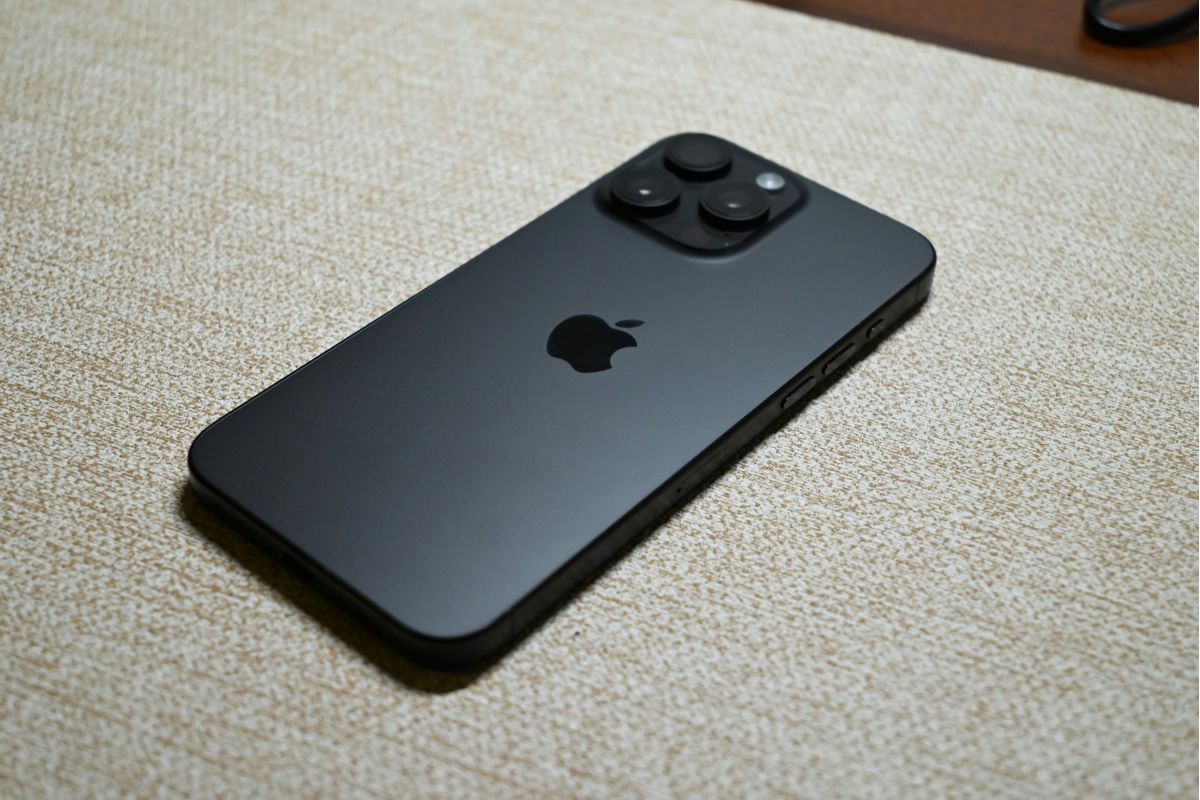
How SIM supports the Apple iPhone 15 Pro Max. (Image by Unsplash)
Apple designed the iPhone 15 Pro Max with different SIM configurations depending on the country where it is sold. Understanding these differences helps users choose the correct activation method and carrier plan.
U.S. Models – eSIM Only
In the United States, the iPhone 15 Pro Max is fully eSIM-only. These models do not include a physical SIM card slot, which means users must activate their carrier plan digitally. All network connections are managed through downloaded eSIM profiles in the device settings. This design improves security, simplifies carrier switching, and removes the need for a removable SIM tray.
Dual eSIM Support
The iPhone 15 Pro Max supports dual eSIM functionality. Users can store multiple eSIM profiles on the device and use two active lines at the same time.
This setup allows individuals to separate personal and work numbers or use a local data plan while traveling. Dual eSIM support provides flexibility without requiring any physical SIM card.
3. How to Activate eSIM on iPhone 15 Pro Max
Activating an eSIM on the iPhone 15 Pro Max is simple and completely digital. Since many users ask, does iPhone 15 Pro Max have sim card slot? It’s important to remember that U.S. models rely entirely on eSIM for cellular connectivity.
Step 1: Connect to Wi-Fi
Before starting the activation process, you should connect your iPhone 15 Pro Max to a stable Wi-Fi network. The device needs internet access to communicate with your carrier and download the eSIM profile securely. A strong connection helps prevent interruptions during setup.
Step 2: Go to Settings → Cellular → Add eSIM
Next, you open the Settings app on your iPhone. Tap Cellular (or Mobile Data, depending on your region), then select Add eSIM. This option will begin the digital activation process and guide you through the necessary steps.
Step 3: Scan QR Code or Download the Plan
Your carrier will usually provide a QR code or activation link. You can scan the QR code directly using your iPhone’s camera within the setup screen, or download the carrier plan if prompted. The phone will then install the eSIM profile automatically.
Step 4: Confirm Activation
After the profile is downloaded, your iPhone will ask you to confirm activation. You should review the carrier details displayed on the screen and confirm that the correct plan has been added. Once confirmed, the eSIM will be enabled.
Step 5: Test Calls and Data
Finally, test your connection to ensure everything is working properly. You can make a call, send a text message, or use mobile data to verify that your service is active. If the signal appears correctly and calls connect, your eSIM activation is complete.
4. You May Qualify for a Free iPhone with a SIM Card
If you are searching for ways to receive a free iPhone with a SIM card, certain government-supported assistance programs may help eligible individuals access both a device and affordable service. Whether you are comparing models or asking questions like Does iPhone 15 Pro Max have sim card slot, understanding how qualifications work and how to apply can help you make an informed decision.
Two Main Ways to Qualify
Most free device opportunities are connected to federally supported initiatives and rely on clear eligibility standards. In general, you can qualify through either income-based criteria or participation in approved public assistance programs.
Income-Based Qualification
You may qualify if your total household income is at or below 135% of the Federal Poverty Guidelines. Income limits vary depending on household size, meaning larger households may have higher qualifying thresholds.
During the application process, you will typically need to submit documentation such as recent pay stubs, a federal tax return, Social Security benefit statements, or other official income verification. These documents help confirm that your household meets the required financial criteria.
Program-Based Qualification
You may also qualify automatically if you participate in certain government assistance programs such as SNAP, Medicaid, Supplemental Security Income (SSI), Federal Public Housing Assistance, or Veterans Pension and Survivors Benefits.
Participation in these programs generally confirms that your income meets established federal or state limits. Applicants must provide official proof of enrollment, such as a benefits approval letter or award notice, to complete verification.
Overview of How to Apply
Once you confirm that you meet eligibility requirements, the application process is designed to be completed online in a clear and structured manner. Taking your time to follow each step carefully can help avoid delays and improve approval speed.
- **Confirm Your Eligibility and Prepare Documents: **Review the income or program-based requirements carefully and gather all necessary documents in advance. This may include proof of benefits or income statements. Ensuring that your documents are clear and up to date will help prevent processing issues.
- Select a Qualifying Plan and Review Available Devices: Choose the plan that matches your eligibility status before reviewing device options. Availability may vary depending on location and inventory, especially if you are considering newer models and wondering questions such as “does iPhone 15 Pro Max have SIM card slot”.
- Complete the Application Form and Upload Verification: Provide accurate personal details, including your full legal name, address, and date of birth. Upload the required documentation if automatic verification is not possible.
- Submit and Wait for Approval: After reviewing your information carefully, submit the form for final review. If approved, your device and activation instructions will be shipped directly to your address, allowing you to get connected quickly.
5. FAQs About iPhone 15 Pro Max SIM Slot
Many users still have questions about SIM compatibility and how eSIM works on newer iPhone models. Below are clear answers to common concerns about the iPhone 15 Pro Max SIM setup.
Can I insert a nano-SIM card into a U.S. iPhone 15 Pro Max?
No, you cannot insert a nano-SIM card into a U.S. iPhone 15 Pro Max. U.S. models are designed without a physical SIM card slot and rely entirely on eSIM technology. All carrier activation must be completed digitally through the device settings.
How many eSIMs can the iPhone 15 Pro Max use at the same time?
The iPhone 15 Pro Max can store multiple eSIM profiles on the device. However, it can use two active eSIM lines at the same time for calls, texts, and data. This allows users to manage personal and work numbers or combine domestic and travel plans conveniently.
6. Final Words
If you’ve been wondering, does iPhone 15 Pro Max have SIM card slot? The answer depends on where the device is purchased, with U.S. models relying entirely on eSIM technology. Understanding how eSIM works helps you activate service quickly and avoid confusion during setup.