
On This Page
If you are asking, does Pixel 8 have eSIM support? The answer is yes, and it is equipped with advanced connectivity features designed for today’s mobile users. The Pixel 8 includes both eSIM capability and a physical nano-SIM slot, offering flexible activation and easier carrier management. Through eSIM, you can complete digital plan setup, change providers with fewer steps, and handle multiple numbers directly in your settings without physically swapping cards.
1. Does Pixel 8 Have eSIM?
Yes, the Google Pixel 8 series, including the Pixel 8, Pixel 8 Pro, and Pixel 8a, supports eSIM functionality. Each model comes with embedded SIM hardware that enables digital carrier activation without the need for a removable SIM card.
In addition to eSIM, these devices retain a physical nano-SIM slot and support Dual SIM Dual Standby (DSDS). This allows users to run one nano-SIM and one eSIM concurrently, giving flexibility for managing separate lines or combining domestic and international plans on the same phone.
2. What is eSIM, and How Does It Work on Pixel 8?
An eSIM (embedded SIM) is a built-in digital SIM that allows your phone to connect to a carrier network without using a removable physical card. Instead of inserting a nano-SIM, your carrier installs a digital profile directly onto the device through secure remote provisioning.
If you are wondering, does Pixel 8 have eSIM? The answer is yes, and it is fully integrated into the device’s hardware. On the Pixel 8, the eSIM stores your carrier credentials internally and allows you to activate, switch, or manage plans digitally through the settings menu.
Once the eSIM profile is downloaded, the phone connects to the carrier’s network just like a traditional SIM. This setup also supports Dual SIM functionality, enabling you to use one physical SIM and one eSIM simultaneously for greater flexibility.
3. Switching to eSIM on Google Pixel 8: A Comprehensive Tutorial
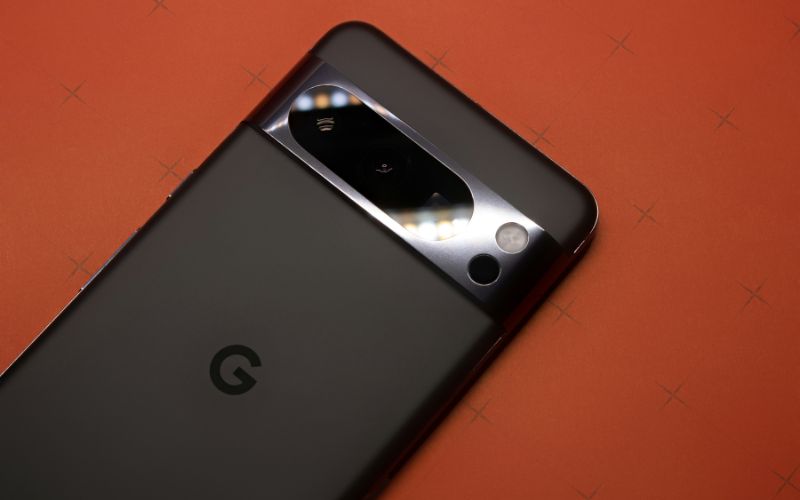
Full guide to switch to eSIM on Google Pixel 8. (Image by Unsplash)
Many users ask, does Pixel 8 have eSIM, and the good news is that it does, with full built-in support for digital activation. If your carrier provides an eSIM QR code or in-app activation, you can complete the setup directly on your Pixel 8 without inserting a physical SIM card.
Connect to Wi-Fi
Before starting, you should connect your Pixel 8 to a stable Wi-Fi network. The device must download the carrier profile securely, and a reliable internet connection ensures the process runs smoothly. Without Wi-Fi, the activation may fail or pause midway.
Open Settings → Network & Internet
Next, you open the Settings app on your phone and select Network & Internet. This section manages your mobile network, SIM profiles, and data preferences. From here, you can proceed to the SIM configuration menu.
Tap SIMs → Add eSIM
Inside the SIM settings, tap SIMs, then choose Add eSIM. The system will prompt you to begin the digital activation process. At this point, your Pixel 8 prepares to install a new carrier profile linked to your mobile plan.
Scan the QR Code or Download the App
Your carrier may provide a QR code for activation, which you can scan using your phone’s camera. In some cases, the carrier’s official app allows you to download the eSIM profile directly. Follow the on-screen instructions carefully, as the device verifies and installs the network credentials.
Confirm Activation
Once the profile is installed, your Pixel 8 will display the new mobile line under SIM settings. You can assign default preferences for calls, text messages, and mobile data usage. When signal bars appear, and the network name is visible, the activation is complete, and your eSIM is ready to use.
4. Want an Android Phone That’s Ready to Go From Day One?
If you are looking for an Android phone that works right out of the box, there are affordable options available, especially if you qualify for the Lifeline Program.
Lifeline is a federal benefit program that helps eligible low-income consumers receive discounted or free monthly phone service to stay connected to jobs, healthcare, school, and emergency services.
This makes the entire process smoother, faster, and far less complicated from day one.
Do note that if Google Pixel phone options are unavailable at the time you check, there are many other smartphone options you can browse and choose to get like:
- FOXXD A67L
- Apple iPhone 7 Plus
- Samsung Galaxy A14 5G
- Apple iPhone XS
5. Final Words
If you are still asking, does Pixel 8 have eSIM support? The good news is that it fully supports modern digital activation alongside a physical SIM option, giving you greater control over how you connect. This flexibility allows you to manage your mobile service more efficiently, switch carriers with fewer steps, and maintain multiple lines for work, travel, or personal use.