
On This Page
Does Stop and Shop take WIC? Many families rely on WIC benefits to access nutritious food, and knowing where they can be used is essential.
Stop & Shop is a WIC-authorized grocery retailer in multiple states, allowing eligible shoppers to use their eWIC cards for approved food items.
This guide explains whether Stop & Shop accepts WIC, how to find a participating store near you, and how to use your WIC card smoothly at checkout.
1. Does Stop And Shop Take WIC?
Does Stop & Shop accept WIC? Yes, Stop & Shop accepts WIC.
They are a WIC-authorized grocery store where you can use your eWIC card for in-store purchases of approved items, including making contactless payments at self-checkout registers in many locations, though you may need to complete WIC and non-WIC items separately at some stores.
2. How to Find a Stop and Shop Take WIC Near Me?
Finding a Stop & Shop that accepts WIC near you involves using digital tools or checking for in-store indicators. Many shoppers often ask, Does Stop and Shop take WIC near me, especially when planning their grocery trips.
Most Stop & Shop locations in states like New York, New Jersey, and Massachusetts are authorized WIC retailers, but specific store participation can vary by state and local agency.
Use Your State’s WIC App (Recommended)
Most states offer a dedicated WIC app, such as WICShopper or a state-specific app like the California WIC App, which includes a store locator.
Enter your zip code to view a map of all nearby authorized grocers, including Stop & Shop locations. These apps also allow you to scan product barcodes while shopping to ensure they are WIC-approved for your specific benefit balance.
Check Your State’s WIC Website
Every state health department maintains a searchable list or interactive map of WIC-authorized vendors on its official website.
Use the eWIC Card at Checkout
Once you have confirmed that a store is authorized, you can use your eWIC card at the checkout counter just like a debit card.
You must have your physical card present for every transaction, as most WIC programs do not currently support mobile pay or online WIC shopping at all locations.
Always check your remaining balance on your app or latest receipt before shopping to ensure the items you select are covered.
3. How to Use Your WIC Card at Stop & Shop (Checkout Guide)
To use your WIC card at Stop & Shop, follow these preparation and checkout steps to ensure a smooth transaction.
Make sure you select WIC-approved items, separate them at checkout, and swipe your WIC card before using any other payment method.
Before You Shop
- **Check Your Balance: **Verify your current balance before heading to the store by checking your last store receipt, calling the customer service number on the back of your card, or using your state’s WIC mobile app.
- **Identify Approved Items: **Use your state’s WIC Shopping Guide or the barcode scanner in your WIC app to confirm that items are eligible before bringing them to the register, especially if you are wondering whether Stop & Shop accepts WIC for specific products.
- **Look for Shelf Labels: **At Stop & Shop, look for shelf tags (often pink or marked “WIC Approved”) that indicate specific brands and sizes covered by your benefits, another helpful tip if you’re asking does Stop and Shop take WIC in your area.
- Have Your PIN Ready: Ensure you know your 4-digit PIN. If you enter it incorrectly four times, your card will be locked for security, even when shopping at stores where Stop & Shop takes WIC.
At Stop & Shop
- Choose the Right Lane: While some Stop & Shop locations allow WIC at self-checkout, it is generally recommended to use a staffed checkout lane that displays the WIC logo.
- **Inform the Cashier: **Tell the cashier immediately that you are using a WIC card before they begin scanning your items.
- Swipe the WIC Card First: Always swipe your WIC card before any other form of payment (such as SNAP/EBT, cash, or credit cards). This ensures eligible items are deducted from your WIC balance first.
- **Review Before Approving: **Before you enter your PIN to finalize the sale, review the screen or mid-transaction receipt to ensure all WIC items were correctly identified. If an item did not scan as WIC, ask the cashier to remove it before finishing the transaction.
- Pay the Remaining Balance: If you have non-WIC items or your fresh produce exceeds your cash-value benefit, use another form of payment to pay the difference.
- **Keep Your Receipt: **Your final receipt will show your remaining WIC food balance and its expiration dates for your next trip.
4. WIC Eligible Items at Stop & Shop
Stop & Shop stores are WIC-authorized retailers in the states they operate, so many shoppers often ask, “Does Stop and Shop take WIC?” The answer is yes: Stop & Shop accepts WIC benefits where approved.
The WIC-eligible items generally fall under core categories, but specific eligible brands and sizes are determined by your state’s WIC program.
The following food categories are generally available with WIC benefits:
- **Fruits & Vegetables: **Any brand of fresh whole or cut fruits and vegetables are allowed. Frozen or canned varieties are also allowed, provided they have no added sugar, syrup, fats, oils, or salt (canned vegetables may have regular or low sodium).
- **Milk & Dairy: **This includes milk (fat level and size is state-specific, often 1% low-fat or nonfat), cheese (usually in 16 oz blocks or rounds, not shredded or sliced at the deli), and yogurt (plain, low-fat, or nonfat, specific brands and flavors are state-approved). Soy beverages and tofu may also be options.
- Eggs: Typically one dozen, large, white chicken eggs of any brand.
- **Breakfast Cereal: **Up to 36 ounces of specific brands and varieties that meet minimum federal nutrition requirements, which are often high in fiber and low in sugar.
- Whole Grains: Items like whole wheat bread (100% whole wheat on the label, 16 oz packages), brown rice, oatmeal, and whole wheat tortillas are covered.
- Proteins/Legumes: This includes peanut butter (16-18 oz jars, any texture), dry beans/peas/lentils (16 oz packages), and canned beans/lentils (15-16 oz cans, regular or low sodium). Canned fish (tuna, salmon, or sardines) is also an option for some participants.
- **Juice: **100% juice, which may be bottled, frozen concentrate, or shelf-stable, in specific sizes and flavors.
- Infant Foods: Infant formula (contract brands are often specified), infant cereal, single-ingredient fruits and vegetables, and infant meats.
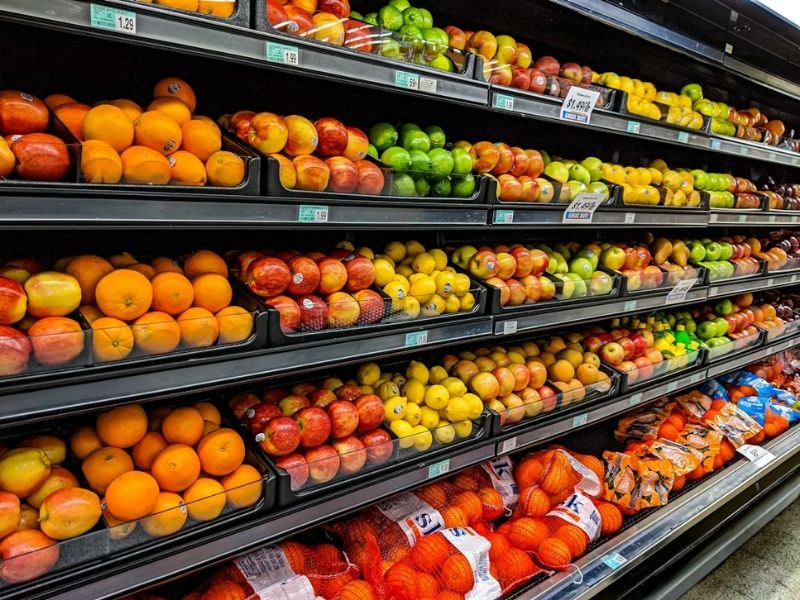
Guide to Use Your WIC Card at Stop & Shop (Image By Unsplash)
5. Extra Benefits for WIC Recipients: Free Phone Program
How WIC Qualifies You for a Free Smartphone
Eligibility Note
WIC participation may qualify applicants for the Lifeline Program in certain states. In addition to WIC, consumers across the U.S generally qualify through income-based eligibility or participation in other qualifying programs such as Medicaid, SNAP, and SSI.
- Free Smartphone**:** Popular models often include the iPhone 8, iPhone 7, or Samsung Galaxy A42 5G, depending on current stock and location. Lifeline recipients can also pick a discounted tablet (e.g., Samsung Galaxy Tab series) if available, with a small one-time co-pay.
- Free Monthly Service: Plans typically include unlimited talk and text, along with generous 5G+ high-speed data.
- International Calling: Free calling to over 200 countries and territories.
- Select a Plan and Device: Choose a Lifeline plan that includes the “Free Smartphone” benefit.
- **Upload Documents: **Provide proof of program participation or proof of income, along with a valid government ID, if required.
- Receive Your Device: Once approved, your phone and SIM card will ship for free, typically arriving in 3–7 business days.
6. FAQs About Does Stop And Shop Take WIC
Does Stop And Shop Take WIC in all states?
Does Stop & Shop take WIC in all states? Stop & Shop accepts WIC in most states where it operates, including New York, New Jersey, Massachusetts, Connecticut, and Rhode Island.
However, WIC authorization is managed at the state level, so participation may vary by specific store. Always verify your local location using your state’s WIC app or vendor website.
Can I use WIC at Stop & Shop self-checkout?
Some Stop & Shop locations allow WIC transactions at self-checkout, including contactless eWIC processing. However, not all stores support this feature. If you encounter issues, using a staffed checkout lane is recommended.
Does Stop & Shop accept WIC for online orders or delivery?
At this time, most Stop & Shop locations do not support WIC for online grocery orders or home delivery. WIC benefits generally require in-store purchases with a physical eWIC card.
What should I do if a WIC item doesn’t scan correctly?
If an approved item does not scan as WIC-eligible, ask the cashier to remove it before completing the transaction. You can also double-check eligibility using your state’s WIC app barcode scanner to avoid this issue.
Can I combine WIC with SNAP or other payments at Stop & Shop?
Yes. You can use WIC first, then pay for remaining items using SNAP (EBT), cash, debit, or credit. WIC items must always be processed before other payment methods.
Final Words
In summary, Stop and Shop does take WIC at most authorized locations, making it a reliable option for families seeking nutritious, WIC-approved foods.
By confirming store participation, understanding eligible items, and preparing before checkout, shoppers can use their WIC benefits efficiently and without stress.
Always consult your state’s WIC app or official program resources to stay informed about current rules, approved products, and store eligibility to ensure a smooth shopping experience.