
On This Page
Many smartphone users are unsure whether their phone currently has a SIM card installed, especially now that newer devices increasingly support eSIM technology instead of removable SIM trays.
Questions like does this phone have a SIM card have become much more common as smartphone designs continue evolving toward digital activation systems.
Some phones still rely completely on removable SIM cards, while others now operate entirely through eSIM profiles without any physical SIM inside the device at all.
This guide explains the fastest ways to check whether a phone contains a SIM card, how to identify eSIM-only devices, and what actually happens if no SIM is installed.
1. Does This Phone Have A SIM Card? The Fastest Ways to Check
There are several quick ways to confirm whether a phone currently uses a physical SIM card, eSIM technology, or no active SIM setup at all.
The easiest method often depends on whether the phone is powered on and accessible.
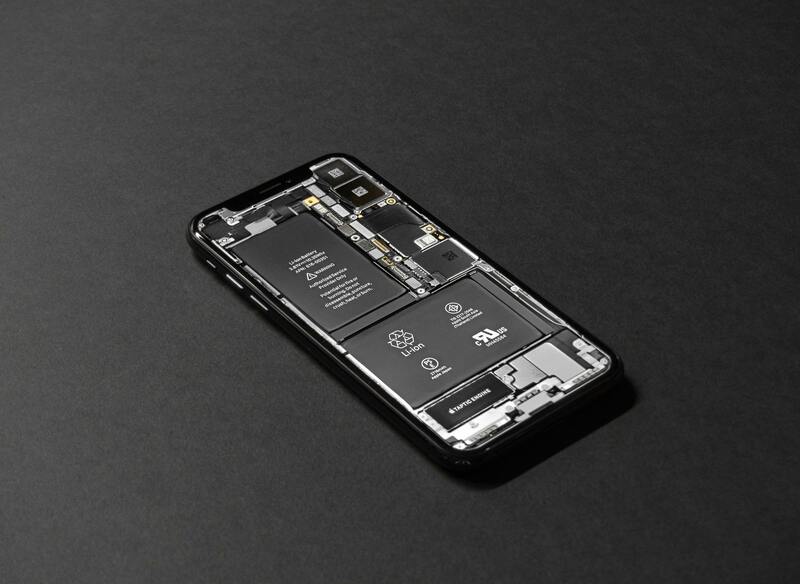
How to check SIM and eSIM settings quickly. (Image by Pexels)
Check the Outside of the Phone
One of the fastest physical checks is looking for a SIM tray on the outside edge of the device.
Most phones with physical SIM cards include:
- A small SIM tray slot
- A tiny eject pinhole beside the tray
- A removable side compartment for the SIM
On many smartphones, the SIM tray is located:
- Along the side edge
- Near the charging port
- On the upper frame of the device
If no tray exists at all, the phone may rely entirely on eSIM activation instead.
This is becoming more common on newer flagship devices, especially certain U.S. smartphone models designed without removable SIM trays.
Check Mobile Network Settings
Another reliable method involves checking the phone settings directly.
Most smartphones display active SIM or eSIM information inside network settings.
On iPhone, users can usually check:
- Settings
- Cellular or Mobile Data
- SIM or eSIM details
Android devices often display SIM information inside:
- Settings
- Connections
- SIM Manager
- Network & Internet menus
If the phone shows carrier information, network status, or active mobile numbers, then the device likely already has either:
- A physical SIM card
- An active eSIM profile
This method often provides the clearest answer for users asking “does this phone have a SIM card” without physically opening the device.
Test the Phone Without Wi-Fi
A simple connectivity test can also help confirm whether a SIM or eSIM is active.
After turning Wi-Fi off completely, check whether the phone can still:
- Open websites
- Load apps using mobile data
- Place traditional calls
- Send SMS messages
If mobile data and calling continue working normally after Wi-Fi is disabled, the phone almost certainly has an active SIM or eSIM connection already configured.
However, if the device immediately loses internet access and displays “No SIM” or “No Service,” then no active carrier connection may currently exist.
2. Does Every Phone Have a SIM Card?
The answer is no. Although most phones still require some form of carrier authentication, not every device now uses a removable physical SIM card.
Many newer smartphones support:
- eSIM-only activation
- Dual SIM setups
- Physical SIM + eSIM combinations
This is one reason searches like does every phone have a SIM card continue increasing as manufacturers adopt newer wireless activation systems.
An eSIM performs the same basic function as a physical SIM card but works digitally instead of through a removable plastic chip.
Some devices may also function without any SIM installed at all when connected only through:
- Wi-Fi
- VoIP apps
- Internet messaging platforms
The GSMA reports that eSIM adoption continues expanding globally as more manufacturers integrate digital carrier activation into smartphones, tablets, and connected devices.
As a result, the answer to “does every phone have a SIM card” is becoming increasingly complex depending on the device model and carrier setup.
3. What Happens If a Phone Has No SIM Card Installed?
A phone without a SIM card can still perform many functions normally.
As long as the device has internet access through Wi-Fi, users may still use:
- Social media apps
- Video streaming
- Messaging apps
- Internet browsing
- Cloud storage
- VoIP calling apps
- GPS navigation
However, several traditional carrier functions usually stop working without active SIM or eSIM service.
These commonly include:
- Cellular mobile data
- Standard carrier voice calls
- Traditional SMS messaging
- Carrier voicemail access
This is why users checking does this phone have a SIM card often notice the device still works partially even when no mobile service exists.
Some phones may also display:
- “No SIM”
- “SOS Only”
- “No Service”
after removing the SIM card or disabling eSIM service.
For users who need both a compatible device and mobile service, some providers may offer phone and SIM options together depending on eligibility and local availability.
- Smartphones with LTE or 5G support
- New SIM card activation
- eSIM-compatible devices
- Monthly talk, text, and data plans
- BYOD activation options
Some supported devices may include:
- Physical SIM support
- eSIM activation capability
- Dual SIM functionality
- Wi-Fi calling support
The application process generally includes:
- Checking eligibility through qualifying assistance programs or income requirements
- Entering a ZIP code to confirm service availability
- Selecting either a device plan or BYOD option
- Uploading required verification documents
- Completing the online application process
- Activating service after approval using either a physical SIM card or eSIM setup
Available devices, monthly data amounts, supported features, and SIM options may vary by state and may change over time depending on inventory and carrier availability.
For users still asking “does this phone have a SIM card”, checking compatibility before activating service can help avoid setup problems later.
Final Thoughts
Understanding does this phone have a SIM card is becoming more important as smartphones continue shifting toward eSIM technology and digital activation systems.
Some devices still rely entirely on removable SIM cards, while others now operate completely through eSIM profiles without physical SIM trays at all.
Checking the device exterior, reviewing network settings, and testing mobile connectivity can usually confirm whether a SIM or eSIM is active quickly.As more manufacturers move toward eSIM-first designs, questions like does every phone have a SIM card will likely become even more common for smartphone users upgrading devices or activating new wireless service.