

On This Page
Reliable internet access and digital devices have become increasingly important for households managing work, education, healthcare appointments, and online benefit accounts. Because of this, many families now search for a free government tablet with EBT to help support everyday communication and online access needs.
1. What Does “Free Government Tablet With EBT” Mean?
A “free government tablet with EBT” refers to **a tablet that eligible individuals may receive at low or no cost, **with EBT participation serving as one of the qualifying factors.
Since EBT is tied to programs like SNAP, it helps verify that a household meets income-based eligibility requirements.
These tablets are not given out directly by the government. Instead, they are made available through the Lifeline Program, a federal initiative designed to make communication services more affordable for low-income households.
Many low-income households search for device assistance programs that can help improve access to online services, education platforms, virtual appointments, and everyday communication tools.
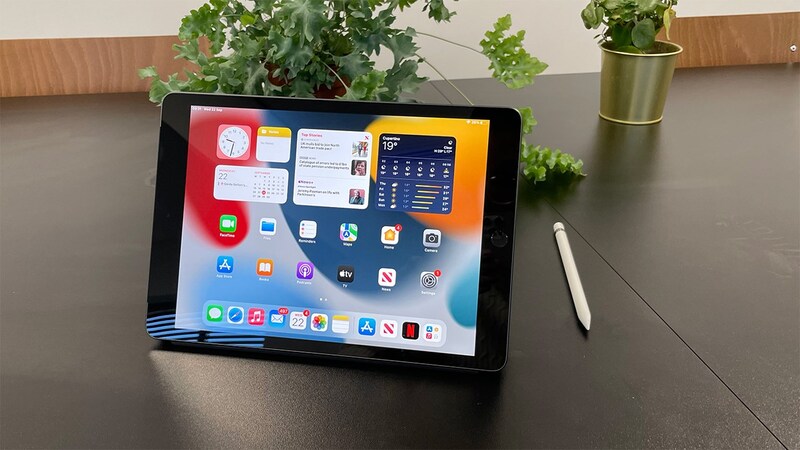
Is it possible to get a free government tablet free tablet with EBT?
2. A Look Into Qualification Criteria
Qualifying Through Household Income
Some applicants may qualify for communication assistance benefits based on total yearly household income. In many situations, eligibility is connected to** income levels at or below 135% of the Federal Poverty Guidelines**, depending on household size and state requirements.
Applicants are often asked to provide supporting documents such as paycheck records, tax forms, employer statements, or official income verification paperwork during the review process.
Income-based qualification may help households access discounted wireless services and connected devices even if they are not enrolled in public assistance programs. Accurate financial documentation can also help reduce delays connected to application review and eligibility verification requirements.
Qualifying Through Assistance Programs
For example, if you receive benefits through EBT, it typically means you are enrolled in SNAP, which is one of the approved programs under Lifeline. In most cases, this means you already meet the program-based eligibility requirements.
Other qualifying programs may include Medicaid, Supplemental Security Income (SSI), Federal Public Housing Assistance, Veterans Pension benefits, and certain Tribal assistance programs.
Because of this, households with EBT may also be eligible to explore offers such as free or discounted tablets through participating Lifeline providers, depending on availability and current promotions.
During the application process, applicants will still need to provide proof of participation. This may include an official benefits letter, an EBT document, or other verification showing active enrollment in a qualifying program.
Connected devices can help households access online learning, virtual healthcare services, job opportunities, and important daily communication tools more conveniently. Device support programs may also improve internet access for families managing school, work, and online household services.
Step 1: Check Lifeline Eligibility
The first step is to confirm whether you qualify for the Lifeline program, as this is required before accessing any device offers.
If you already are an EBT user, you are typically enrolled in SNAP, which means you generally qualify for Lifeline through program-based eligibility.
If you do not have EBT, you can still qualify by meeting other criteria, such as participation in approved assistance programs like Medicaid or SSI, or by meeting the required household income guidelines.
Before moving forward, applicants will need to prepare verification documents. These may include proof of SNAP participation, a benefits letter, or other official records confirming eligibility.
Reviewing these requirements in advance can help ensure a smoother application process and reduce delays during verification.
Step 2: Apply Online With a Trusted Lifeline Provider
Then, choose your favorite eligible device, depending on inventory and promotional availability in your area.
Step 3: Enter Personal Information and Upload Documents if Required
During enrollment, applicants are commonly asked to provide personal details such as full name, date of birth, residential address, and contact information.
In some cases, the system may automatically verify eligibility through connected government databases after the information is submitted.
Otherwise, applicants may be asked to upload supporting documents before the application can continue. Required paperwork may include proof of SNAP participation or another qualifying assistance program.
Step 4: Complete the Application and Wait for Delivery
Before submitting the application, applicants should carefully review all entered information and uploaded documents to help prevent delays during processing. Once submitted, the provider reviews eligibility details and verification documents before making a final approval decision.
If approved, the carrier will typically ship the selected device together with activation instructions included in the package.
4. Frequently Asked Questions About Free Tablets With EBT
Tablet assistance programs often create questions about device delivery, eligibility limits, and how communication benefits commonly work for qualifying households. Understanding these details ahead of time may help applicants prepare documents, review device options, and complete the enrollment process more smoothly.
Why do many families want tablets instead of only smartphones?
Many households prefer tablets because larger screens may support online learning, virtual healthcare visits, video calls, job applications, and homework activities more comfortably than smaller mobile devices. Tablets can also make it easier for children and adults to access educational platforms, streaming services, and online household resources from one shared device.
How long does it usually take to receive a tablet?
Delivery timelines may vary depending on provider inventory, state processing schedules, shipping conditions, and document verification requirements. In many approved cases, households may receive shipping confirmation after approval and receive the tablet within approximately 7-10 business days, although delays can sometimes occur during high-demand periods.
Can households receive both a tablet and a free phone?
Available device options may depend on provider rules, promotional offers, Lifeline eligibility guidelines, and current inventory availability.
Some providers may offer smartphone benefits together with discounted tablet opportunities, while others may limit support to one primary communication device or service plan per eligible household.

Some popular questions about a free government tablet with EBT. (Image by Unsplash)
Final Words
Connected devices have become increasingly important for households managing school activities, healthcare appointments, online services, and everyday communication needs. A free government tablet with EBT may help eligible families improve internet connectivity, complete online tasks more easily, and stay connected to important digital resources throughout the year.
Lifeline-supported device opportunities can also support remote learning, virtual communication, and job-related online platforms for qualifying households.