
On This Page
iPads are no longer used only at home. They now travel to classrooms, coffee shops, flights, job sites, meetings, and road trips. As mobile use grows, Wi-Fi alone is not always enough.
That is where eSIM for iPad becomes more valuable than many tablet users expect. Instead of relying on public Wi-Fi or carrying a hotspot, an eSIM-ready iPad can connect on the go with built-in cellular access.
This guide explains why eSIM for iPad matters, which models are worth considering, and how to get an eSIM for iPad in the smartest way possible.
1. eSIM for iPad: Why It Matters More Than Many Tablet Users Realize?
Many buyers focus on screen size, storage, or Apple Pencil support first. But once the iPad leaves the house, connectivity often becomes the feature that matters most.
With eSIM for iPad, users can activate cellular service digitally without inserting a physical SIM card. That creates more flexibility and fewer setup headaches.
Why it matters in real life:
- Work from anywhere without hunting for Wi-Fi
- Use navigation and travel apps on the move
- Stay connected during school, commuting, or flights
- Share files, video call, and stream more easily
- Keep a backup internet option during outages
For someone choosing between Wi-Fi only and cellular models, eSIM for iPad can be the difference between a home tablet and a truly mobile device.
2. Which iPad Is Best for eSIM Users?
The best iPad depends on how you plan to use it. If mobile connectivity is important, choosing the right model matters as much as the plan itself.
Best for Portability – iPad Mini
If you want something lightweight and easy to carry, iPad mini is one of the most practical combinations available.
The iPad mini fits into small bags, jackets, and travel setups while still offering strong performance. It is excellent for commuters, students, readers, field workers, and travelers who want connectivity without bulk.
Why it stands out:
- Extremely portable size
- Easy one-hand use in many situations
- Great for travel and navigation
- Strong everyday performance
- Cellular convenience in a compact format
For users who move constantly,** **eSIM for iPad mini often makes more sense than larger tablets.
Best for Productivity – iPad Pro
For power users, creatives, and professionals, iPad Pro can turn a tablet into a serious mobile workstation.
With a larger display, high-end performance, keyboard support, and multitasking tools, the iPad Pro is built for people who create, manage, and work on the move.
If your tablet replaces a laptop often, eSIM for iPad Pro is a strong choice.
Best Overall Value – iPad Air
For many people, iPad Air offers the best middle ground.
It balances portability, performance, screen size, and price better than many alternatives. It is powerful enough for productivity while staying lighter and more affordable than Pro models.
Why it is often the sweet spot:
- Strong performance for most users
- Lighter than Pro models
- More premium feel than entry-level iPads
- Great for students and hybrid workers
- Strong long-term value
For users wanting one iPad that does almost everything well, iPad Air is often the smartest buy.
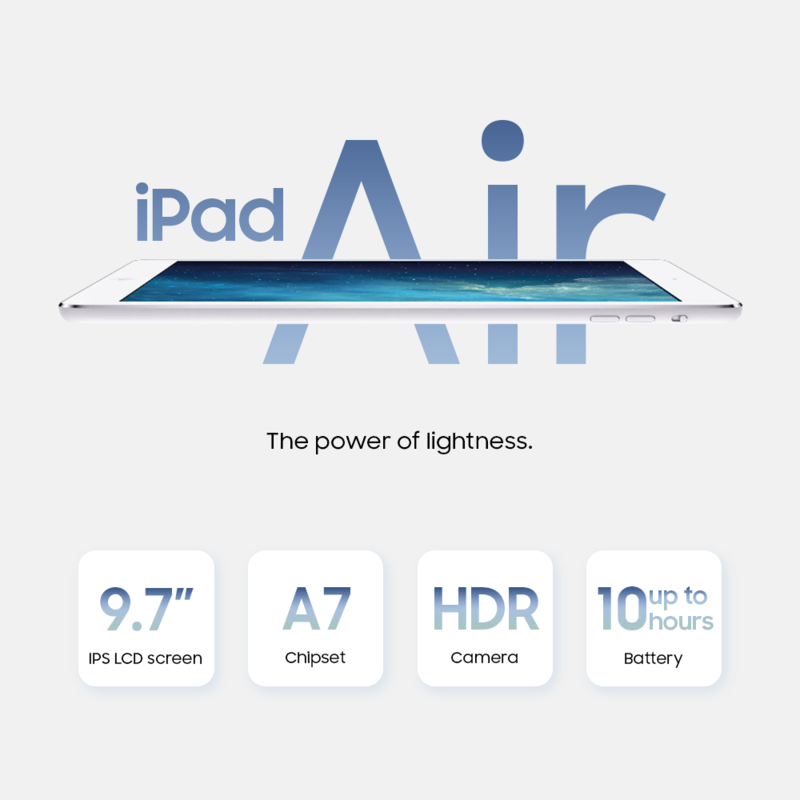
Choose the right iPad model for portability, productivity, and mobile data freedom.
3. How to Get an eSIM for iPad?
Getting eSIM for iPad starts with one key requirement: your device must be a Wi-Fi and Cellular model. Standard Wi-Fi only iPads do not include the hardware needed for mobile data activation.
Once you have a compatible device, setup is usually simple. Many carriers allow activation through a QR code, mobile app, or direct account setup inside iPad settings.
For users comparing eSIM for iPad mini, portability is often the biggest advantage. A lightweight iPad mini with mobile data can work well for travel, navigation, field work, and daily movement without depending on public Wi-Fi.
For users considering eSIM for iPad Pro, the focus is usually productivity. With cellular access, the iPad Pro becomes more practical for remote work, video calls, large file transfers, and working away from home or office networks.
Looking for the best overall value? For some households, the smarter move is not only finding a data plan, it is reducing the total cost of getting connected.
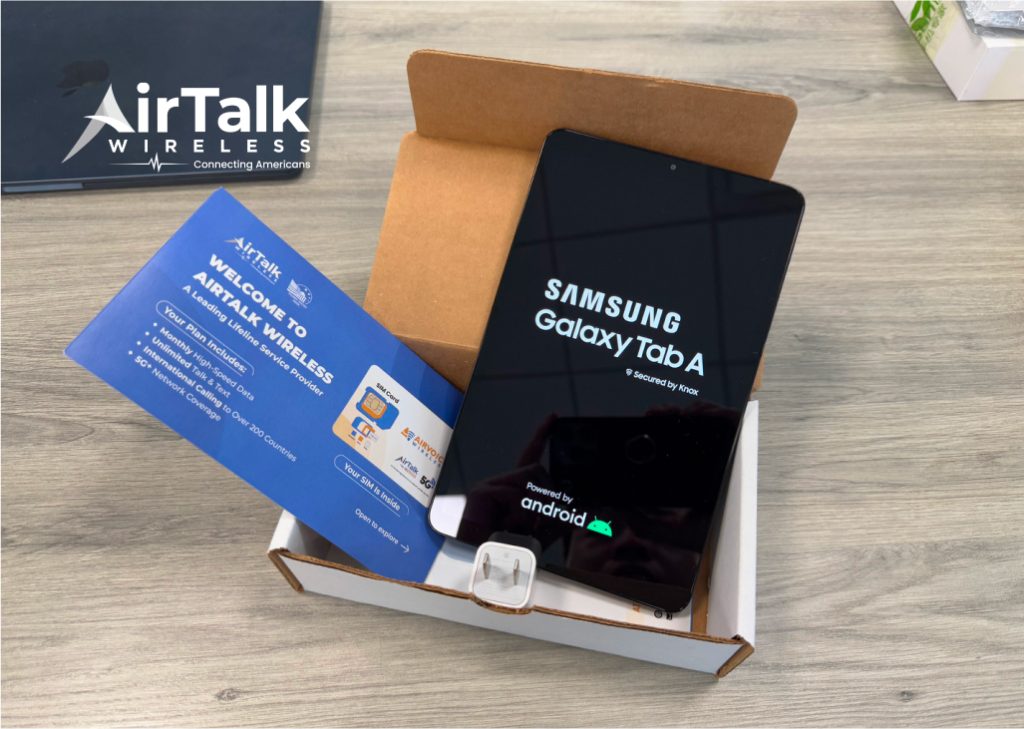
In some cases, this can include access to discounted or low-cost devices, helping users get started at a better price point.
That can be helpful if you are building a mobile setup around:
- iPad and hotspot phone use
- Lower monthly connectivity costs
- A secondary device for work or school
- Better value than paying full retail elsewhere
Sometimes the best price is created by lowering the monthly cost around the device, not only the tablet price itself.
Think about how often you truly need mobile data. If the iPad mostly stays home, Wi-Fi may be enough. If you travel, commute, work remotely, or study on the move, eSIM can quickly become worth it.
FAQs
What iPad will stop working in 2026?
Older iPads may lose software support or app compatibility over time, but they do not instantly stop working. The main issue is aging performance and reduced updates.
How do I add my eSIM to my iPad?
Go to Settings then Cellular Data on a compatible Wi-Fi, Cellular iPad. Then choose to add a plan through QR code, carrier app, or manual setup depending on provider options.
Can i use eSIM on ipad without cellular?
No, because Wi-Fi only iPad models do not include the cellular hardware required for eSIM.
Which iPad accepts eSIM?
Many newer Wi-Fi, Cellular iPad models support eSIM, including select versions of iPad mini, iPad Air, and iPad Pro.
Final Thoughts
eSIM for iPad is one of the most overlooked upgrades in the Apple ecosystem. It gives your tablet freedom to work beyond home Wi-Fi and makes travel, work, and everyday mobility much easier.
If portability matters most, iPad mini is hard to beat. If productivity is the goal, iPad Pro leads the way. If balance matters, iPad Air remains a standout choice.
The best iPad is not just about size or power, it is the one that stays connected when you need it most.