

On This Page
Now, let’s explore how you can apply and start using your free eSIM government phone service today.
1. What is eSIM?
Unlike traditional SIM cards, eSIM (embedded SIM) is built into your device. Your phone connects to a carrier digitally, giving you more control over your mobile network.
With eSIM, you can switch carriers or plans instantly, often just by scanning a QR code.
If you’ve ever landed in a new country and scrambled to find a local SIM, eSIM makes that a thing of the past. Instead of hunting down a store, you can activate a local plan remotely.
Because an eSIM is embedded inside your phone, it’s much harder for thieves to remove or misuse it. Also, eSIMs support encrypted connections, adding protection to your data. With eSIM, you can use **two numbers **on the same phone.
By 2030, North America was expected to lead in eSIM adoption, with 98% of smartphone connections using the technology. The United States played a key role in this trend, especially after Apple released the eSIM-only iPhone 14 in 2022.

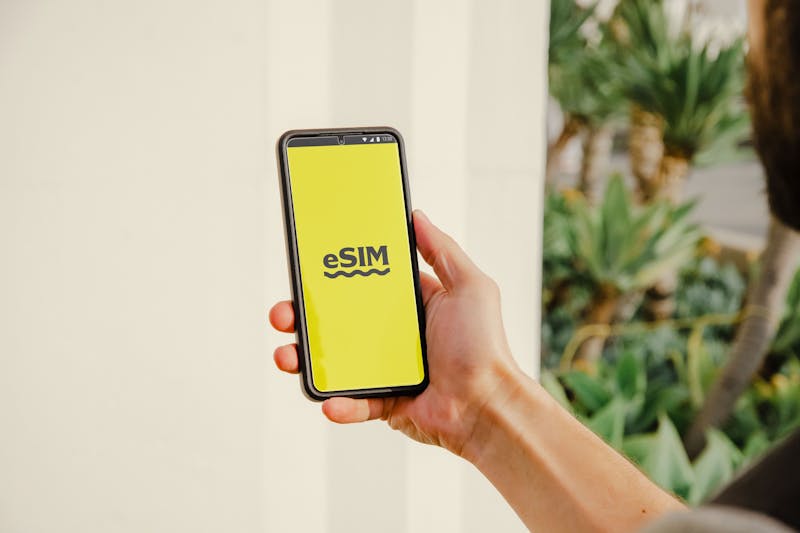
With eSIM, you can use two numbers on the same phone. (Image by Pexels)
2. Is Your Phone Compatible with eSIM?
Not every device supports eSIM. Most flagship phones made after 2020 support eSIM. iPhones from the XR and XS series onward have eSIM support. eSIM debuted in the Galaxy S21 series and continues in newer models like the S22, S23, and Z Fold series.
If you’re unsure, you can use the SIM compatibility tool**. **Just enter your phone model, and it’ll confirm whether your device is supported.
Before choosing an eSIM plan, double-check your device’s compatibility.
- Devices bought overseas might** not** support eSIM.
- Phone carriers **must support **eSIM activation in your country. Even if your phone allows eSIM, your mobile provider must offer the service.
| Brand | Lineup/Series | Model |
|---|---|---|
| Apple | iPhone XR | iPhone XR |
| iPhone XS | iPhone XS iPhone XS Max | |
| iPhone 11 | iPhone 11 iPhone 11 Pro Max | |
| iPhone SE | iPhone SE 2 iPhone SE 3 | |
| iPhone 12 | iPhone 12 iPhone 12 Mini iPhone 12 Pro iPhone 12 Pro Max | |
| iPhone 13 | iPhone 13 iPhone 13 Mini iPhone 13 Pro iPhone 13 Pro Max | |
| iPhone 14 | iPhone 14 iPhone 14 Plus iPhone 14 Pro iPhone 14 Pro Max | |
| iPhone 15 | iPhone 15 iPhone 15 Plus iPhone 15 Pro iPhone 15 Pro Max | |
| iPhone 16 | iPhone 16 iPhone 16 Plus iPhone 16 Pro iPhone 16 Pro Max | |
| Samsung | Galaxy S | Galaxy S20 Galaxy S20 Ultra 5G Galaxy S21 Galaxy S21+ 5G Galaxy S22 5G Galaxy S22 Ultra Galaxy S23 Galaxy S23 Ultra |
| Galaxy Note | Galaxy Note 20 Ultra 5G | |
| Galaxy Fold | Galaxy Z Fold2 5G Galaxy Z Fold3 5G | |
| Galaxy Flip | Samsung Galaxy Z Flip4 5G Galaxy Z Flip3 5G |
*For more brands, check details with their *SIM compatibility tool
3. How to Qualify for Free eSIM Government Phone Service
Lifeline is a federal assistance program that helps low-income households save on phone and internet services. If you qualify, you can receive a monthly discount of** up to $9.25** on your bill, and if you live on Tribal lands, that discount** is $34.25.**
Is eSIM service free? How to get eSIM for iPhone for free?
There are two main ways to qualify for Lifeline:
Income-Based Eligibility
If your gross household income is at or below **135% of **the Federal Poverty Guidelines, you may qualify for Lifeline.
Program-Based Eligibility
If you’re already receiving benefits from certain government programs, you qualify for Lifeline.
These include:
- Supplemental Nutrition Assistance Program (SNAP)
- Medicaid
- Supplemental Security Income (SSI)
- Federal Public Housing Assistance (FPHA)
- Veterans and Survivors Pension Benefit
If you live on Tribal lands**,** you can also qualify through:
- Bureau of Indian Affairs General Assistance
- Tribally-Administered TANF
- Tribal Head Start (for income-eligible households)
- Food Distribution Program on Indian Reservations (FDPIR)
4.1. How to apply for free eSIM government phone service for new customers
Step 2: Choose Your Plan
Now, you have two fantastic options:
- Bring Your Own Device (BYOD): If you want to use your current phone, keep it and get a free service plan with an eSIM. (Ensure your phone supports eSIM)
Step 3: Pick Your Phone
You’ll get access to a large range of free or discounted devices, including brands like Apple, Samsung, and Motorola.
Pick one that’s** compatible with** an eSIM. If your selected device is eSIM compatible, you can select the eSIM option during the application process.
Step 4: Upload Your Required Documents
To process your application, upload documents.
Make sure your phone is compatible with an eSIM to enjoy the benefits.
4.2. How to Get Free eSIM Service for Existing Customers
Step 1: Check Your Phone’s eSIM Compatibility
- Navigate to “SIM Replacement” or “Switch to eSIM”.
- Follow the prompts to place your eSIM request.
*Step 3: Activate Your free eSIM Government Phone Service *
Scan the QR code with your phone.
Follow the on-screen setup to install and activate your eSIM.
Your old SIM (if applicable) will be deactivated, and your eSIM will take over instantly.
5. How to Install Your Free eSIM Government Phone Service
Before you start, you need to know:
- eSIMs can only be downloaded once. Once installed, it’s locked to your phone for security reasons.
- Your phone must be unlocked. If it’s locked to another carrier, the installation won’t work.
- Stay connected to WiFi.
- Do not delete your eSIM. Removing it means losing access, and you won’t be able to reinstall it.
Now let’s check a quick guide. For more details, check HERE.
5.1. How to Install a Free Government eSIM for iPhone
**Step 1: **Connect to WiFi
**Step 2: **Open Your Cellular Settings
- Go to Settings
- Tap Cellular (or Mobile Data, depending on your region)
Step 3: Download Your eSIM
- Tap Add eSIM (or Download eSIM, depending on your iPhone model)
- Follow the on-screen prompts to complete the download
**Step 4: **Activate Your eSIM
- Tap Turn On This Line
- If prompted, select Use as Primary (or Secondary if you have a Dual SIM setup)
You can have both a physical SIM and an eSIM on the same iPhone. Just label them in Settings > Cellular > Label Your Plans for easy management.
**Step 5: **Adjust Network Settings (If Needed)
- iOS 16 and below: Follow the APN settings to ensure your data works properly.
- iOS 17 and above: Turn on Carrier Settings Update in your Cellular Settings.
How to Check If Your eSIM Is Active on iPhone
Step 1: Open Settings
**Step 2: **Navigate to Cellular Settings. Scroll down and tap Cellular (or Mobile Data, depending on your region).
**Step 3: **Check the SIM Section
Look under the SIMs section. Your eSIM should be listed here with an active status.
If you don’t see your eSIM, it has not been activated yet.
Try restarting your phone or going through the installation steps again.
5.2. How to Install a Free Government eSIM for Android Device
For Samsung Device
Step 1: Connect to WiFi
**Step 2: **Open SIM Manager
- Go to Settings
- Tap Connections
- Select SIM Manager
Step 3: Add Your eSIM
- Tap Add eSIM
- Follow the on-screen instructions to complete the download
**Step 4: **Enable Your eSIM
- Once downloaded, your eSIM isn’t active yet—you need to turn it on:
- Go back to Settings > Connections > SIM Manager
- Tap your new eSIM profile and select Turn On
You can have both a physical SIM and an eSIM on your Samsung device. Assign one for calls and texts and the other for data under SIM Manager > Preferred SIM Card.
**Step 5: **Configure Network Settings (If Needed)
- Follow the APN settings to ensure your mobile data works.
- Restart your phone to finalize the setup.
That’s it! Your free eSIM government phone service is now active.
For Google Pixel and Other Android Devices
Step 1: Connect to WiFi
**Step 2: **Open the SIM Settings
- Go to Settings
- Tap Network & Internet
- Select SIMs
- Tap Download a SIM instead
**Step 3: **Scan the QR Code
- Follow the on-screen instructions to start downloading your eSIM
**Step 4: **Enable Your eSIM
- Once downloaded, go back to Settings > Network & Internet > SIMs
- Find your newly installed eSIM and toggle it ON
Using Dual SIM? Google Pixel and other Android phones let you use a physical SIM and an eSIM at the same time. Set your preferred SIM for data, calls, and texts under the SIM settings.
**Step 5: **Configure Your Network (If Needed)
- Follow the APN settings to get your mobile data working.
- Restart your phone to apply the changes.
How to Check If Your eSIM Is Active on Android
**Step 1: **Open Settings
**Step 2: **Navigate to Network Settings
Tap Network & Internet or Connections (this may vary by device).
Step 3: Find Your SIM Settings
Select SIM Cards or Dual SIM & eSIM.
**Step 4: **Look for Your eSIM Status
If you see your eSIM listed with a status like Connected or Active, congratulations! Your eSIM is ready to go.
If you only see an option that says “Add eSIM”, then your free eSIM government phone service hasn’t been activated yet.