
On This Page
1. How Can I Get a Free Samsung Galaxy Phone for The Government?
The U.S. government has implemented assistance programs to provide phone and internet services to low-income individuals and households. One of the most notable programs is the Lifeline program, which helps people in need access essential communication services at no cost or a very low price.
In addition to service fee support, the program collaborates with reputable telecommunications providers to offer free smartphones, including models from premium brands like Samsung Galaxy.
This initiative allows recipients to use modern technology for communication, work, education, and access to vital information conveniently.
1.2 Who Qualifies for a Free Government Samsung Phone?
To receive a free Galaxy government phone, you must meet at least one of the eligibility criteria for the Lifeline program as follows:
*Low household income *
- The total household income must be at or below 135% of the Federal Poverty Guidelines.
- This income threshold is determined based on the number of household members and is adjusted annually according to federal regulations.
*Participation in government assistance programs *
If you or a household member is currently receiving benefits from federal assistance programs, you may also qualify for the Lifeline program and receive a free phone. Some of the most common qualifying programs include:
- Medicaid
- SNAP (Supplemental Nutrition Assistance Program)
- SSI (Supplemental Security Income)
- Federal Public Housing Assistance, etc.
**() Important notes: ***
- *Each household is only allowed to receive benefits from the Lifeline program once. If someone in your household has already enrolled, you will not be eligible. *
- *Lifeline benefits are not automatically renewed. You must reconfirm eligibility periodically to continue receiving assistance. *
- *The application process may vary depending on the service provider. Therefore, always check the latest information from participating network carriers. *

To receive a free Galaxy government phone, you must meet at least one of the eligibility criteria for the Lifeline program.
1.2 What Company Gives the Best Free Government Phone?
- **Monthly benefits: **Eligible users receive free talk, text, and data every month; no contracts or hidden fees; and 4G/5G network support for seamless browsing and communication
1.3 Steps to Apply for a Free Galaxy S10
*Step 1: Gather eligibility documents *
To prove your eligibility, you will need to provide clear copies of the following documents:
- Proof of identity: Government-issued ID, driver’s license, or passport
- Proof of participation in a government program: Benefits letter, statement of benefits, or official documentation
- Proof of income (if applying based on income eligibility): Recent tax return, paycheck stubs, or Social Security statement
If the free Galaxy S10 government phone is not available at the time of your search, you may opt for a Samsung Galaxy S10e or other available Samsung models.
Fill in your personal details (name, date of birth, Social Security Number, and address).
Upload your eligibility documents (ensure they are clear and legible).
Review your details and submit your application.
You may receive a notification via email or text message regarding your approval status.
This process typically takes a few business days, depending on the number of applications.
*Step 4: Receive your free Samsung Galaxy S10 *
Shipping usually takes 5–10 business days, depending on your location.
After receiving your phone, activate it by following the included instructions.
Tel: (832) 490-5451
Address: 11205 Bellaire Blvd, Houston, TX 77072
Hours: 10:00 AM – 6:00 PM, Monday – Friday
Tel: (346) 229-7090
Address: 11750 Bellaire Blvd, Houston, TX 77072
Hours: 10:00 AM – 7:00 PM, Monday – Sunday
»> Also read: How Can You Get Free Samsung Galaxy Government Phones
**2. Best Free Samsung Galaxy Phones **
Each device comes with unique features tailored to different user needs. You can explore these options to find the most suitable device for yourself, depending on your personal preferences or daily usage requirements.
Free Galaxy S10 government phone
- The Free Galaxy S10 Government Phone combines modern technology with an elegant design.
- Its 6.1-inch Dynamic AMOLED display delivers sharp, vibrant visuals.
- The 12MP triple-camera system captures professional-quality photos with true-to-life colors and high detail.
- With a 3,400mAh battery, you can use your phone all day without worrying about running out of power.
- Plus, Samsung’s Wireless Power Share feature lets you charge other devices effortlessly with just a simple touch.
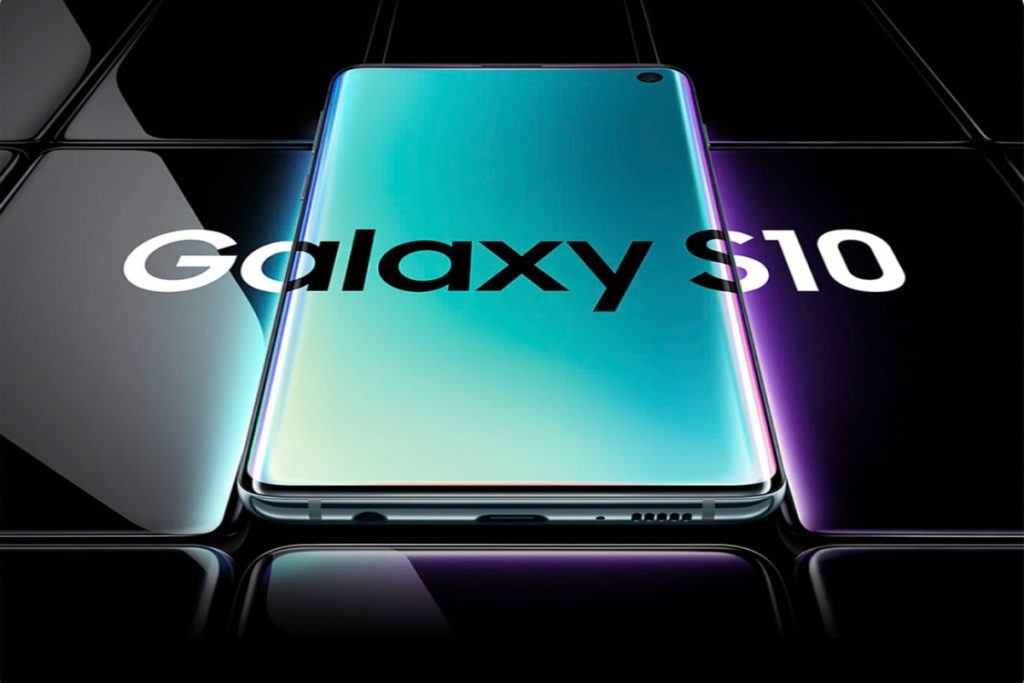
**The Free Galaxy S10 Government Phone combines modern technology with an elegant design. **
Free Galaxy S10e government phone
- The Free Galaxy S10e Government Phone is the perfect combination of a compact design, powerful performance, and advanced technology.
- Its 5.8-inch Dynamic AMOLED display delivers sharp visuals, providing an excellent experience for watching movies or playing games.
- The 12MP + 16MP dual camera allows you to capture high-quality photos, even in low-light conditions.
Free government Samsung Galaxy S22
- The Snapdragon 8 Gen 1 chipset and 6.1-inch Dynamic AMOLED 2X display with a 120Hz refresh rate deliver top-tier performance on the Samsung Galaxy S22.
- Its professional triple-camera system (50MP + 12MP + 10MP) captures sharp and detailed photos in any lighting condition.
- The 3,700mAh battery with 25W fast charging ensures all-day usage, making it perfect for those who are always on the go.
Free Galaxy Note 10 government phone
- The Galaxy Note10 combines a 6.3-inch Dynamic AMOLED display, S Pen integration, and a pro-grade triple-camera system, delivering a premium experience for work and creativity.
- The Snapdragon 855 processor with 8GB RAM ensures smooth multitasking, while the S Pen allows precise writing, drawing, and control.
- The 12MP + 12MP + 16MP camera system captures professional-quality photos in any scenario.
- With super-fast charging and a 3,500mAh battery, the Galaxy Note10 keeps you powered throughout the day.
Free Galaxy Note 20 government phone
- The Galaxy Note20 features a 6.9-inch Dynamic AMOLED 2X display with a 120Hz refresh rate, delivering ultra-smooth visuals.
- Its 108MP + 12MP + 12MP triple-camera system captures professional-quality photos with stunning detail and zoom.
- The enhanced S Pen offers low latency and Bluetooth controls for seamless productivity.
- Powered by the Snapdragon 865+ processor, 12GB RAM, it ensures top-tier performance, while the 4,500mAh battery with fast charging keeps you powered all day.
While there may be a small cost associated with upgrading to these premium devices, the Lifeline program allows you to purchase them at a significantly lower price compared to retail market prices.
3. FAQs
3.1 Can the Galaxy S10 be Unlocked?
Yes, the Samsung Galaxy S10 can be unlocked, but the unlocking method depends on how it was originally locked. Unlocking your Galaxy S10 provides flexibility to switch carriers, use international SIM cards, and increase the resale value of the phone.
- If your Galaxy S10 is locked to a specific carrier, you need to check their unlocking requirements and meet the necessary conditions. Once approved, you will receive an unlock code that allows you to use the device with any compatible network.
- If your carrier refuses to unlock your phone or you want a faster solution, third-party services can generate an unlock code for a fee. However, make sure to use a reputable provider to avoid scams or software issues.
- Some Galaxy S10 models are sold as factory-unlocked versions, meaning they can be used with any carrier without additional steps.
3.2 Does Galaxy S10 Have Tap to Pay?
Samsung Galaxy S10 supports Tap to Pay through Samsung Pay and Google Pay, thanks to its built-in NFC (Near Field Communication) and MST (Magnetic Secure Transmission) technology.
To enable Tap to Pay, go to Settings > Connections > NFC and payment, then choose your preferred payment app and set it as the default.