

On This Page
Samsung tablets are among the most popular tech gadgets today. Whether for students attending online classes, seniors staying connected with loved ones, kids enjoying educational apps, or workers boosting their productivity: these devices make life easier and more entertaining.
However, not everyone can afford one. That’s why free Samsung tablets from government programs have become a lifeline for many. Curious if you qualify? This article will explain how you can get one and walk you through the steps.
1. Possible Ways to Claim Free Samsung Tablets – Pros and Cons
If you’re looking to get a Samsung tablet for free, several options are available. However, each has its advantages and disadvantages. Let’s explore them.

Can you get a free Samsung tablet through government programs?
1.1 Lifeline Program
The Lifeline program, backed by the U.S. government and regulated by the FCC, is the most trustworthy way to get a free or discounted Samsung tablet. If you participate in programs like Medicaid, SNAP, or SSI, or if your household income meets the eligibility guidelines, you may qualify.
Many Lifeline providers offer Samsung tablets as part of their device lineup, and some even bundle them with free phones.
That said, there are still a few limitations to keep in mind:
- Availability often depends on where you live and which provider you choose.
- Plus, while some tablets are completely free, others may require a small payment, but it’s still far cheaper than buying retail.
Overall, this is the safest and most secure way to claim a Samsung tablet.
1.2 Charity & Non-Profit Programs
Certain charities and non-profit groups occasionally donate refurbished Samsung tablets to individuals and families in need. These programs often target low-income households, schools, or community centers. You might also find tech donation drives organized during special events or holidays.
The downside?
- These opportunities aren’t easy to find, and there’s no guarantee you’ll be selected.
- Availability is often limited, and you’ll need to apply or wait for a donation event in your area.
1.3 Online Giveaways & Contests
You’ll sometimes see tech websites, YouTubers, or companies run giveaways where winners can score a free Samsung tablet. It’s worth a shot if you’re feeling lucky, and there are definitely legitimate contests out there.
However:
- These giveaways are highly competitive.
- And unfortunately, some could be scams designed to steal your information, so you need to be cautious and only join trusted platforms.
1.4 Buy Now, Pay Later Apps (Claimed “Free”)
Some apps or websites allow you to take home a Samsung tablet upfront and pay for it in installments over time. While this might sound appealing, it’s important to note that** this method isn’t truly free**. You’re still responsible for the full price, and depending on the service, you might be charged interest or fees.
»> Also read: How To Apply For Free Tablet From Government Online In 5 Simple Steps!
2. How to Apply for Free Samsung Tablets with Lifeline Providers
If you want a reliable way to get a free government tablet, applying through a Lifeline provider is your best bet. Here’s how the process works.
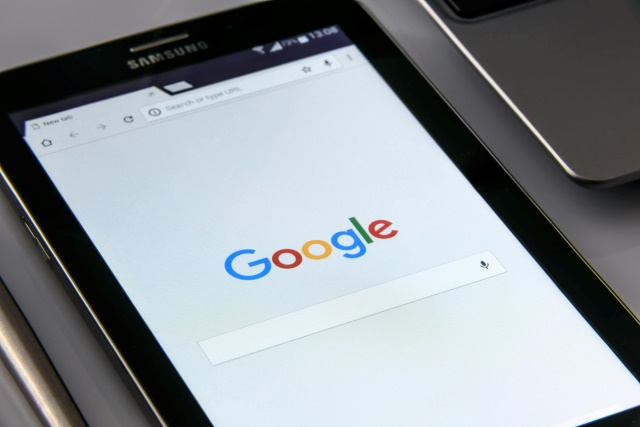
You can get free tablet with EBT, Medicaid, or more government programs.
Step 1: Check if You Qualify
Eligibility for the Lifeline program is based on either your income or participation in government assistance programs. You may qualify if your income is at or below 135% of the Federal Poverty Guidelines. Alternatively, automatic eligibility is granted if you participate in:
- Medicaid
- SNAP (Food Stamps)
- Supplemental Security Income (SSI)
- Federal Public Housing Assistance
- Veterans Pension & Survivors Benefits
- …
Residents of Tribal lands may also qualify through Tribal-specific assistance programs. Note that qualifying programs may vary depending on your state. So, always check your latest eligibility on the National Verifier or your local Lifeline website
Step 2: Prepare Documents
Once you confirm your eligibility, prepare these common documents:
- **Proof of participation: **A benefits approval letter, statement of benefits, or official document showing your active enrollment in programs like Medicaid or SNAP.
- **Proof of income: **If applying based on income, recent tax returns or pay stubs.
- **Identity verification: **Government-issued ID (driver’s license, passport, or state ID).
- Proof of address: Utility bill, lease agreement, or similar document.
Keep clear photos or scanned copies of these documents ready for upload during the application. You may be required to upload them if your state cannot verify your eligibility automatically.
Step 3: Research and Choose Providers

Through authorized providers, users can qualify for a free phone or tablet with Lifeline.
Key points to look for a good provider:
- Provider’s availability in your state.
- Device brands and models.
- Whether the tablet is free or requires a small co-pay.
- If bundles (phone + tablet) are offered.
Step 4: Apply Through Provider’s Website
Once you’ve chosen your provider, visit their website and start the application process. Typically, you’ll:
- Select a Lifeline plan.
- Pick your favorite free Samsung tablet government
- Complete the Lifeline application form and upload documents if required.
Once approved:
- Your free Samsung tablet (or discounted one) will be shipped to your home.
- You’ll also enjoy free or discounted internet and phone service through the Lifeline program.
- Trusted by thousands of satisfied customers.
- Nationwide service in most U.S. states.
- Fast application review and shipping.
- No hidden fees.
- Offers some of the most popular Samsung devices.
- Transparent terms and reliable customer support.
- Frequently updated inventory with competitive options.
- Many other extra benefits!
Here’re some popular Samsung tablets available:
- Samsung Galaxy Tab E
- Samsung Galaxy Tab S3
- Samsung Galaxy Tab 4
- Samsung Galaxy Tab S2 9.7
- Samsung Galaxy Tab S4
- Free government phone and tablet combo Samsung: Occasionally available, but stock is limited due to high demand.
- Free government phone and smartwatch bundles: A smart alternative when tablets are out of stock. Great for those who want both connectivity and wearable tech.
5. FAQs
5.3. How To Remove Virus from Samsung Tablet Free?
Use Samsung’s built-in Device Care feature to scan for malware. Alternatively, download free antivirus apps like Avast or Malwarebytes from the Google Play Store. Keep your software updated and avoid downloading unknown apps. Factory resetting your tablet (as a last resort) can remove stubborn viruses.
5.4. How To Free Up Storage on Samsung Tablet?
Delete unused apps, clear cached data, and move files to cloud storage like Google Drive or Samsung Cloud. You can also transfer media files to an external microSD card. Use the built-in Device Care tool to optimize your storage automatically.
5.5. How To Free Up Memory on A 8GB Samsung Tablet?
On a low-storage tablet like an 8GB model, uninstall unnecessary apps, clear cache regularly, and disable background processes. Using lighter apps (e.g., Facebook Lite) can save space. Move photos and videos to external storage or cloud services to maximize free memory.
See more: How To Get A Lifeline Free Tablet And Phone In 2025