

On This Page
Many low-income households are looking for affordable ways to stay connected in today’s digital world. If you’re searching for** free tablet registration **in 2026, the place to start is Lifeline, a federal assistance program that helps reduce the cost of phone or internet service.
While the government does not give tablets directly, eligible users can apply through Lifeline providers, which may offer discounted or promotional tablets as part of their enrollment offers.
1. Can You Really Get a Free Tablet Through Lifeline?
The Lifeline Program is a long-standing federal benefit created to help low-income households afford monthly phone or internet service. Its core purpose is to provide a service discount, not devices.
Many people wonder, how can I get a free Android tablet? The answer is Lifeline-supported providers. While tablets are often deeply discounted rather than completely free, they typically cost far less than retail and come bundled with Lifeline-supported service plans.
2. Who Qualifies for Free Tablet Registration with Lifeline Providers?
Before applying, it’s important to understand that Lifeline eligibility comes first. Once approved, you can then choose a participating provider that may offer tablet deals.
You can qualify for Lifeline in two main ways: through government assistance programs or household income.
2.1. Qualifying Through Government Assistance Programs
Most applicants qualify for free tablet registration because they are already enrolled in a government assistance program. If you or anyone in your household participates in any of the following, you likely qualify for a no-cost tablet:
- Supplemental Nutrition Assistance Program (SNAP/EBT)
- Medicaid
- Supplemental Security Income (SSI)
- Federal Public Housing Assistance (FPHA)
- Veterans Pension and Survivors Benefit
2.2. Qualifying Based on Household Income
Even if you are not enrolled in the programs mentioned above, you may still qualify based on your earnings. To be eligible, your total household income must be at or below 135% of the Federal Poverty Guidelines.
2.3. One Benefit Per Household Rule
It is important to remember the “One Benefit Per Household” rule mandated by the federal government. This means only one person per residence can receive a Lifeline benefit, whether that is a phone or a tablet. If another member of your home already receives these benefits, your free tablet registration might be denied.
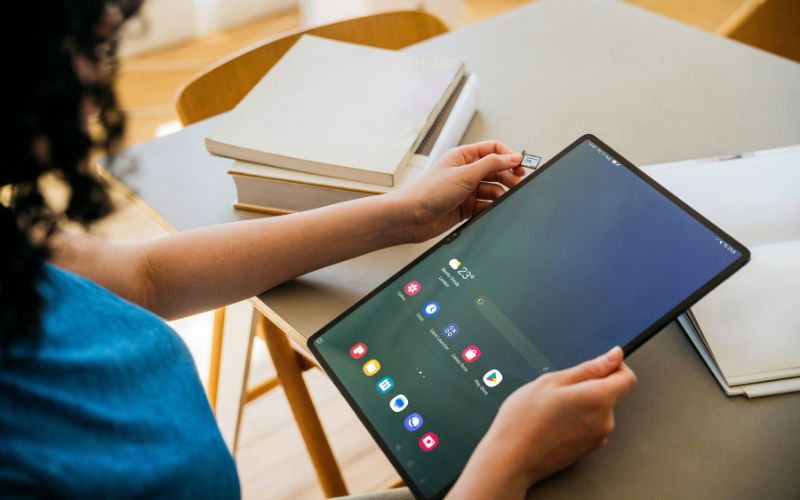
*Before applying for a free tablet, it’s important to understand that Lifeline eligibility comes first. (*Image by Unsplash) **
3. Step-by-Step Free Tablet Registration Process
Step 1: Check Eligibility
The first step is to check whether you qualify for the Lifeline program under current eligibility rules. Applicants can qualify through participation in approved assistance programs like SNAP, Medicaid, SSI, or Federal Public Housing Assistance.
Alternatively, you may be eligible based on income if your household earns no more than 135% of the Federal Poverty Guidelines. Completing this step in advance ensures a smoother application experience and helps you move forward with confidence.
Step 4: Choose Your Device or BYOD Options
Next, you can choose whether to receive a Lifeline-supported device or use your own compatible device through the Bring Your Own Device (BYOD) option. Eligible applicants may receive a free Android tablet, depending on availability and current program offerings.
Step 5: Upload Documents (If Required)
To complete your free tablet registration, you may be required to upload clear and legible copies of the required documents. These may include a valid photo ID and proof of participation in a qualifying government assistance program or income documentation. All documents should display your full name and be dated within the last 12 months.
Step 7: Receive Your Phone
After approval, your Lifeline-supported device will be prepared for shipment. If you selected a tablet or phone, it will be mailed directly to the address provided in your application. Delivery typically takes only a few business days, allowing you to start using your Lifeline benefits quickly.
4. What Happens After Your Application Is Approved.
After completing your free tablet registration, many applicants wonder what comes next. Understanding the post-approval process helps you know when to expect your device, how activation works, and how quickly you can begin using your free tablet benefits.
4.3. Activation Timeline and What to Expect
Most users can have their service fully active within minutes of receiving their device. Once active, you can begin using your monthly data allotment immediately. To keep your service active, the government requires that you use your device at least once every 30 days. Whether you are checking your email, watching an educational video, or searching for how can I get a free Android tablet for a friend, any data usage counts toward this requirement.
Final Words
Completing your free tablet registration is a powerful way to ensure you are never left behind in our increasingly digital world. By understanding “Who is eligible for up free tablet?” benefits and following the steps outlined in this guide, you can secure a modern tool for success at no cost.