
On This Page
1. Does Google Pixel 7 Support eSIM?
Yes, the Google Pixel 7, Pixel 7 Pro, and Pixel 7a fully support eSIM technology, allowing users to activate a mobile plan digitally without inserting a physical SIM card. In addition to eSIM, these models also include a physical nano-SIM slot for flexible setup options.
They support Dual SIM Dual Standby (DSDS), which means you can use one physical SIM and one eSIM at the same time, or in some cases, manage two eSIM profiles depending on carrier compatibility. This feature makes it easier to keep separate personal and work numbers or add a secondary data plan for travel.
2. How to Set Up eSIM on Google Pixel 7 (Quick Steps)
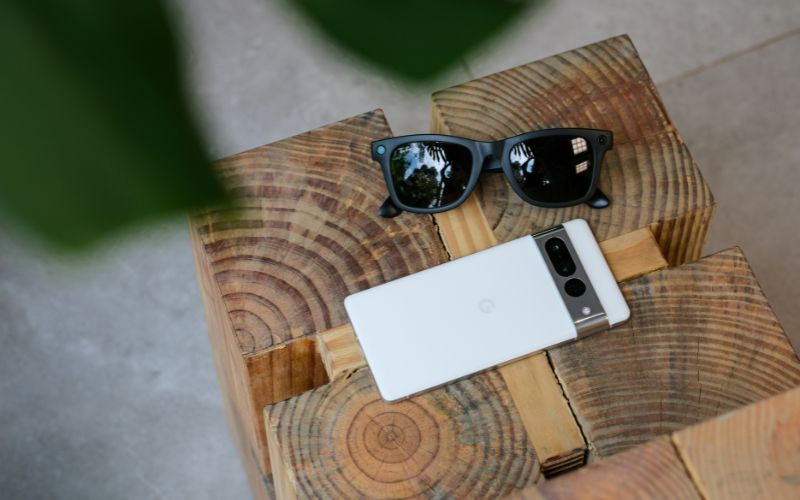
Five steps to set up eSIM on Google Pixel 7. (Image by Unsplash)
If you want to activate an eSIM on your Google Pixel 7, the process is designed to be simple and fully digital. As long as your carrier supports eSIM and provides the necessary activation details, you can complete the setup directly on your device within minutes.
Connect to Wi-Fi
First, you should connect your Google Pixel 7 to a stable Wi-Fi network. The device requires internet access to download the carrier’s eSIM profile securely. If the connection is unstable, the download may pause or fail.
Open Settings → Network & Internet
Next, open the Settings app on your phone and tap Network & Internet. This section allows you to manage mobile networks, SIM profiles, and data preferences. From here, you can proceed to the SIM management menu.
Select SIMs → Download a SIM
Inside the SIM settings, you need to tap SIMs, then choose Download a SIM or Add more, depending on your Android version. The system will guide you through the process of adding a new digital mobile plan. At this point, your phone prepares to register a new carrier profile.
Scan QR Code or Enter Details Manually
Your carrier will usually provide a QR code for activation. You can scan the QR code using your phone’s camera, or you may manually enter the activation code if required. The Pixel 7 will then begin installing the eSIM profile onto the device.
Confirm Activation
After the installation finishes, you should confirm that the new mobile line appears in your SIM settings. The device may prompt you to choose default preferences for calls, SMS, and mobile data. Once signal bars are visible, your eSIM is successfully activated and ready for use.
3. Switching Service or Phone? There’s a Simpler Way to Get Connected
If you are switching carriers or upgrading your phone, the process does not have to be complicated. Devices with Google Pixel 7 eSIM support allow fast digital activation, making it easier to connect without waiting for a physical SIM card.
For eligible customers, the Lifeline Program provides free or discounted monthly wireless service based on federal income guidelines or participation in approved assistance programs. This helps individuals and families stay connected to essential services like work, school, and healthcare.
4. Pixel 7 eSIM FAQs
If you are exploring Google Pixel 7 eSIM features, it’s important to understand how SIM and eSIM functionality work on this device. Below are clear and accurate answers to common questions about compatibility, storage, and transfer options.
Does Pixel 7 support both SIM and eSIM?
Yes, the Pixel 7 supports both a physical nano-SIM and eSIM technology. With Dual SIM Dual Standby (DSDS), users can run one physical SIM and one eSIM at the same time for calls, texts, and data. This setup provides flexibility for managing separate numbers on a single device.
How many eSIM profiles can the Pixel 7 store?
The Pixel 7 can store multiple eSIM profiles, although only one or two lines can be active simultaneously. Additional profiles remain saved on the device and can be switched on when needed without repeating the full activation process. The exact number of storable profiles may vary depending on the carrier and software updates.
Can I transfer an eSIM from another Android?
In many cases, you can transfer an eSIM from another Android device, but the process depends on carrier support. Some carriers allow direct transfer during setup, while others require issuing a new activation QR code. To ensure a smooth Google Pixel 7 eSIM transfer, it is recommended to confirm the procedure with your carrier beforehand.
5. Final Words
The Google Pixel 7 lineup offers modern connectivity with full eSIM support, giving users more flexibility in how they activate and manage their mobile service. With Dual SIM Dual Standby capability, you can easily balance personal and work lines or add a travel plan without swapping cards.