

On This Page
Applying for a government free tablet application can help eligible users access a tablet for school, work, or personal use. Even when fully free tablets are limited, you can explore many discounted options and special promotions that make it easier to get connected.
If you’re wondering how to get a government tablet for free, this guide has all the insights you need.
1. Discovering Government Tablets – What You Should Know
Tablets provide low-income households with access to essential technology for education, work, and everyday communication. These devices are typically offered through the Lifeline program. The goal is to help eligible users across the country stay connected while lowering financial barriers to technology.
Users commonly ask, “What is a government tablet?” or “Which tablet is given by the government?” In fact, the Lifeline program itself is a federal benefit that provides discounts on monthly phone or internet service. It does not directly cover the cost of a tablet or other device.
If you want to receive a low-cost or free tablet through Lifeline, you’ll find several participating providers that offer these devices as a special sign-up promotion for Lifeline customers.
Government tablets are designed to meet basic functional requirements. These typically include a touchscreen interface, Wi-Fi connectivity, standard battery life, and sufficient storage for educational and work-related apps.
For many households, a tablet is a vital tool that allows students to complete online assignments, employees to communicate and manage work tasks, and families to stay connected during emergencies.
When considering a government free tablet application, it’s important to understand that not all tablets are entirely free. Many come with a discounted price or require a small co-pay.
Before applying, it’s essential to verify eligibility. This usually involves proving participation in an approved assistance program or meeting federal low-income thresholds.

How do I get a government tablet for free (Image by Pexels)
Even when a fully free tablet is limited in availability, users can choose from many heavily discounted options. Availability varies by state, so checking back regularly ensures you do not miss out on promotions.
Some popular tablet options include:
- 8-inch Android Tablets: Lightweight, easy to carry, and ideal for reading, web browsing, and educational apps.
- 10-inch Android Tablets: Larger screen sizes for better viewing and multitasking, with improved battery life and speakers.
- Premium Tablets: More advanced devices from brands like Samsung or Apple offer high-quality performance at a discounted cost.
Check the provider’s official website for real-time inventory and detailed specifications.
3. Step-by-Step Guide to Government Free Tablet Application
Applying for a government free tablet application can seem confusing at first, but breaking the process into clear steps makes it straightforward. Here’s how you can approach it:
Step 1: Confirm Eligibility
Begin by reviewing the requirements. Lifeline eligibility typically depends on participation in programs such as SNAP, Medicaid, or SSI, or on having a household income at or below 135% of the federal poverty guidelines.
Gather documents that demonstrate your qualification, such as benefit letters or tax records. Ensuring your eligibility upfront will save time during the application process.
Step 2: Select the Right Free Government Tablet Provider
Not all participating providers offer tablets or the same models and pricing options.
Consider factors such as device availability and support services when selecting a provider. Remember that availability varies by state, so checking the provider’s website regularly is important.
Step 3: Fill Out the Application Accurately
You can ask your chosen provider for help with the application or apply directly through the provider’s website.
Complete the registration form with your personal information, eligibility details, and device preference.
If requested, submit clear copies of required documents. Commonly accepted documents include a government-issued ID, proof of enrollment in an eligible assistance program, and income verification if applicable.
Submitting everything correctly the first time reduces processing time and prevents requests for additional information.
Double-check entries for accuracy; mistakes can delay approval.
Step 4: Submit and Track Your Application
Once the form and documents are submitted, your application will be reviewed. After approval, your tablet is shipped directly to your address. Keeping track of shipment notifications ensures you know when to expect your device.
Follow Up if Needed
If there is a delay or issue with your application, contact the provider’s customer service. Maintaining clear records of your submission and correspondence can help resolve issues quickly.
By approaching the process step by step, applicants can navigate the government free tablet application with confidence.
4. Understanding Which Tablet You Might Receive
When applying for a free or discounted tablet through the Lifeline program, your tablet will depend on a few key factors:
Your Provider & Current Inventory: Each participating provider distributes tablets based on what they have in stock at the time your order is processed.
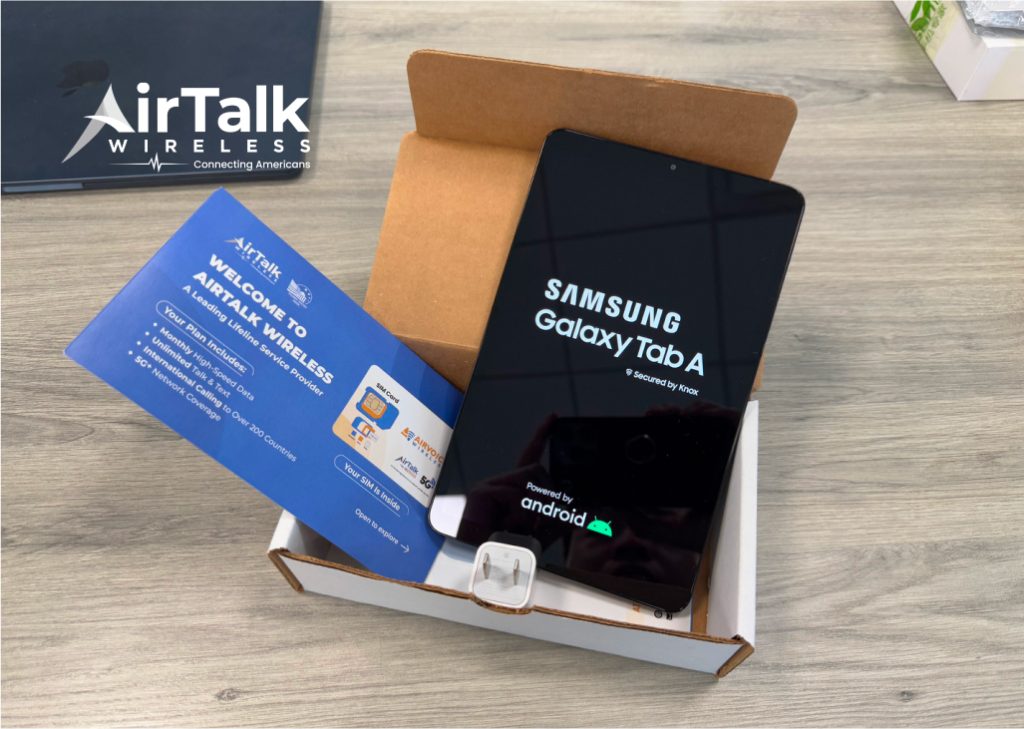
Tablet models often offered by providers include Sky Pad 8, Alcatel JOY TAB 2, Samsung Galaxy Tab E or Galaxy Tab S models, and iPad models like the iPad Air 2 or iPad mini 4. Availability changes frequently depending on supply.
**Your Location: **Where you live can also influence the type of tablet you might receive. Providers operate differently across states, and tablet options can vary by state, region, or ZIP code. Some areas may have more participating providers, while others may offer limited selections or different device models.
Tablets generally are intended to support educational tools, internet access, and productivity applications, making them ideal for Lifeline recipients. Checking the provider’s website regularly helps track available devices and special offers.
Final Thoughts
By understanding eligibility requirements, navigating the registration process, and exploring both free and discounted options, you can secure a tablet that supports school, work, and daily life. Whether you’re interested in an iPad for portability or a larger Android device for more extensive use, staying flexible about available models will help you make the most of available programs.