
On This Page
If you’re asking how long does it take to activate eSIM, the timeline can vary based on your carrier, device compatibility, and network conditions. In most situations, activation is completed within a few minutes after scanning the QR code or confirming the digital plan download.
1. How Long Does It Take to Activate eSIM?
eSIM activation is usually near-instant or takes about 1 to 15 minutes for most users. Once you scan the QR code or download the digital plan through your carrier’s app, the device installs the eSIM profile and connects to the network automatically.
In many cases, the process completes within a few minutes, especially if your account is already verified and your device is fully compatible. However, activation time can vary depending on carrier processing speed, network conditions, and whether additional verification steps are required. If delays occur, restarting the device or contacting your carrier can often help finalize the connection.
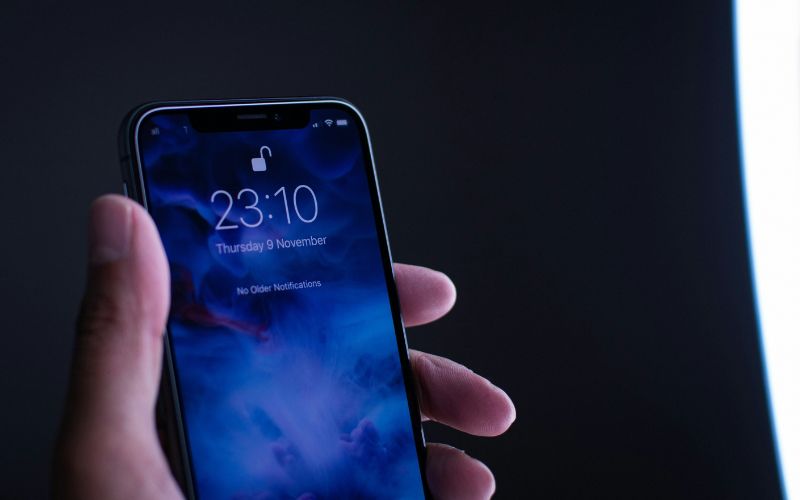
You may receive a free phone with a free eSIM if you are eligible. (Image by Unsplash)
2. Factors That Affect eSIM Activation Time
If you’re asking how long does it take to activate eSIM, it’s important to understand that activation speed is influenced by multiple technical and carrier-related variables. While many users complete the process within minutes, certain conditions can extend the timeline beyond the typical 1-15 minute window.
Carrier Processing Speed
Each carrier uses its own system to provision and assign eSIM profiles. Some providers automate the process, allowing near-instant activation after scanning a QR code. Others may require backend approval or system synchronization, which can take additional time, especially during high-traffic periods or maintenance windows.
Account Verification
Security checks are another common factor. If your carrier flags the activation as a SIM change or device switch, they may require identity verification to prevent fraud. Responding quickly to verification prompts, such as one-time passcodes or account confirmations, can significantly reduce delays.
Device Compatibility
Your smartphone must include built-in eSIM hardware and be supported by the carrier’s network. If the device model is incompatible or running outdated software, activation may stall or fail entirely. Updating your operating system before starting can help ensure smoother provisioning.
Internet Connection Strength
A strong and stable internet connection is essential because the phone must download the digital SIM profile securely.
Weak Wi-Fi signals or unstable mobile data connections can interrupt installation and require restarting the process. Connecting to a reliable Wi-Fi network generally leads to faster eSIM activation.
Locked vs. Unlocked Phone
Carrier-locked phones may reject eSIM profiles from other networks. If the device is restricted to a specific carrier, activation attempts with a different provider will not succeed.
Using an unlocked phone increases compatibility and helps ensure that activation proceeds without unnecessary complications.
3. Can eSIM Activation Be Instant?
Yes, eSIM activation can be instant, especially when your carrier fully supports automated digital provisioning. In many cases, once you scan the QR code or confirm the download in your carrier’s app, the eSIM profile installs within minutes and connects to the network almost immediately.
Compared to waiting for a physical SIM card to ship and arrive, eSIM activation is significantly faster. There’s no need to visit a store or swap out a tiny card. The entire process happens digitally on your device. If you’re learning how to activate eSIM on iPhone, the steps typically involve going to Settings → Cellular → Add eSIM, scanning the provided QR code, and confirming installation.
However, activation is not always instant. In some situations, users may see a status message like eSIM stuck on activating, which can happen due to weak internet connections, pending carrier verification, or device compatibility issues.
Restarting the phone, checking for software updates, or contacting the carrier often resolves the delay and completes the activation process.
4. Prefer a Phone That’s Already Activated and Ready to Use?
If you want to skip the hassle of setting up your SIM or eSIM from scratch, choosing a phone that arrives already activated can save you time and stress. For many users, especially those who aren’t tech-savvy or are switching carriers, a pre-activated device means you can turn it on and start using talk, text, and data right away without manual configuration.
The Lifeline Program helps eligible consumers access free or discounted monthly wireless service, making it easier to stay connected for work, school, healthcare, and daily life. Participating providers offer service plans that include everything you need, often without long-term contracts or hidden fees.
This way, you can get connected quickly and start using your phone instead of going through the hassle of activation.
5. Final Words
Many users ask how long does it take to activate eSIM before switching to a digital plan, and in most cases, the process is surprisingly fast. With compatible devices and supported carriers, activation often finishes within just a few minutes. Any delays usually relate to account verification, software updates, or network stability rather than the eSIM itself.