
On This Page
Managing multiple phone plans is becoming more common, especially for travel, work, and backup coverage. Many iPhone users searching for how many eSIMs can iPhone 15 have are usually trying to figure out how flexible Apple’s eSIM setup really is in everyday use.
Whether you want a second number, a travel plan, or another carrier on standby, understanding how eSIM works on iPhone 15 can make switching between networks much easier.
1. How Many eSIMs Can iPhone 15 Have?
The iPhone 15 can store multiple eSIM profiles at the same time, but only two lines can stay active together simultaneously.
This means you can:
- Keep several carrier plans saved on your phone
- Switch between eSIM profiles anytime
- Use two active numbers at once
- Combine work, travel, and personal plans on one device
For example, you could have:
- One personal number
- One work line
- One travel eSIM stored for future trips
- Another backup carrier saved on standby
The exact number of stored eSIM profiles may vary depending on the iPhone model and carrier setup, but most users will never reach the storage limit in normal daily use.
Apple also allows users to switch between saved eSIMs directly from Settings without removing a physical SIM card. This is one reason eSIM has become much more popular on newer iPhone models.
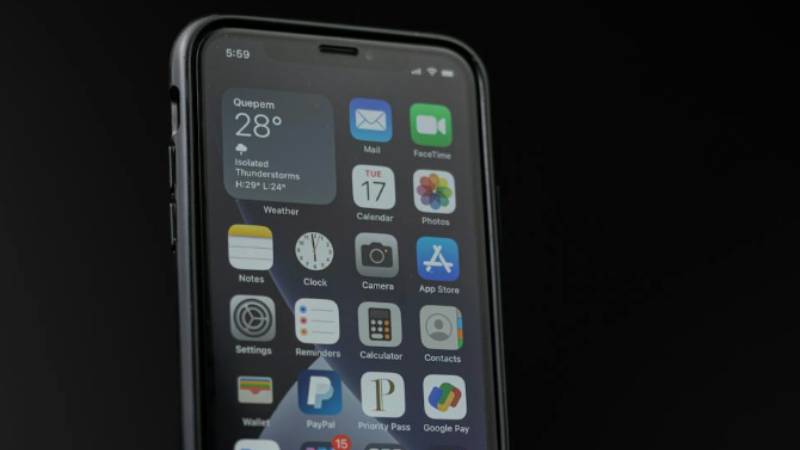
How many eSIMs can iPhone 15 have? Multiple eSIM profiles – up to two active numbers at the same time. (Image by Pexels)
2. Real-Life Situations Where Multiple eSIMs Help
Understanding how many eSIMs iPhone 15 can have becomes much more useful when you look at real everyday situations where multiple lines make life easier.
Work & Personal Numbers on One Phone
Many people use one number for work and another for personal calls. With eSIM, you can keep both lines active on the same iPhone 15 without carrying two phones.
This makes it easier to:
- Separate work calls from personal calls
- Manage business messages
- Use different data plans
- Turn work lines off after hours if needed
Traveling Internationally Without Swapping SIMs
Travel is one of the biggest reasons people use eSIM on iPhone 15.
Instead of removing your primary SIM card, you can simply add a travel eSIM before your trip. This allows you to:
- Keep your home number active
- Use local mobile data overseas
- Avoid losing physical SIM cards
- Switch networks quickly while traveling
Many travelers now prefer eSIM because the setup is much faster than buying physical SIM cards at airports or local stores.
Backup Carrier for Better Coverage
Some users keep a second carrier active as a backup in areas where coverage is weak.
For example:
- One carrier may work better in cities
- Another may perform better in rural areas
- One line can stay active if the main network goes down
This setup is useful for people who rely heavily on mobile data, remote work, or constant connectivity.
3. How to Add and Manage eSIMs on iPhone 15
Once you understand how many eSIMs can iPhone 15 have, the next step is learning how to add and manage those plans correctly. Apple makes the setup process fairly simple, and you can switch between saved eSIMs without removing a physical SIM card.
To add a new eSIM on iPhone 15:
- Open Settings
- Tap Cellular or Mobile Data
- Select Add eSIM
- Scan the QR code from your carrier or follow the carrier app instructions
- Complete the activation process
After activation, your new line should appear inside the Cellular settings section.
If you use multiple plans, it is a good idea to name each line clearly to avoid confusion later. For example, you can label them as:
- Personal
- Work
- Travel
- Backup Data
This makes it much easier to choose the correct line for calls, texts, and mobile data.
You can also switch between plans anytime directly from your iPhone settings. In some cases, users can quickly manage active lines through the Control Center or Cellular settings without deleting existing eSIM profiles.
One advantage of understanding how many eSIMs iPhone 15 can have is that you are not limited to using only one mobile plan anymore. Many users now keep an extra line for travel, work, backup coverage, or lower monthly costs without carrying a second phone.
Depending on eligibility, users may qualify for:
- Free monthly talk
- Free monthly text
- Free monthly data
- eSIM activation on compatible devices
This setup can work well for users who want:
- A second number for work
- A backup carrier
- A lower-cost data line
- A separate travel or family plan
Eligibility is usually based on household income or participation in programs such as Medicaid, SNAP, SSI, FPHA, or other qualifying assistance programs.
The application process generally includes checking your ZIP code, selecting a plan, confirming eligibility, uploading documents if needed, and activating service after approval.
5. FAQs About iPhone 15 eSIM Limits
Can I switch between eSIMs instantly?
Yes. Since the iPhone 15 can store multiple eSIM profiles, users asking how many eSIMs can iPhone 15 have can also switch between saved plans directly from the Cellular settings without removing a physical SIM card. The process usually only takes a few seconds.
Does storing more eSIMs slow my phone?
No. Storing multiple eSIM profiles does not normally affect iPhone performance, battery life, or speed. Saved eSIM plans work more like stored network profiles rather than apps running in the background.
Can I delete and re-add eSIM profiles later?
Yes, but it depends on your carrier. Some carriers allow you to reactivate the same eSIM easily, while others may require a new QR code or another activation request. Before deleting an eSIM, it is a good idea to confirm your carrier’s reactivation process.
Final Words
Knowing how many eSIMs can iPhone 15 have helps a lot once you start using multiple numbers, travel plans, or backup carriers on one device. Instead of swapping SIM cards manually, iPhone 15 lets you manage everything digitally in a much simpler way.