

On This Page
1. How Many eSIMs Can iPhone 15 Have?
The iPhone 15 can store up to eight eSIM profiles on the device, depending on storage and carrier configuration. However, while multiple profiles can be saved, the phone supports two active eSIMs at the same time for calls, texts, and mobile data.
2. Real-Life Examples: When Multiple eSIMs Are Useful
Having the ability to store and manage multiple eSIM profiles gives iPhone 15 users more flexibility than traditional SIM setups. If you’ve ever wondered how many esims can iphone 15 have, understanding real-life use cases can help you see why this feature is so practical.
Work and Personal Numbers on One Phone
Many professionals prefer to keep their work and personal communications separate. With dual active eSIM support, you can use one number for business calls and another for family and friends without carrying two devices.
This setup helps you manage availability, voicemail, and messaging more efficiently. You can also assign different labels to each line in your iPhone settings, making it easy to identify which number is being used for outgoing calls or texts.
Travel Internationally
Frequent travelers benefit greatly from multiple eSIM profiles. Instead of swapping physical SIM cards, you can download a local carrier’s eSIM plan before or after arriving at your destination. This allows you to access affordable local data rates while keeping your primary number active for calls and verification codes. The ability to switch between plans directly in your settings makes international connectivity more convenient and cost-effective.
Backup or Budget Carrier Plans
Some users keep a secondary eSIM as a backup in case their primary carrier experiences outages or weak coverage in certain areas. Others use a lower-cost data plan from a budget carrier while maintaining their main number for calls and texts. This strategy provides flexibility and helps reduce monthly costs without sacrificing reliability. Switching between lines is simple and does not require any physical changes to the device.
Family or Shared Devices
In households where devices are occasionally shared, multiple eSIM profiles can be useful. Parents may temporarily activate a secondary line for a child during travel or emergencies. In some cases, shared business or project phones may store several eSIM profiles for different users.
Although only two lines can be active at the same time, storing multiple profiles makes it easy to rotate usage when needed.
3. How to Add eSIMs on iPhone 15
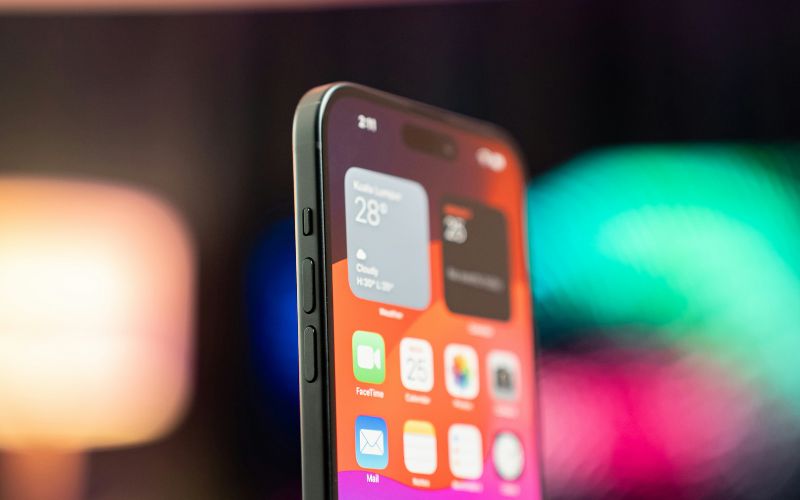
How many eSIMs can iPhone 15 have? Four steps to active eSIM on the iPhone 15. (Image by Unsplash)
Adding an eSIM to your iPhone 15 is a quick, fully digital process that does not require a physical SIM card. If you’re wondering how many esims can iphone 15 have, the device can store multiple eSIM profiles and use two active lines at the same time.
Step 1: Connect to Wi-Fi and Open Settings
First, make sure your iPhone 15 is connected to a stable Wi-Fi network. Then open the Settings app and tap Cellular (or Mobile Data, depending on your region). This section allows you to manage and add mobile plans.
Step 2: Tap “Add eSIM”
Inside the Cellular menu, tap Add eSIM. Your iPhone will display available activation options based on your carrier’s supported setup methods.
Step 3: Choose an Activation Method
You can activate your eSIM using one of the following methods:
- Select Use QR Code, then position your camera to scan the code provided by your carrier. The device will automatically begin downloading the eSIM profile.
- Download your carrier’s official app from the App Store and follow the in-app instructions to activate your new plan.
- Tap Use QR Code, then choose Enter Details Manually at the bottom of the screen and input the activation information provided by your carrier.
Step 4: Confirm and Complete Activation
After the eSIM profile is downloaded, your iPhone will prompt you to confirm activation. Review the carrier information carefully and approve the setup. Once activated, your new line will appear in the Cellular settings, and you can begin making calls, sending texts, and using mobile data immediately.
4. FAQs About iPhone 15 eSIM Limits
Many users still have practical questions about how eSIM management works on the iPhone 15. Below are clear answers to common concerns about switching, performance, and managing stored plans.
Can I switch eSIMs instantly?
Yes, you can switch between stored eSIM profiles directly in the Settings app. The iPhone 15 allows you to select which line is active for calls, messages, and data without removing or inserting anything physically.
The switch typically takes only a few seconds, as long as the selected carrier has network coverage.
Does adding more eSIMs slow the phone?
No, storing multiple eSIM profiles does not slow down the iPhone 15. eSIM profiles are small digital configurations that do not significantly impact system performance or storage. Only two eSIMs can be active at the same time, so background processing remains minimal.
Can I delete and re-add plans later?
Yes, you can delete an eSIM plan from your iPhone 15 at any time through the Cellular settings. If you need to use the same plan again later, your carrier can usually reissue or reactivate the eSIM profile. However, availability depends on the carrier’s policies, so you may need to request a new QR code or activation link.
5. Final Words
Understanding how many eSIMs can iPhone 15 have helps you take full advantage of the device’s flexibility and modern connectivity features. With the ability to store multiple eSIM profiles and use two active lines at once, the iPhone 15 is built for convenience, travel, and multitasking.