
On This Page
Knowing how to activate a SIM card is essential when setting up a new phone or switching to a different carrier. A proper activation ensures your device can connect to the network smoothly for calls, texts, and mobile data without interruptions.
1. Things to Check Before Activating a SIM Card
Before activating a SIM card, it’s important to make sure everything is set up correctly to avoid connection issues. Understanding how to activate a SIM card starts with a few basic checks that can help ensure a smooth and successful setup.
- Make sure your phone is unlocked: Your device should not be restricted to a specific carrier, as the SIM card may not work properly.
- Confirm SIM card compatibility: Check that your phone supports the correct SIM size (nano, micro) or eSIM, and that it works with your carrier’s network.
- Check network coverage: Ensure the carrier provides strong coverage in your area so you can enjoy stable calls and data.
- Verify SIM card condition: Inspect the SIM for any physical damage or wear that could affect connectivity.
- Prepare activation details: Keep any required information ready, such as SIM number, account details, or activation code provided by the carrier.
- Ensure your device has enough battery: A fully charged phone helps prevent interruptions during the activation process.
- Back up important data if needed: Although activation doesn’t usually erase data, it’s always a good idea to protect your information before making changes.
2. How to Activate a SIM Card In 5 Steps
Activating your SIM card is a simple process that ensures your phone can connect to your carrier’s network. By following each step carefully, you can start using calls, texts, and mobile data without any issues.
Step 1: Insert the SIM Card Into Your Phone
You should begin by placing the SIM card into your phone using the SIM tray. Make sure the card is aligned correctly with the cut corner and sits securely in place. Proper insertion allows the device to read the SIM and prepare for activation. If the SIM is not positioned correctly, your phone may fail to detect it.
Step 2: Turn On the Phone
After inserting the SIM, you need to power on your device. Most phones will automatically detect the SIM card and begin searching for a network connection. This step is important because it initiates communication between your device and the carrier. Once the phone is on, you may see signal bars appear if the SIM is recognized.
Step 4: Enter Required Information
During activation, you may be asked to enter details such as the SIM card number (ICCID), your phone number, or account information. Providing accurate information ensures that your SIM is correctly linked to your account. In some cases, the process may be completed automatically without requiring manual input.
Step 5: Restart the Phone
Once activation is complete, you should restart your phone to finalize the setup. Restarting helps the device refresh its connection to the network and apply any updates from the carrier. After turning it back on, your phone should be fully connected and ready to use.
3. How Long Does SIM Card Activation Take?
SIM card activation usually takes anywhere from a few minutes to about 4 hours, depending on the carrier and activation method. In some cases, it may take up to 24 hours, especially if there are network delays or if you are transferring (porting) your phone number from another provider.
Physical SIM cards that are activated in-store or immediately after insertion often work faster, while online orders or remote activations may take longer due to verification steps.
Factors such as account confirmation, network availability, and device compatibility can also affect how quickly your service becomes active.
4. Common SIM Activation Problems
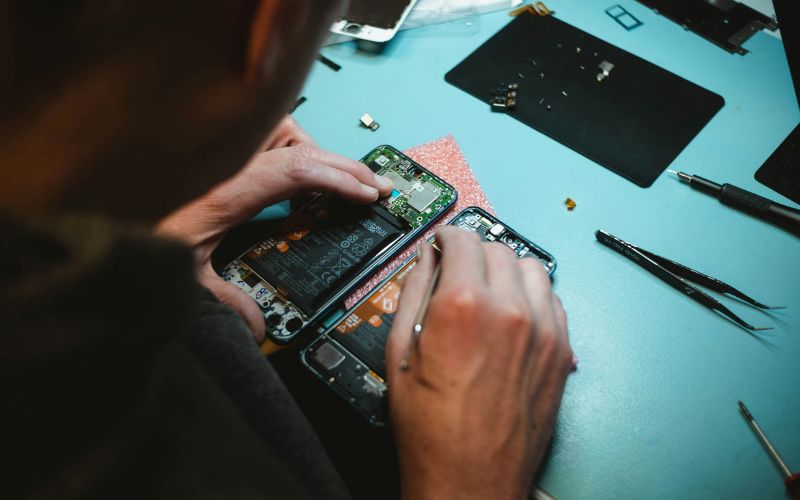
How to activate a SIM card? Common problems and how to fix SIM activation. (Image by Unsplash)
SIM activation is usually quick, but sometimes issues can arise during or after the setup process. Understanding common problems and how to fix them can help you restore your connection faster and avoid frustration.
SIM Card Not Detected
This issue occurs when your phone does not recognize the SIM card at all. It may be caused by improper insertion, dust in the SIM tray, or a damaged SIM card. To fix this, you should turn off your phone, remove the SIM, clean the tray gently, and reinsert the card correctly. If the problem continues, try the SIM in another device or contact your carrier for a replacement.
No Network After Activation
Sometimes, even after activation, your phone may show no signal or fail to connect to the network. This can happen due to temporary network issues, incorrect carrier settings, or limited coverage in your area.
You can resolve this by restarting your device, toggling airplane mode, or manually selecting your network in settings. If the issue persists, checking with your carrier can help confirm whether your service is fully activated.
SIM Not Provisioned Error
The “SIM not provisioned” error usually appears when the SIM card has not been properly activated or linked to your account. This can happen if the activation process was incomplete or delayed.
To fix it, you should double-check that your SIM is activated through your carrier’s system and restart your phone. If needed, contact customer support to complete the activation process and ensure your SIM is correctly provisioned.
5. Final Words
Understanding how to activate a SIM card is the final step to getting your device fully connected and ready to use. With the right setup, you can enjoy seamless calls, texts, and data without delays or technical issues. Taking a few minutes to follow the correct activation process can save time and prevent frustration later.