
On This Page
Voicemail remains one of the most useful features on modern smartphones. Even when you miss a call, voicemail allows callers to leave important messages that you can listen to later. However, some users are unsure how to access their voicemail or what number they should dial. If you’ve been wondering “How to call voicemail?”, the process is usually quick and built directly into your phone’s calling system.
In this guide, we’ll explain how to call voicemail, the different ways to check messages on iPhone and Android devices, and why voicemail is still an important feature for everyday communication.
1. How to Call Voicemail?
Most phones allow users to access voicemail either by dialing a specific number or by pressing a voicemail shortcut.
Checking voicemail notifications on a modern smartphone. (Image by Pexels)
What number do I dial to hear voicemails?
For most smartphones, the easiest way is to press and hold the number 1 key on your phone dialer. This shortcut automatically connects you to your voicemail inbox.
If the shortcut does not work, you can also dial your voicemail number directly. Many carriers assign a voicemail access number when you activate your service.
This is one of the most common ways people learn how to call voicemail on their phones.
Other ways to check voicemail on modern smartphones
Besides dialing voicemail directly, many smartphones offer additional ways to access messages.
Some devices provide visual voicemail, which allows you to view and listen to messages from an app instead of calling the voicemail system.
Other methods may include:
- Voicemail notifications in your phone app
- Voicemail tabs within the dialer interface
- Voicemail apps provided by your mobile carrier.
2. When Voicemail Can Be Especially Important?
Although messaging apps and instant communication tools are widely used today, voicemail still plays an important role in many situations.
Voicemail can be especially useful when:
- You miss an important call
- Someone needs to leave detailed information
- You are unable to answer calls during work or meetings
- Callers need to reach you outside normal hours.
For example, voicemail is often used for:
- Appointment confirmations
- Work-related communication
- Customer service follow-ups
- Personal messages from family members.
Because of these everyday uses, knowing how to call voicemail ensures you never miss important messages.
Reliable phone features like voicemail depend on both your smartphone and the wireless service that supports it. When mobile service is stable, voicemail works smoothly and allows users to retrieve messages whenever needed.
For households looking for more affordable mobile connectivity, the Lifeline program helps make communication services accessible to eligible individuals.
In addition to voice calls and messaging, all mobile plans also include useful features like voicemail, which allows callers to leave messages when the phone is unavailable.
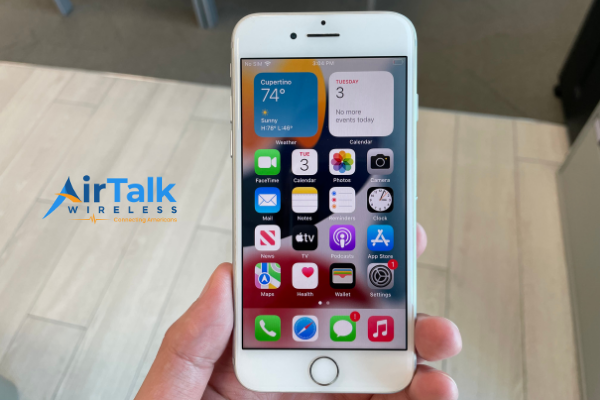
Accessing voicemail and other calling features depends not only on your wireless plan but also on the device you’re using. Modern smartphones are designed to integrate voicemail notifications, missed call alerts, and visual voicemail features directly into the phone interface.
- Android smartphones with built-in Google dialer voicemail tools
- Apple iPhones that support visual voicemail and call management
- Budget-friendly smartphones designed for essential communication
- Devices optimized for mobile data and app-based messaging.
These devices allow users to manage missed calls, listen to voicemail messages, and receive notifications instantly through the phone interface.
For example, many modern smartphones display voicemail alerts directly on the home screen or within the phone dialer app. This makes it easy to access messages without repeatedly dialing voicemail numbers.
Because of these built-in features, understanding how to call voicemail becomes even easier when using newer smartphones designed for modern communication.
Voicemail is one of the most basic yet important features included in many wireless service plans. When a call cannot be answered, voicemail allows callers to leave messages that can be retrieved later.
These communication features commonly include:
- Free or unlimited voice calling (depending on your plan)
- Built-in voicemail messaging at no extra cost
- Unlimited text messaging for seamless everyday communication
- High-speed mobile data connectivity for popular communication apps
Voicemail plays a key role in ensuring that important calls are not lost. Whether someone is unavailable, busy, or temporarily out of network range, voicemail allows callers to leave information that can be reviewed later.
Because voicemail is integrated into the mobile network and smartphone interface, learning how to call voicemail allows users to retrieve these messages quickly whenever they need them.
The process typically works like this:
- Confirm your eligibility based on income or participation in a qualifying program
- Browse and select a device and plan if options are available in your region
- Upload documents that verify your eligibility (such as SSI or Medicaid proof)
- Complete the online application with your personal details
- Receive your phone and activate service once your application is approved
7. FAQs
How to call voicemail on my phone?
Most phones allow you to call voicemail by pressing and holding the number 1 key on the dial pad.
How do I dial voicemail on my phone?
You can dial voicemail using your phone’s voicemail access number or the voicemail shortcut key.
What number do I dial to hear voicemails?
In many cases, dialing 1 or holding the 1 key on your dialer connects you directly to voicemail.
Can I check voicemail without calling?
Yes. Some smartphones support visual voicemail, which allows you to listen to messages from an app.
Why can’t I access my voicemail?
Voicemail issues may occur due to network problems, incorrect voicemail setup, or phone settings.
Final Thoughts
Knowing how to call voicemail ensures that you can access important messages whenever you miss a call.
Most smartphones provide quick ways to check voicemail through shortcuts or built-in voicemail apps. With reliable mobile service and compatible devices, retrieving voicemail messages becomes a simple part of everyday communication.