
On This Page
Knowing how to delete eSIM on Samsung can be useful when switching carriers, upgrading your phone, or resetting your network settings. Removing an unused eSIM profile helps keep your device organized and ensures that only active plans remain on your phone.
1. How to Delete eSIM on Samsung? Detailed Steps For Any Users
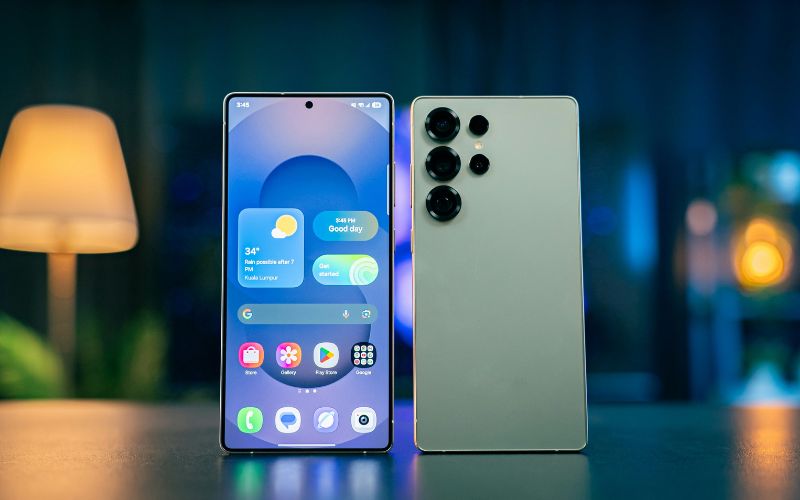
Five main steps of how to delete eSIM on Samsung phone. (Image by Unsplash)
Removing an eSIM profile on a Samsung device is a simple process that can help when switching carriers, replacing a mobile plan, or preparing a phone for resale. If you’re looking for how to delete eSIM on Samsung, the steps below explain how to remove the digital SIM safely through your device settings.
Open Settings
First, to learn how to delete eSIM on Samsung, unlock your Samsung phone and open the Settings app from the home screen or app drawer. The Settings menu is where Samsung stores all system and network configuration options. Starting here ensures you can access the controls needed to manage your SIM and mobile connections.
Tap Connections
Inside the Settings menu, scroll until you see Connections and tap it. This section manages Wi-Fi, Bluetooth, mobile networks, and SIM settings.
From here, you can view both physical SIM cards and eSIM profiles installed on the device.
Select SIM Manager
Next, you tap SIM Manager, which displays all active and stored SIM configurations on your Samsung phone. The screen will show available SIM slots and any installed eSIM profiles. This is where users can switch, disable, or remove cellular plans linked to the device.
Choose Your eSIM Profile
Within SIM Manager, you select the eSIM profile you want to remove. The phone will display details about the selected plan, including the carrier name and current status. Reviewing this information helps confirm you are modifying the correct profile.
Tap Remove or Delete
Finally, you tap Remove or Delete to uninstall the eSIM from the device. After confirming the action, the phone will erase the digital SIM profile from its system. Once removed, the device will no longer connect to that carrier unless the eSIM is reactivated or installed again.
2. When Should You Delete an eSIM?
The need to know how to delete eSIM on Samsung is not something most users need to do frequently, but there are several situations where removing the digital SIM profile becomes necessary.
Understanding these scenarios can also help you decide the right moment to learn how to delete eSIM on Android and manage your mobile plans properly.
Switching to a New Phone
When upgrading to a new smartphone, your carrier may transfer your existing mobile plan to the new device. After confirming the number and service are fully active on the new phone, the old eSIM profile can be safely removed from the previous device. This helps prevent confusion or accidental network connections from an unused profile.
Changing Carriers
If you decide to move to a different mobile provider, the old eSIM profile from the previous carrier will usually need to be deleted. Once the new carrier activates your service and installs a new eSIM profile, removing the outdated one keeps your phone’s SIM manager organized. This step also ensures the device connects only to the correct network.
Selling or Trading Your Device
Before selling, trading in, or giving away your phone, it’s important to remove any active eSIM profiles linked to your account. Leaving an eSIM installed could expose your phone number or carrier information to the next user. Deleting the eSIM helps protect your personal data and ensures the device is ready for a new owner.
Removing Unused Plans
Some users install multiple eSIM profiles for travel, temporary data plans, or secondary numbers. Over time, these inactive profiles can accumulate and clutter the SIM settings menu.
Learning how to delete eSIM on Samsung can remove unused plans, keep your device organized, and make it easier to manage the active lines you still use.
3. What Happens After You Delete an eSIM?
Deleting an eSIM removes the digital SIM profile from your phone, but it does not always cancel your mobile service with the carrier. Understanding how to delete eSIM on Samsung and what changes after removal can help you avoid confusion and prepare for reactivation if needed.
Cellular Plan Removed From the Device
When you delete an eSIM, the phone immediately removes the digital SIM profile stored on the device. This means the phone will no longer have access to the cellular settings associated with that specific plan. As a result, calls, text messages, and mobile data connected to that eSIM stop working on that device.
Phone Number Stays With Your Carrier
Although the eSIM profile is deleted from the phone, your phone number usually remains active with your carrier. The number is linked to your carrier account rather than permanently stored on the device itself. This means the carrier can reassign the number to a new SIM card or a new eSIM profile later.
The Device May Show “No Service”
After the eSIM is removed, the phone may display “No Service” or “Emergency Calls Only.” This happens because the device no longer has an active cellular plan installed. Until a new SIM or eSIM profile is added, the phone will only be able to use Wi-Fi for internet-based services.
Reactivation May Require a New QR Code
If you want to reinstall the same plan later, the carrier may require a new activation process.
In many cases, the carrier provides a new QR code or activation link to download the eSIM profile again. Once scanned and confirmed, the device can reconnect to the network and restore full cellular service.
4. Switching Phones? Staying Connected Can Be Easier with a Free One
Wanting to learn how to delete eSIM on Samsung often happens when users switch devices, move their phone number to a new carrier, or upgrade to a newer smartphone. Instead of repeatedly transferring SIM profiles or dealing with activation issues, some users prefer applying for a compatible device that already includes a ready-to-use mobile plan.
- Applicants should first check their eligibility for the Lifeline program
You can confirm eligibility by reviewing the income guidelines or verifying participation in qualifying programs such as Medicaid, SNAP, SSI, or Federal Public Housing Assistance.
On the website, applicants typically enter their ZIP code to check whether service is available in their area before moving forward with the application.
- Customers will then choose an available plan and a compatible smartphone
During this step, applicants can review the phone options that may include eSIM-ready devices depending on inventory and location.
No need to find how to delete eSIM on Samsung, enter ZIP code and start applying for free phone services now.
- Applicants must complete the online form and provide personal details
The system usually asks for basic information such as name, address, and date of birth. If eligibility cannot be verified automatically, the applicant may need to upload documents showing proof of participation in a qualifying program or income eligibility.
- After submitting the application, wait for approval and delivery
Once approved, the provider ships the device to the registered address. The package usually includes instructions that guide users through activating their plan and connecting to the network.
5. Final Words
Knowing how to delete eSIM on Samsung can be useful when switching carriers, upgrading your phone, or resetting your network settings. Removing an unused eSIM profile helps keep your device organized and ensures that only active plans remain on your phone.