
On This Page
Navigation problems, inaccurate map locations, and weak GPS signals can make everyday travel frustrating on both Android and iPhone devices. Many users search for how to fix GPS not working when apps fail to update locations correctly, or directions suddenly stop during trips.
1. Why does GPS Stop Working? 4 Main Reasons
Navigation errors and inaccurate location tracking can happen unexpectedly on both Android and iPhone devices. Before learning how to fix GPS not working, users should first identify the common causes that may interrupt map accuracy and real-time positioning.
- Weak signal areas: Underground parking garages, tunnels, crowded city streets, and remote locations can weaken satellite connections. Tall buildings and severe weather may also interfere with real-time positioning and delay map updates.
- Outdated apps: Older map or navigation applications sometimes contain software bugs that affect tracking performance. Installing the latest updates can improve compatibility, stability, and overall accuracy during travel.
- Disabled location services: Phones cannot detect directions properly when location permissions are turned off. Certain apps may also lose access after software updates or privacy setting changes inside the device menu.
- Battery optimization restrictions: Power-saving settings often limit background activity to extend battery life. These restrictions may interrupt navigation tools, pause live tracking, or reduce positioning accuracy during long trips.
2. How to Fix GPS Not Working on General Smartphones?
Location issues can disrupt navigation, ride-sharing apps, weather updates, and other services that rely on accurate positioning. If you’re searching for how to fix GPS not working, the good news is that most problems can be resolved quickly with a few simple troubleshooting steps.
- Restarting the device can refresh temporary system errors affecting navigation and location tracking. This simple step often restores normal performance after apps freeze or location services stop responding correctly.
- Turning Airplane Mode on for a few seconds and then disabling it can reset wireless connections. This process may help the phone reconnect to mobile networks and Wi-Fi signals more effectively.
- Disabled location permissions can prevent maps and navigation apps from accessing real-time positioning data. Checking the phone settings and enabling precise location access may restore accurate directions immediately.
- Older app versions sometimes contain bugs that affect map loading and route tracking performance. Installing the newest updates can improve compatibility with current operating systems and fix known navigation issues.
- Recalibration helps improve compass accuracy and positioning precision on smartphones. Many map apps provide built-in calibration tools that can refresh movement tracking and reduce inaccurate direction readings during travel.
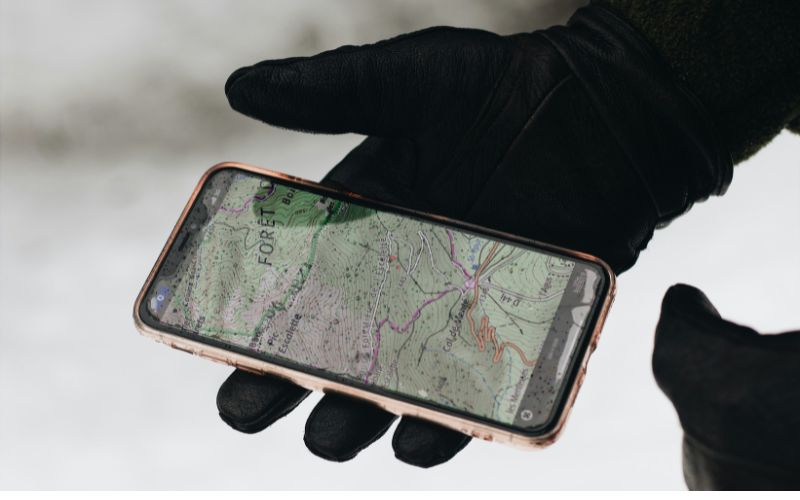
The fixing GPS guide varies for some kinds of phones. (Image by Unsplash)
3. Simple Guide for Fixing GPS on Some Kinds of Phones
GPS issues can appear differently depending on the device, app, or navigation system being used. Identifying the correct troubleshooting method for each platform can help restore accurate directions, improve location tracking, and reduce navigation interruptions more effectively.
How to Fix iPhone GPS Not Working?
Incorrect privacy settings, outdated iOS versions, or unstable network connections can sometimes reduce GPS accuracy on iPhones. Checking whether Location Services are enabled under Privacy & Security settings is often one of the fastest ways to restore proper positioning. Some navigation apps may also stop working correctly if precise location access has been disabled accidentally.
Restarting the iPhone, updating iOS, and resetting network settings may improve navigation stability and map accuracy. Users should also confirm that Apple Maps, Google Maps, or ride-sharing apps have permission to access location data while the app is active. Recalibrating compass settings can sometimes improve direction tracking during travel as well.
How to Fix Waze GPS Not Working?
Waze can sometimes lose tracking accuracy due to outdated app versions, disabled permissions, weak mobile data, or restricted background activity. These issues often lead to delayed directions, frozen maps, missing traffic updates, or routes that fail to refresh properly – common GPS problems many drivers face.
If you’re figuring out how to fix GPS not working on Waze, start with a few basic checks. Updating the app and enabling full location access can quickly improve accuracy and performance. Clearing cache, reopening the app, or restarting your device may also help restore real-time traffic updates and reduce lag.
Additionally, disabling aggressive battery-saving settings allows Waze to run continuously in the background, ensuring stable positioning during long drives and daily commutes.
How to Fix Garmin GPS Not Working?
Garmin devices can sometimes display inaccurate directions or delayed positioning because of expired map data, software glitches, or weak satellite reception. Navigation problems are more likely to appear when the device starts indoors, remains disconnected from satellites for long periods, or has not been updated recently.
Placing the Garmin unit in an open outdoor space may help it reconnect to satellites and improve tracking precision more quickly. Installing current map updates, refreshing the system, and updating firmware versions can also improve routing performance and destination accuracy. Checking battery levels and clearing temporary system errors may further help stabilize navigation during road trips and long-distance travel.
4. Navigation & Daily Life Depend on Mobile Access
Map directions, ride-sharing apps, delivery tracking, and emergency location services all depend heavily on stable mobile connectivity. Interrupted data access or weak phone service can easily affect real-time directions, live traffic updates, and communication during daily travel.
Affordable wireless access has become increasingly important for people who rely on smartphones throughout the day. The Lifeline Program is a federal assistance program designed to help eligible individuals reduce the cost of phone and internet services through monthly discounts.
The program works through approved service providers, which handle enrollment, verify eligibility, and deliver discounted service plans to qualified users.
- Unlimited talk and text on eligible plans
- Monthly high-speed data based on state eligibility
- Nationwide 5G+ coverage access
- Wi-Fi calling for compatible smartphones
- Free international calling to many destinations
- Caller ID, voicemail, call waiting, and 3-way calling features
- Customer support assistance for account management
Final Words
Learning how to fix GPS not working can help improve map accuracy, restore navigation performance, and reduce travel interruptions during daily use. Simple solutions such as updating apps, adjusting location settings, or restarting the device often solve many common GPS problems quickly.