

On This Page
Slow website loading, delayed page responses, and connection interruptions are often linked to DNS performance problems rather than overall internet speed. Many users search for how to fix slow DNS lookup when browsers take too long to connect to websites or apps fail to load properly.
1. What Is a DNS Lookup?
Internet browsing depends on many background processes that help devices connect to websites quickly and correctly. DNS lookups play an important role in translating website names into server addresses so browsers can load online content properly.
DNS Explained in Simple Terms
DNS lookup functions like an online directory that connects website names to the correct server addresses on the internet. Instead of typing long strings of numbers known as IP addresses, users can enter simple domain names such as google.com, and the DNS system automatically finds the matching destination within seconds.
Whenever someone opens a website, the browser sends a request to a DNS server to locate where that site is hosted. Fast DNS responses help webpages load more quickly and improve streaming, gaming, and browsing performance. Delayed lookups, however, may cause slow-loading websites, buffering videos, connection timeouts, and unstable online experiences across phones, tablets, and computers.
Common Causes of Slow DNS Lookups
Slow DNS response times can affect browsing speed even when internet connections appear stable. Several network, device, and server-related issues may delay website loading and increase connection wait times.
- Overloaded or slow DNS servers: Public or internet provider DNS servers may become congested during heavy traffic periods, causing slower response times when loading websites.
- Weak or unstable internet connections: Poor Wi-Fi signals, mobile network interruptions, or router problems can delay DNS requests and affect overall browsing performance.
- Outdated network settings: Older router firmware, incorrect DNS configurations, or expired network cache files may create slower lookup performance across connected devices.
- VPN or security software interference: Certain VPN services, firewalls, or antivirus tools can increase DNS processing time while filtering or encrypting internet traffic.
- Background network congestion: Large downloads, streaming activity, or multiple connected devices using bandwidth simultaneously can slow DNS communication and page loading speeds.
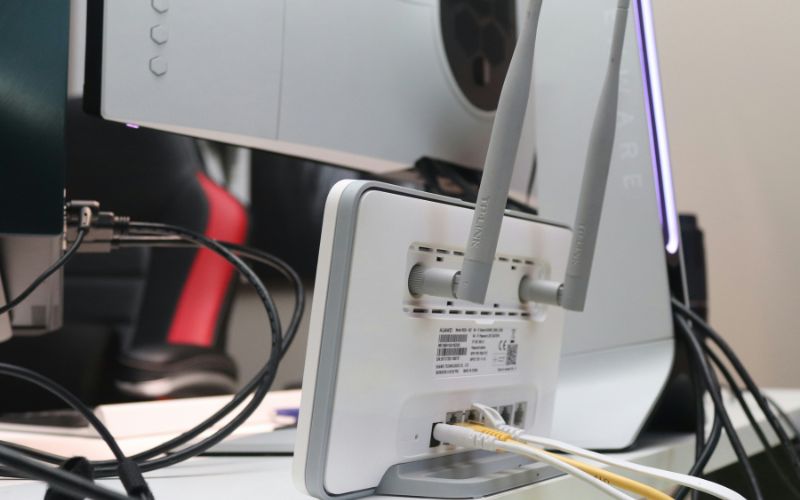
Slow DNS response times can affect browsing speed even when internet connections appear stable (Image by Unsplash)
2. How to Fix Slow DNS Lookup Step by Step
Slow website responses can sometimes come from DNS delays instead of weak internet speed. People searching for how to fix slow DNS lookup can often improve browsing performance by adjusting a few simple network and browser settings.
Restart the modem and router
Restarting the modem and router is one of the easiest ways to refresh internet connections and reduce temporary DNS delays. Network devices can become overloaded after running continuously for long periods, especially when many devices stay connected at the same time.
Turning both devices off for about 30 seconds allows the connection to reset properly before reconnecting to the internet provider. This process may improve page loading speed, refresh routing paths, and clear smaller connection problems affecting website access.
Flush DNS cache
Computers and smartphones store DNS records temporarily to help websites load faster during future visits. Older or damaged cache files may sometimes create connection delays, incorrect redirects, or failed website requests while browsing online.
Flushing the DNS cache removes outdated records and forces the device to request updated website information directly from DNS servers. Refreshing this data can improve browser response time and help certain websites open more consistently during daily internet use.
Try another browser
Browser-related problems can sometimes create slower page loading, even when the internet connection itself works normally. Outdated browser versions, damaged settings, or unnecessary extensions may interfere with DNS processing and website performance behind the scenes.
Testing a different browser can help identify whether the slowdown comes from browser software rather than the network connection. Clearing browsing data, removing unused extensions, and installing updates may also improve loading speed and overall browsing stability.
Disable unnecessary VPNs
VPN services can increase privacy and security, but they may also slow DNS response times by routing traffic through additional servers. Longer routing paths sometimes create delays when opening websites, streaming content, or loading online services quickly.
Temporarily disabling unused VPN connections can help determine whether encrypted routing is affecting browsing speed. If internet performance improves afterward, selecting a closer VPN server or adjusting DNS settings inside the VPN app may help reduce delays.
Switch DNS providers
Default DNS servers from internet providers may occasionally respond slowly during busy network periods. Changing to a different DNS provider can sometimes improve website response times, browsing consistency, and connection reliability across multiple devices.
Many public DNS services are designed for faster lookup performance and more stable routing. Updating DNS settings on the router, computer, or smartphone may help websites connect more quickly while improving overall internet responsiveness throughout the day.
3. Upgrade Your Phone may Solve Slow DNS Lookup
Older smartphones sometimes struggle with newer network protocols, background processing, and updated browser requirements, which may affect DNS response speed. Limited memory, outdated software, or weaker network hardware can also slow webpage loading and online performance during daily internet use.
- ‘FOXXD S67 5G
- Galaxy A71 5G
- iPhone 11
- Wingtech LVVL 6x 5G
- Google Pixel 3
- Galaxy A32 5G
- TCL 20 SE
Note: Prices and device availability may vary depending on the user’s location, current promotions, and stock at the time of application.
4. Router & Wi-Fi Tips for Faster DNS Performance
Home network quality can strongly affect how quickly websites respond and load during daily internet use. People searching for how to fix slow DNS lookup can often reduce delays by optimizing router settings and improving Wi-Fi stability around the house.
- Wi-Fi signals may weaken behind furniture, thick walls, or large electronics. Placing the router in an open central area can improve coverage.
- Routers running for long periods may develop temporary slowdowns. Restarting the modem and router can refresh the connection.
- Outdated firmware may reduce network performance or create security issues. Installing updates can improve speed and stability.
- Too many devices streaming or downloading at once may slow the network. Disconnecting unused devices can improve browsing speed.
- Many routers offer both 2.4 GHz and 5 GHz bands. The 5 GHz option often provides faster speeds at shorter distances.
- Some DNS servers respond slowly during busy periods. Switching to a faster public DNS service may improve loading times.
- Bluetooth devices, microwaves, and metal objects can interfere with Wi-Fi signals. Reducing interference may improve connection stability.
5. FAQs about Slow DNS Lookup Problems
DNS performance can influence how quickly websites, apps, and online services respond during daily internet use. These common questions explain how DNS settings, VPN connections, and provider choices may affect browsing speed and connection stability.
Can changing DNS improve internet speed?
Changing DNS servers does not increase the actual internet bandwidth from your provider. Faster DNS services can still reduce website lookup delays and help webpages begin loading more quickly. Many users notice smoother browsing and improved responsiveness after switching from slower default DNS servers.
Is Google DNS faster than ISP DNS?
Google DNS is often faster because it uses a large global server network optimized for reliability and speed. Many internet users switch to Google DNS to reduce loading delays and improve browsing consistency across websites. Actual performance may still vary depending on location and overall network quality.
Can VPNs slow DNS lookups?
VPN connections may slow DNS requests because internet traffic passes through encrypted tunnels and additional remote servers. Longer routing paths can increase webpage loading delays during browsing, streaming, or gaming activities. Choosing a nearby VPN server or disconnecting unused VPN sessions may help improve response times.
Final Words
Fixing DNS delays can make websites load faster, improve browsing responsiveness, and reduce frustrating connection interruptions during everyday internet use. Learning how to fix slow DNS lookup through simple steps like changing DNS servers, restarting routers, or adjusting network settings may noticeably improve online performance across phones and computers.