
On This Page
If you’re wondering how to tell if your blocked on iPhone without calling, there are several subtle signs that can help you figure it out without making things awkward. Clues like undelivered messages, missing read receipts, or calls going straight to voicemail may point to a block. These small indicators can help you understand what’s happening before taking further steps.
1. Can You Really Tell If You’re Blocked on iPhone?
Yes, you can often figure out whether you’ve been blocked on an iPhone, but Apple doesn’t send any official alert or confirmation. This is intentional, as blocking is designed to protect user privacy and keep the action discreet. Instead, you’ll need to look for small behavioral clues rather than a clear notification.
Common signs include iMessages that never show a “Delivered” status, calls that go straight to voicemail without ringing, or message bubbles that suddenly change from blue (iMessage) to green (SMS). While none of these indicators alone guarantees you’re blocked, noticing several of them together can strongly suggest that your number may have been restricted.
*»> Also read: *Free iPhone Gov Phone: Eligibility, Application Guide, And More
2. How to Tell If Your Blocked on iPhone Without Calling
It isn’t always obvious when someone has blocked you on iPhone, especially if you don’t want to call them and risk showing up on their phone. Learning how to tell if your blocked on iPhone without calling can help you read subtle clues from messages and delivery behavior.
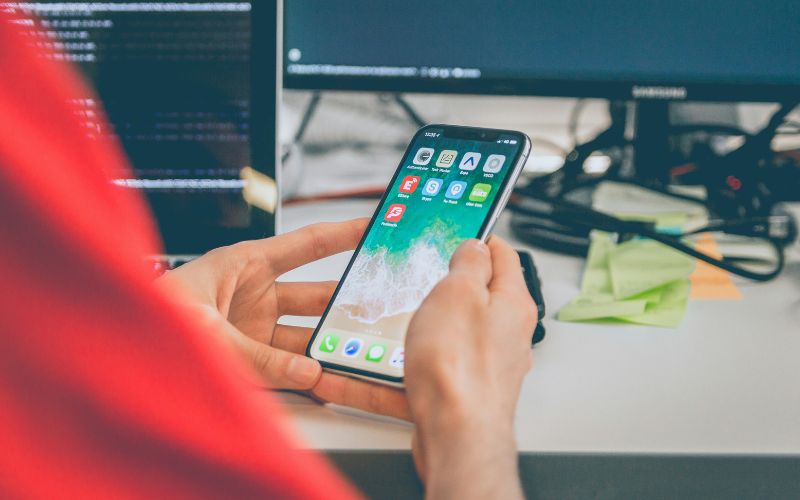
How to tell if your blocked on iPhone without calling? (Image by Unsplash)
iMessage Never Shows “Delivered” or “Read”
One of the most common signs is that your iMessages never show the Delivered or Read receipt after you send them. Normally, iPhone will indicate when a message reaches the other person’s device (Delivered) or when they’ve seen it (Read).
If your texts consistently fail to show either status, even when you’ve communicated with that contact before, blocking may be the reason. This pattern is often one of the first clues people notice when they explore how to tell if your blocked on iPhone without calling.
Messages Suddenly Turn Green Instead of Blue
iPhone uses blue bubbles for iMessages sent over Apple’s messaging system and green bubbles for SMS/MMS sent through your carrier. If your messages to a contact suddenly switch from blue to green and stay that way, it may indicate that your iMessages aren’t reaching the other phone.
While a green bubble alone doesn’t guarantee you’re blocked (it might mean iMessage is unavailable or turned off), a permanent shift combined with other signs can point to a block.
No Status at All After Sending Messages
Sometimes, you may not see Delivered, Read, or even the usual timestamp after sending a text. This lack of status can happen when iMessage can’t connect to the recipient’s device.
If this happens consistently with a specific contact, especially one you used to message normally, it may suggest that the contact has blocked you. Combining this sign with missing delivery receipts and unexpected message color changes gives you a clearer picture without ever having to call.
3. Mobile Assistance Options That Help You Stay Connected
Sometimes the reason you struggle with texts, voicemails, or even understanding how to tell if your blocked on iPhone without calling comes down to service or device limitations, not just message behavior. Having a stable phone plan and a dependable device makes everyday communication easier, so you’re less likely to miss important alerts or misinterpret message status.
4. FAQs About Being Blocked on iPhone
If you suspect you’ve been blocked, it’s normal to have questions about what might change your messaging or calling results. Below are clear answers to some common concerns so you can better understand how iPhone and carrier settings actually work.
1. Does restarting the phone change the block status?
Restarting your phone does not change whether someone has blocked you. A block is controlled by the other person’s device or account settings, not your phone’s temporary system state. While restarting can fix minor glitches or refresh your connection, it won’t remove or bypass a block.
2. Will updating iOS affect message delivery?
Updating your iPhone’s operating system can improve performance and fix bugs that affect calls or messages. In some cases, software updates may resolve delayed notifications or delivery errors caused by technical issues. However, an update will not override a block, since blocking is still managed by the recipient’s settings.
3. Can a carrier block messages without me knowing?
Carriers typically don’t block personal messages between users without a specific reason. Blocking usually happens due to spam filters, unpaid bills, or account restrictions rather than silently targeting individual contacts. If you suspect a network issue, contacting your carrier for clarification is the best way to confirm what’s happening.