

On This Page
Sometimes you do not want to remove a mobile plan, you simply want to pause it for now. That is why many phone users start looking up how to turn off eSIM instead of deleting the profile entirely.
This can happen during travel, when testing another carrier, when dealing with signal issues, or when separating work and personal lines. In those situations, deleting the eSIM may be unnecessary. A temporary shutoff is often the smarter move.
So, is there a way to turn off eSIM? In many cases, yes. Most modern phones let you disable an eSIM line through settings while keeping the plan stored on the device for later use. Let’s take a look!
1. How to Turn Off eSIM Without Deleting It
Turning off an eSIM is usually quick and only takes a few steps, though the exact menu names may vary depending on your device.
- Open your Settings app
- Go to Cellular / Mobile Data / SIM Manager
- Select the active eSIM line
- Toggle the eSIM off or disable the line
Once turned off, the eSIM profile is still stored on your device, but it will stop handling calls, texts, and mobile data until you reactivate it. This is useful because you can pause service without needing to reinstall the eSIM later.
Typical results after turning eSIM off include:
- No cellular connection on that line
- Calls and texts to that line may stop depending on carrier behavior
- Data use switches to another active line or Wi-Fi
- The eSIM profile usually stays stored for future use
For users comparing options, how to turn off eSIM is often the quickest solution when you only need a temporary change.
Disable your eSIM now, reconnect on your terms later. (Image by Pexels)
2. Turn Off vs Delete eSIM: Why They Are Not the Same Thing
Understanding how to turn off eSIM is important because many users confuse simply disabling it with permanently deleting the eSIM profile. Disabling an eSIM and deleting an eSIM may sound similar, but they lead to very different outcomes.
Turning off the line is usually temporary. The phone keeps the profile, which means you may be able to switch it back on later without going through a full setup process.
Deleting the line removes the eSIM profile from the device. In some cases, reactivation may require a new QR code, carrier assistance, or account steps.
That difference matters if you plan to use the line again soon.
When asking what happens if I turn off eSIM, the answer depends on how your phone is configured. Most commonly:
- The number stops being active on the device
- Mobile data from that line ends
- Calls or texts may pause on that number
- Another SIM line may become primary if available
- Wi-Fi features may still work normally
Because the plan often remains stored, turning it back on can be much easier than reinstalling everything from scratch.
3. When One Should Turn Off an eSIM Instead of Removing It
There are several moments when knowing how to turn off eSIM is more practical than deleting it.
Traveling Internationally
Some travelers temporarily disable their regular line while using a local SIM or travel plan. That can help avoid roaming charges or accidental data use.
Once home, the original eSIM can often be switched back on quickly.
Troubleshooting Signal Problems
If a line is behaving strangely, disabling it briefly and re-enabling it can sometimes help refresh network behavior before trying more advanced fixes.
This is often easier than deleting the profile immediately.
Managing Work and Personal Numbers
Phones with multiple lines are useful, but not everyone wants both active all day. Some users turn off a work number after hours or disable a secondary line during weekends.
In those cases, understanding how to turn off eSIM helps create clearer boundaries without losing access permanently.
4. iPhone vs Android: Where the eSIM Toggle is Usually Located
The exact path can differ by software version, but most phones place eSIM controls inside mobile network settings. If you are learning how to turn off eSIM, this is usually where to start.
iPhone
On** **iPhone, the toggle is commonly found under: Settings > Cellular or Settings > Mobile Data
From there, select the line you want to manage. Many models allow you to turn that line on or off without deleting the plan.
If you use two lines, you can also choose which line handles data or calling while the other remains disabled.
Samsung / Android
Samsung devices often place eSIM controls under: Settings > Connections > SIM Manager
Inside SIM Manager, physical SIMs and eSIM lines may appear together. This makes it easier to switch lines, disable one temporarily, or choose a preferred data line.
For many Samsung users, how to turn off eSIM is handled directly through this menu.
Pixel
Google Pixel phones usually keep these settings under: Settings > Network & Internet > SIMs
From there, users can often disable the eSIM line while keeping it saved on the phone.
Pixel devices are also known for relatively clean menu layouts, which can make line management simpler.
5. Ready to Switch Back On? Don’t Miss Your Chance for a Free eSIM with Data
Turning off an eSIM isn’t always permanent, and many users search for how to turn off eSIM when they only need a temporary pause.
Many users temporarily disable it while testing network coverage, managing travel connectivity, or pausing a secondary line they don’t currently need.
When you’re ready to turn service back on, it can also be a good opportunity to reassess whether your current mobile plan still meets your needs.
Some people look for more data, reduced monthly costs, or a device that offers better eSIM performance and compatibility. For qualifying households, government assistance programs may help make this transition more accessible.
Based on eligibility requirements, state rules, and current offers, approved users may be able to access affordable wireless service and device options that support modern features such as eSIM on supported phones.
This may be useful for people who want:
- A simple eSIM activation with dependable service
- More affordable talk, text, and data plans
- Lower monthly communication costs
- A compatible smartphone, if available through the program
Enrollment is limited to eligible consumers. Service cannot be transferred, and households are restricted to one Lifeline benefit per address.
How the Application Process Works
- Step 1: Checking eligibility based on income level or participation in approved programs
- Step 2: Entering your ZIP code to begin
- Step 3: Choosing an available device and plan, if offered
- Step 4: Submitting documents to confirm eligibility
- Step 5: Completing the online application
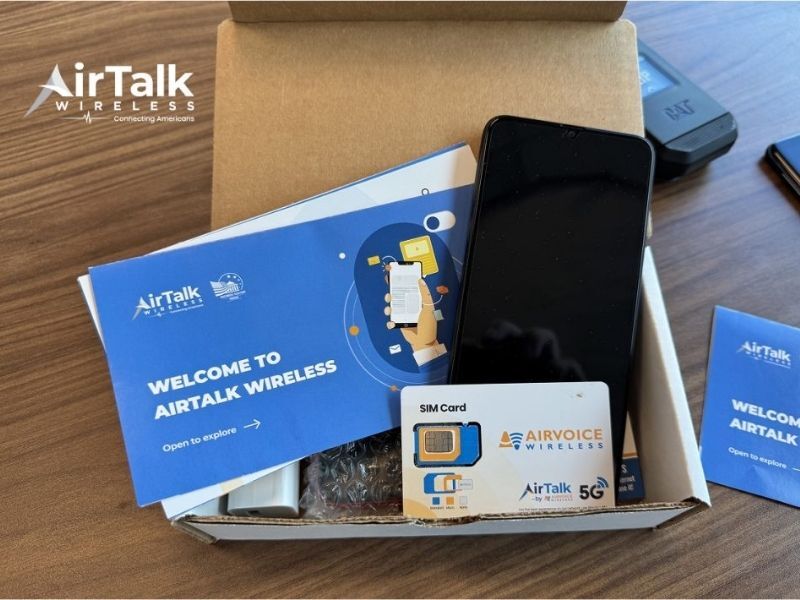
- Step 6: Receiving the device and activating service
Availability depends on location, qualifications, and inventory at the time of application.
Final Thoughts
Turning off eSIM can save time and avoid unnecessary reactivation steps. If your goal is temporary control rather than permanent removal, disabling the line is often the smarter choice.
Whether you are traveling, troubleshooting signal issues, or managing multiple numbers, understanding how to turn off eSIM gives you more flexibility without losing your saved plan.
And when you are ready to switch back on, reviewing your current service options could be just as valuable as learning the setting itself.