

On This Page
Many smartphone users rely on digital SIM technology for flexible connectivity, but there are situations where temporarily disabling a digital plan may be necessary. If you’re wondering how to turn off eSIM, the process typically involves adjusting the cellular settings on your device rather than deleting the eSIM profile entirely.
1. How to Turn Off eSIM on Your iPhone?
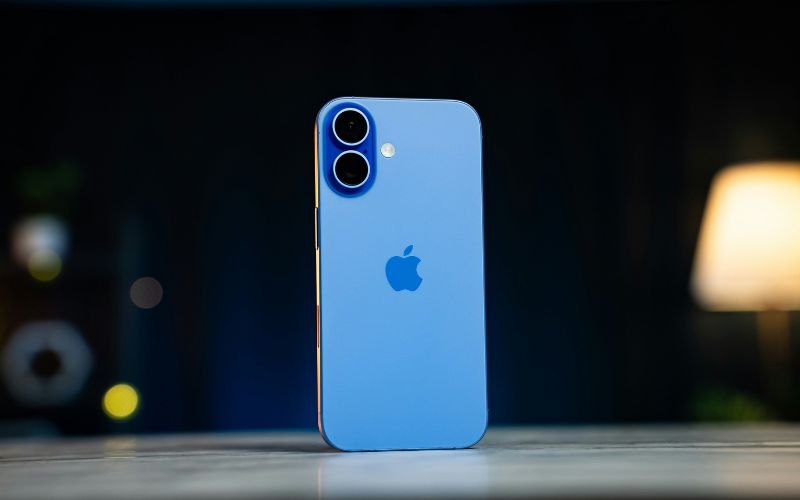
Full guide on how to turn off eSIM on your iPhone. (Image by Unsplash)
Many iPhone users want to know how to turn off eSIM temporarily when switching between mobile plans, traveling, or troubleshooting network issues. Instead of permanently deleting the digital SIM profile, turning it off allows the user to pause the connection while keeping the plan stored safely on the device.
Open Settings
First, the user should unlock their iPhone and open the Settings app from the home screen. This application contains the main controls for system configuration, including mobile network and SIM management options. From the Settings menu, users can access all features needed to manage their cellular connections.
Tap Cellular
Next, you should scroll down within the Settings menu and tap Cellular (or Mobile Data, depending on the region). This section displays all available cellular plans that are currently installed on the device.
The phone will show both physical SIM and eSIM plans if the device supports Dual SIM functionality.
Select Your eSIM Plan
After opening the Cellular section, the user will see a list of available mobile plans associated with the device. The user should tap the eSIM plan they want to manage to view its settings and configuration details.
Many people researching how to turn off eSIM find this step important because it allows them to control which cellular line remains active.
Toggle “Turn On This Line” → Off
Finally, you should locate the Turn On This Line toggle inside the selected plan settings. By switching this option to Off, the iPhone will temporarily disable the eSIM connection and stop using that mobile plan. The profile will still remain saved on the device, allowing the user to reactivate it later without reinstalling the eSIM.
2. How to Turn Off eSIM on Android
Android devices also allow users to disable an eSIM temporarily without removing the profile from the phone. This option is useful when switching between multiple lines, troubleshooting signal issues, or pausing a data plan while keeping the configuration stored on the device.
Open Settings
First, the user should unlock their Android phone and open the Settings app from the home screen or app drawer. The Settings menu contains system controls for wireless connections, mobile networks, and SIM management. From here, the user can access the tools required to manage both physical SIM cards and eSIM profiles.
Tap Connections or Network & Internet
Next, you should scroll through the Settings menu and tap Connections or Network & Internet, depending on the Android device model and operating system version. This section manages Wi-Fi, Bluetooth, mobile networks, and SIM-related options. It serves as the central place where users can configure how the phone connects to cellular networks.
Select SIM Manager
Inside the Connections or Network settings, the user should select SIM Manager or SIMs. This page displays all available SIM configurations installed on the phone, including both physical SIM cards and digital eSIM profiles. Many users searching for how to turn off eSIM will find this section important because it allows them to control which cellular plan is currently active.
Choose the eSIM Profile
The user should then tap the specific eSIM profile they want to manage. Opening the profile will display information about the associated carrier, phone number, and connection status. Reviewing these details helps confirm that the correct eSIM plan is being modified.
Toggle the Line Off
Finally, the user should locate the toggle switch for the selected line and turn it Off. Once the switch is disabled, the Android device will stop using that cellular plan while keeping the eSIM profile saved on the phone. The user can later reactivate the line easily by returning to the same settings and turning it back on.
3. What Happens When You Disable an eSIM
Another point when learning how to turn off eSIM is that disabling an eSIM temporarily stops the device from using that mobile plan, but it does not permanently remove the digital SIM profile. This option allows users to pause a cellular line while keeping the plan stored on the phone for future use.
- **The cellular line becomes inactive: **Once the eSIM is turned off, the phone will stop connecting to that carrier network. Calls, text messages, and mobile data linked to that line will no longer function until the line is enabled again.
- **The eSIM profile remains saved on the device: **Disabling an eSIM does not delete the digital SIM profile. The plan stays stored in the phone’s SIM settings, allowing the user to quickly reactivate it later without reinstalling the profile.
- **The phone may switch to another available line: **If the device supports multiple SIM profiles, the smartphone may automatically use another active line for calls, texts, or data. This is common when users manage both personal and work numbers on the same device.
- **Wi-Fi services continue to work normally: **Even after the eSIM is disabled, the phone can still connect to Wi-Fi networks. Apps that rely on internet access, such as messaging apps or email, will continue functioning as long as Wi-Fi is available.
- **You can turn the eSIM back on anytime: **Because the profile remains installed, the user can easily reactivate the plan from the cellular settings. This makes disabling an eSIM a convenient option when temporarily pausing a line rather than deleting it completely.
4. Prefer a Phone That’s Ready to Connect Without Extra Setup?
Managing eSIM settings can sometimes feel confusing, especially for users who are new to digital SIM technology. Instead of configuring multiple settings manually, many people prefer a smartphone that already works with a compatible mobile plan from the start.
- Check your eligibility for the Lifeline program:
- Applicants must meet income guidelines or participate in qualifying programs such as SNAP, Medicaid, SSI, or Federal Public Housing Assistance.
- Users can go to the official website and enter their ZIP code to confirm that Lifeline service is available in their area.
- Choose a plan and an available device:
- During the application process, eligible applicants may be able to review available smartphones and select a device offered through the program.
- Complete the application form:
- Applicants provide personal details such as name, address, and date of birth. If eligibility cannot be verified automatically, the system may request documents showing proof of program participation or income.
- Submit the application and wait for approval:
- After submitting the form, the provider reviews the application. If approved, the device is shipped to the user with instructions for activating the mobile service.
5. Final Words
Learning how to turn off eSIM gives you more control over how your smartphone connects to mobile networks. Whether you are switching between multiple lines, troubleshooting connectivity issues, or temporarily pausing a plan, disabling an eSIM can be a quick and practical solution.