
On This Page
Many people search online for quick ways to unlock their phones when they forget their passcodes. One popular claim is that you can unlock a device using the emergency call feature.
But does this method really work? If you’ve searched how to unlock any phone password using emergency call, you may have seen videos or posts suggesting that dialing certain codes can bypass a lock screen.
In reality, most modern smartphones have strong security protections that prevent this type of shortcut. In this guide, we’ll explain how to unlock any phone password using emergency call, why many of these online tricks are outdated, and what you can actually do if you forget your phone password.
1. What Is the Emergency Call Feature on Smartphones?
The Emergency Call feature allows users to dial emergency services even when their phone is locked.
For example, you can typically access emergency numbers like:
- 911 in the United States
- other emergency numbers depending on the country.
The purpose of this feature is safety. If someone needs urgent help, they can still contact emergency services even without unlocking the phone.
Because the feature is available from the lock screen, some people believe it can be used for bypassing device security. This is why many users search how to unlock any phone password using emergency call online.
However, the Emergency Call function is designed only for emergencies and does not provide access to the phone’s system.
2. Can You Really Unlock a Phone Using Emergency Call?
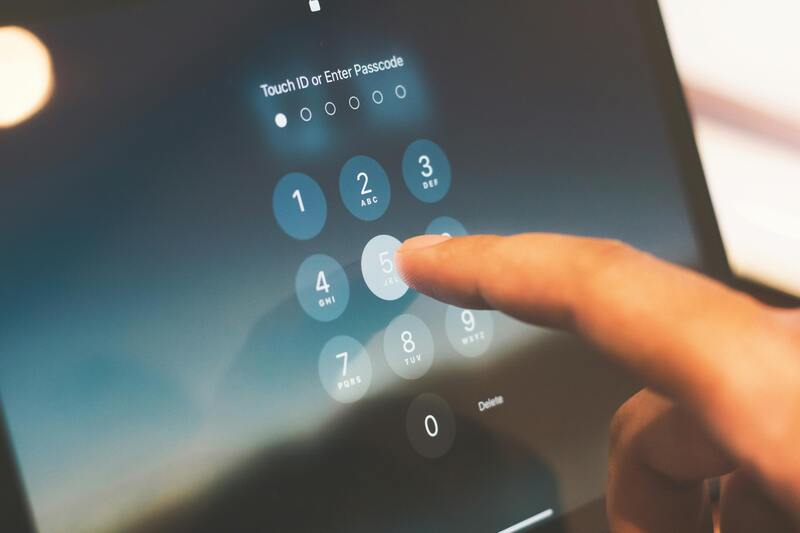
**Smartphone emergency call screen while searching how to unlock any phone password using emergency call. (Image by Pexels) **
Many online posts claim that dialing special codes or repeatedly opening the Emergency Call screen can unlock a phone.
In most cases, this is not true.
Modern Android and iPhone systems include security protections that prevent users from bypassing the lock screen this way.
So if you’re wondering whether how to unlock any phone password using emergency call actually works, the answer for most modern phones is no.
These devices require proper authentication through a passcode, fingerprint, facial recognition, or account verification.
3. Why Some Older Videos Claim This Method Works?
You may still find older tutorials showing people unlocking phones using emergency call tricks. These demonstrations usually rely on security flaws that existed in older smartphone software.
Outdated android bugs
Earlier Android versions occasionally had software bugs that allowed users to bypass the lock screen through unusual actions.
For example, some old devices allowed a crash in the lock screen interface that temporarily unlocked the phone.
However, these vulnerabilities were quickly fixed in later updates.
iOS security patches
Similar situations happened with early versions of iOS.
Apple regularly releases updates to patch security vulnerabilities. Methods that once appeared in tutorials were quickly fixed in later updates.
Why these tricks rarely work today?
Today’s smartphones include stronger security systems such as:
- encrypted device storage
- biometric authentication
- improved lock screen protection.
Because of these improvements, methods claiming how to unlock any phone password using emergency call almost never work on modern devices.
4. What to Do If You Forget Your Phone Password?
Instead of searching for unreliable tricks, there are legitimate ways to regain access to your device.
Use your Google account (Android)
If you forget your Android lock screen password, you may be able to recover access using your Google account.
Some Android devices allow you to reset the password through Google account verification or through the Find My Device service.
Use apple ID recovery (iPhone)
For iPhones, Apple provides recovery options through your apple ID.
You can reset the device by logging into iCloud or using the “Find My iPhone” feature.
This process verifies your identity before allowing the phone to be reset.
Factory reset your device
A factory reset erases all data and restores the phone to its original settings.
While this method unlocks the device, it also removes stored data unless it is backed up.
Contact the manufacturer or carrier
If you cannot recover your device yourself, contacting the phone manufacturer or your wireless carrier may help.
Support teams can guide you through official recovery procedures.
5. Tips to Avoid Getting Locked Out of Your Phone
Forgetting your password can be frustrating, but there are several ways to reduce the risk.
Helpful tips include:
- enabling fingerprint or face unlock
- using a password manager
- writing down recovery information in a secure location
- keeping your account recovery email updated.
These steps can prevent situations where you start searching for solutions like how to unlock any phone password using emergency call.
When people run into issues like forgetting a password or losing access to their phone, the bigger problem isn’t just unlocking the device, it’s losing** **connection to everything that matters.
From job applications and healthcare updates to banking access and communication with family, a working smartphone is no longer optional. That’s where programs like Lifeline come in.
Lifeline is a federal support program that helps eligible individuals maintain access to essential mobile services. Instead of paying full price for a phone and monthly plan, qualified users can receive reduced-cost or no-cost access to both a device and wireless service.
Smartphone models often available
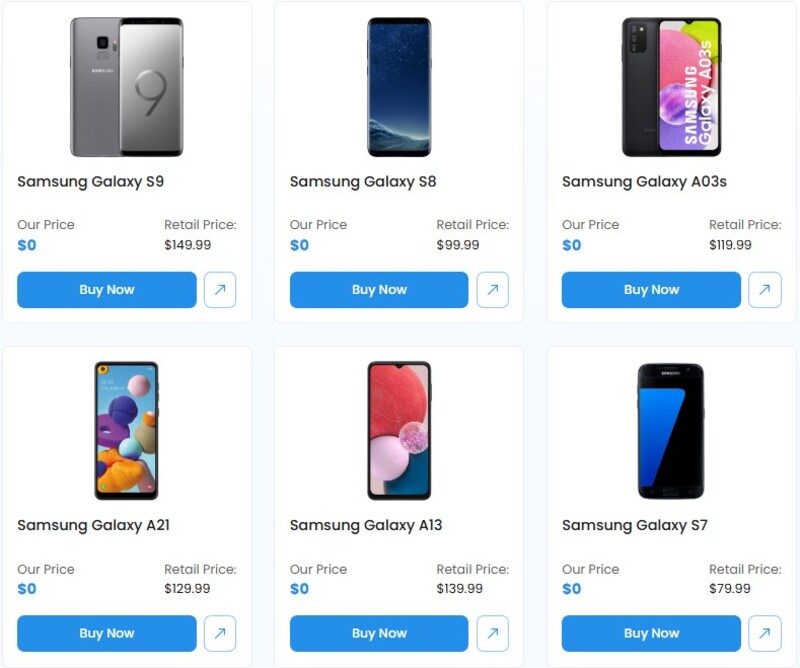
**There are many great phone options **
- Samsung Galaxy A-series smartphones
- Motorola Moto G series devices
- TCL Android smartphones
- Apple iPhone models
Once approved, users may receive a mobile plan that supports everyday calling and messaging, data access for apps and account recovery, voicemail, and call management features.
This ensures that even after losing access to a device, users can quickly get back online and regain control of their accounts.
Instead of just having a phone for calls, users can:
- Reset passwords using email or authentication apps
- Access Google or Apple account recovery tools
- Receive verification codes securely
- Reconnect with services tied to their device
- Manage documents, appointments, and online accounts
So if someone ends up searching for things like how to unlock any phone password using emergency call, the better long-term solution is actually having a fully functional device and stable connection.
Final Thoughts
Searching for how to unlock any phone password using emergency call often leads to outdated or misleading information. While some old security flaws once existed, modern smartphones are designed to prevent this type of lock screen bypass.
If you forget your phone password, the safest approach is to use official recovery methods such as account verification or factory reset options.
With secure devices and reliable wireless service, users can stay connected while keeping their personal information protected.