
On This Page
Planning to move your SIM card from an iPhone 6s to a newer device, or transferring from an older phone to an iPhone 6s? SIM card compatibility matters.
Knowing the accurate iPhone 6s SIM card size before you start setup prevents the disappointment of powering on your “new” phone only to discover it can’t make calls.
1. What Size SIM Card Is in an iPhone 6s? (Quick Answer)
The iPhone 6s uses a nano-SIM, which is the smallest common physical SIM card type (12.3 × 8.8 mm).
iPhone models from the iPhone 5 through the iPhone X, including the iPhone SE (2nd generation or earlier), use a nano-SIM card only.
Most iPhone XR, XS, 11, 12, 13, 14, 15, and 16 series models, and iPhone SE (3rd gen), support both eSIM and a nano-SIM, depending on the country or region. (iPhone 14 and later models sold in the United States are eSIM-only and do not include a nano-SIM tray.)
All in all, if you’re checking compatibility, it’s important to know that the iPhone 6s requires a nano-SIM. If you’re switching carriers or reusing an older SIM, make sure it’s already a nano-SIM or request a replacement from your provider.
Using the correct SIM size ensures proper fit and function, avoids the need for adapters, and reduces the risk of damaging the SIM tray or device.
2. Which SIM Card for iPhone 6s?
To work properly, your device requires a nano-SIM that matches the iPhone 6s SIM card size. Most modern carriers already provide nano-SIM cards, so compatibility is rarely an issue today.
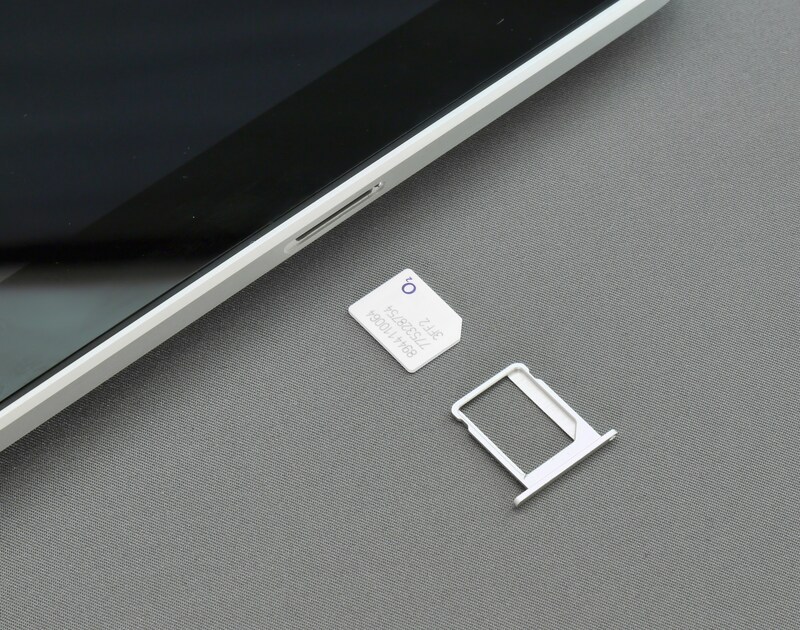
Which SIM card for iPhone 6s? (Image by Unsplash)
However, if you’re using an older SIM, you may need to cut it down or request a replacement. Ensuring the correct iPhone 6s SIM card size helps avoid signal issues, improper fitting, or damage to the SIM tray.
SIM Card Sizes Explained (Mini vs. Micro vs. Nano)
Each phone is designed for a specific SIM size. The iPhone 6s, for example, only fits a nano-SIM. A larger SIM simply won’t fit, and forcing it can damage the SIM tray.
To better understand the iPhone 6s SIM card size, it helps to compare the nano-SIM with other SIM formats.
Mini-SIM was the standard in older phones, followed by micro-SIM, which reduced the plastic around the chip. Nano-SIM, used in the iPhone 6s, is even smaller and has very little plastic around the chip.
This evolution explains why the iPhone 6s SIM card size differs from earlier devices and why compatibility matters when switching phones.
Newer SIM technologies, like eSIM, go beyond physical size. They allow you to activate a plan digitally, switch carriers more easily, and even use dual SIM (two numbers on one phone).
Will the iPhone 6s SIM fit the iPhone 13?
Yes, it will. Since both devices use nano-SIM, the iPhone 6s SIM card size is physically compatible with newer iPhones like the iPhone 13.
However, while the iPhone 6s SIM card size fits, newer iPhones also support eSIM. This means you may not need a physical SIM at all when upgrading.
How to Insert or Change SIM Card on iPhone 6s
Use a SIM eject tool (or a small pin) to open the SIM tray on the side of the device. Place the nano-SIM into the tray, ensuring it aligns with the cut corner, then gently slide it back into the phone.
Because the iPhone 6s SIM card size is small, it’s important to handle it carefully to avoid dropping or damaging it.
Can You Use eSIM on iPhone 6s?
With eSIM becoming more popular, many users wonder if it applies to older devices.
Since eSIM is not supported on the iPhone 6s, the nano-SIM card remains the only option for carrier connectivity. If you want eSIM flexibility, you’ll need a newer device.
3. Should You Upgrade from iPhone 6s?
While the iPhone 6s still uses a nano-SIM, it is now outdated in terms of performance and features. It is best suited for basic use only, such as calling, texting, and light app usage, for example, for older adults, high school students, or as a backup phone.
Newer smartphones offer significantly faster performance, better cameras, longer battery life, and eSIM support, making them more flexible and convenient for modern use. If you need dual SIM capability, an iPhone 11 or newer may be a better fit.
These models also support more advanced apps and features and deliver a smoother overall user experience compared to older devices.
4. How to Get a Free or Discounted Phone & Services (Step-by-Step)
Eligible users can qualify for free or discounted smartphones and monthly service through the government’s Lifeline program, which helps make phone and internet access more affordable for low-income households.
This makes upgrading your phone more accessible, especially if you’re looking for a device that supports newer features like eSIM.
Conclusion
To wrap it up, the iPhone 6s uses a nano-SIM, a standard that remains widely compatible with many devices. If your needs are basic, it can still handle everyday tasks like calling and texting. But if you’re looking for modern features like eSIM and dual-SIM flexibility, upgrading to a newer smartphone may be a better choice.