
On This Page
If your question is, “Is my phone eSIM compatible?” then the answer to this query would depend on your phone model and network support from your service provider. It’s not all phones that are embedded with eSIM technology, and even if your phone is unlocked, it does not automatically qualify.
1. Is My Phone eSIM Compatible? (Quick Answer)
Most newer smartphones released in recent years support eSIM technology, but older models typically do not. In general, flagship devices from major brands launched from 2018 onward are more likely to include built-in eSIM hardware.
For Apple users, eSIM support began with the iPhone XS, XS Max, and XR, and continues in newer models such as the iPhone 11, 12, 13, 14, and 15 series (regional differences may apply).
Earlier devices like the iPhone 7, 8, and X do not include embedded SIM components. If you see a message like eSIM not supported iPhone, it usually means your device was released before Apple introduced built-in eSIM hardware.
On Android, many recent Google Pixel models (Pixel 3 and newer), Samsung Galaxy S and Z series flagships, and select high-end devices from other manufacturers offer eSIM capability. Keep in mind that compatibility may vary by model number and region, and carrier support is also required for activation.
However, compatibility can vary depending on the specific model number and country of purchase. Carrier support also plays a role, so even if your phone has eSIM hardware, activation depends on network compatibility.
Checking your device settings or manufacturer specifications is the fastest way to confirm support.
2. How to Check if Your Phone Supports eSIM
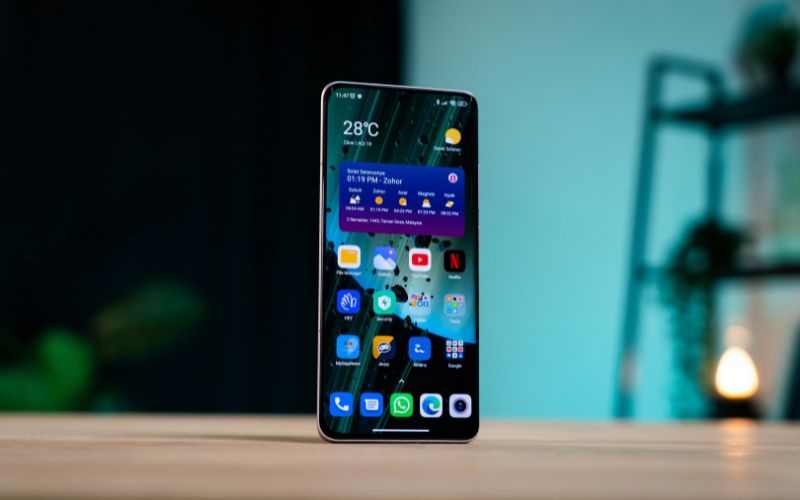
Is my phone eSIM compatible? How to check if your phone supports eSIM (Image by Unsplash)
If you’re wondering is my phone eSIM compatible, the fastest way to find out is by checking directly in your device settings. Both iPhone and Android devices provide built-in indicators that confirm whether eSIM hardware is present.
On iPhone
Apple devices display clear signs of eSIM support inside the Cellular settings. Follow these steps carefully to verify:
- Open Settings: Unlock your iPhone and tap the Settings app from your home screen.
- Tap Cellular (or Mobile Data): Scroll down and select Cellular. This section manages SIM profiles and mobile plans.
- Look for “Add eSIM” or “Add Cellular Plan”: If your iPhone supports eSIM, you will see this option listed under your active plans. Its presence usually confirms compatibility.
- Check for an EID Number: Go to Settings → General → About and scroll down. If an EID (Embedded Identity Document) number appears, your device includes eSIM hardware.
- Confirm Model Compatibility: You can also verify your exact model number in the “About” section and compare it with Apple’s official specifications online.
If the “Add eSIM” option and EID number are missing, the device likely does not support eSIM.
On Android
Android settings vary slightly by manufacturer, but the general process is similar across most brands, such as Samsung, Google Pixel, and others.
- Open Settings: Tap the Settings app from your app drawer or home screen.
- Go to Network & Internet (or Connections): Select the section that manages mobile networks and SIM information.
- Tap SIMs or Mobile Network: Enter the SIM management menu where your current SIM cards are listed.
- Check for “Add eSIM” or “Download a SIM”: If your phone supports eSIM, you will see an option to add or download a digital SIM profile.
- Look for an EID in Device Information: Navigate to About Phone → Status and check if an EID number is displayed.
If these options are not available, your Android device may not have built-in eSIM support.
Use an eSIM Compatibility Check Tool
Some providers offer online compatibility tools where you can enter your device’s IMEI number to verify support. These tools confirm whether your specific phone model works with that provider’s eSIM system.
3. Need an eSIM-Ready Phone Without the Guesswork?
If you keep asking yourself whether your device supports eSIM, upgrading to a confirmed eSIM-ready phone can remove the uncertainty. Many modern smartphones are designed with built-in eSIM hardware, allowing digital activation without inserting a physical SIM card.
This means fewer setup steps, faster carrier switching, and a smoother experience overall. Choosing the right device from the beginning helps you avoid compatibility issues and unexpected activation delays.
For those who qualify, the Lifeline Program provides free or discounted monthly wireless service based on federal eligibility guidelines. This program helps ensure individuals and families can access reliable communication for work, school, healthcare, and everyday needs without added financial pressure.
If you opt for one of our devices, your eSIM will arrive pre-activated, so you can simply power on your phone and begin using your service immediately. This streamlined approach makes getting connected easier, faster, and far less complicated.
4. FAQs About eSIM Compatibility
Many users have questions about what determines eSIM compatibility and how it works across different devices. Below are clear and accurate answers to help you better understand the requirements and limitations.
Can I add eSIM through a software update?
No, you cannot add eSIM support through a software update alone. eSIM requires dedicated embedded SIM hardware built into the device’s motherboard. If the phone was not manufactured with this internal chip, no iOS or Android update can enable eSIM functionality later.
Does an unlocked phone guarantee eSIM support?
No, an unlocked phone does not automatically guarantee eSIM support. “Unlocked” simply means the device can connect to different carriers rather than being restricted to one network. The phone must still include built-in eSIM hardware and be supported by the carrier’s eSIM activation system.
Can I use eSIM and a physical SIM together?
Yes, many modern smartphones support Dual SIM functionality by combining one physical nano-SIM and one eSIM. This setup allows you to use two numbers on the same device, such as one for personal use and another for work. However, compatibility depends on the specific phone model and carrier support.