

On This Page
The transition to eSIM has changed how iPhones connect to cellular networks, making many users search for the last iPhone with SIM card. If you’re someone who still prefers a physical SIM, it’s essential to understand which models support it before upgrading.
In this guide, we’ll explore the final iPhones with SIM slots, explain Apple’s move toward eSIM, and help you decide if switching to a newer model is the right choice.
1. What is the Last iPhone with SIM Card?
The last iPhone with SIM card support in the United States is the iPhone 13 series. These models (iPhone 13, 13 mini, 13 Pro, and 13 Pro Max) still include a physical SIM tray along with eSIM capability, offering dual SIM flexibility.
Starting with the iPhone 14 lineup, Apple removed the physical SIM slot in U.S. models and switched entirely to eSIM technology.
However, it’s important to note that some international versions of newer iPhones may still include a SIM card slot. If you prefer using a physical SIM, the iPhone 13 is the latest option available in the U.S. market.

iPhone 13 series is the last iPhone with SIM card support in the U.S. (Image by Pexels)
2. Why Apple Removed the SIM Card Slot
Apple removed the SIM card slot to advance a more digital, streamlined mobile experience. By adopting eSIM technology, users can activate plans instantly without inserting a physical card, making switching carriers faster and more convenient. It also improves security, as eSIM reduces the risk of SIM swapping and physical damage.
Additionally, removing the SIM tray frees up internal space for better battery life and components. eSIM allows multiple plans on one device, making it more flexible for users, especially travelers and those managing multiple numbers.
3. Can You Still Buy an iPhone with a SIM Card Slot?
Yes, you can still buy an iPhone with a SIM card slot, but your options are becoming more limited, especially in the United States. As Apple transitions to eSIM-only models, newer iPhones no longer include a physical SIM tray in the U.S. However, there are still several ways to get a device that supports a physical SIM.
The most straightforward option is to purchase an iPhone 13 or earlier model, which is considered the last iPhone with SIM card support in the U.S. These devices are widely available through online retailers, refurbished marketplaces, and some carriers that still carry older inventory.
Another option is to look for international versions of newer iPhones. In some countries, Apple continues to include a physical SIM slot alongside eSIM support. However, before buying, make sure the device is compatible with U.S. carrier networks and supports the required bands.
Keep in mind that while buying an iPhone with a SIM card slot is still possible, the industry is moving toward eSIM. If you plan to keep your device for several years, it may be worth considering whether transitioning to eSIM is the better long-term option.
4. Should You Upgrade to an eSIM-Only iPhone?
Upgrading to an eSIM-only iPhone depends on your needs, usage habits, and comfort with newer technology. For many users, eSIM offers clear advantages.
It allows you to activate a cellular plan digitally, making setup faster and more convenient. You can also store multiple plans on one device, which is especially useful for travelers or people managing work and personal lives.
Another benefit is improved security. Since there’s no physical SIM to remove, eSIM reduces the risk of SIM swapping and theft. Apple also uses the extra internal space (previously used for the SIM tray) to enhance other components, such as the battery or overall performance.
However, there are some downsides to consider. Not all carriers worldwide fully support eSIM, which can be inconvenient if you travel frequently to regions with limited support. Additionally, switching devices or troubleshooting may feel less intuitive compared to simply swapping a physical SIM card.
If you prefer convenience, digital setup, and future-ready technology, upgrading to an eSIM-only iPhone is a great choice.
But if you rely on physical SIM flexibility or frequently change devices, sticking with a model that supports both options, like the iPhone 13 series, the iPhone 12 series, and others, may still be the better fit for now.
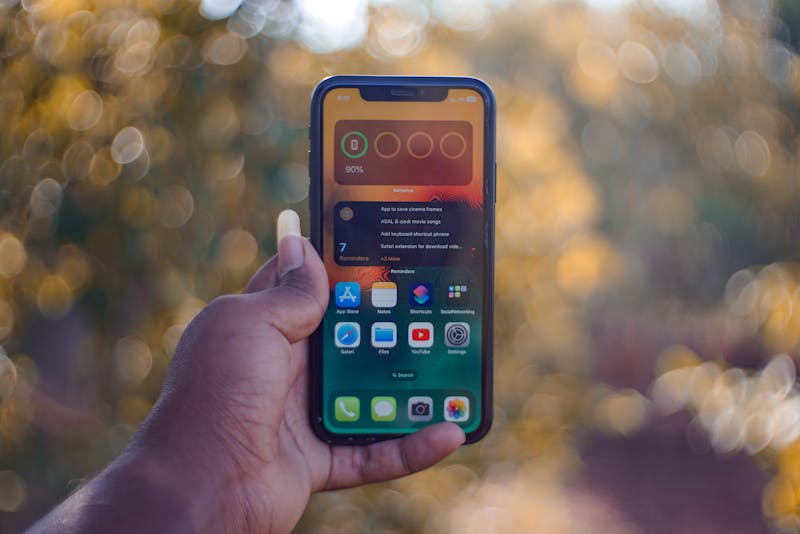
eSIM iPhones offer convenience, digital setup, and multi-plan storage for users (Image by Pexels)
- **Step 1: **Figure out if you qualify for Lifeline based on either your income or participation in certain government assistance programs
- Step 3: Choose a data plan and select an available iPhone or device from the current inventory
- Step 4: Upload required documents, such as ID and proof of eligibility
- Step 5: Submit your application and wait for approval, then track your shipment once approved
Tips to avoid delays:
- Ensure all documents are clear and match your legal information
- Avoid blurry uploads or inconsistent details
- Use the application dashboard to monitor your approval and delivery status
Upgrade to a newer iPhone at an affordable price
6. FAQs
Does the latest iPhone have a SIM card?
In the United States, the latest iPhones (iPhone 14 and newer) do not have a physical SIM card slot. They use eSIM only, allowing you to activate your cellular plan digitally.
Will the iPhone 16 have a physical SIM card slot?
Apple has not officially confirmed the details, but based on recent trends, it’s likely that U.S. models of the iPhone 16 will remain eSIM-only, without a physical SIM slot.
When did iPhones stop coming with SIM cards?
iPhones stopped including a physical SIM slot in the U.S. starting with the iPhone 14 series in 2022. Before that, models like the iPhone 13 were the last iPhone with SIM card support.
Conclusion
As Apple continues shifting to eSIM, knowing the last iPhone with SIM card can help you decide whether to stick with a physical SIM or embrace newer technology. While older models still support physical SIMs, newer iPhones are moving toward eSIM-only technology.