
On This Page
Have you ever wondered if you could get your hands on a free iPhone?
With the Lifeline program, eligible individuals can get a chance to secure free smartphones. It’s significant, especially for those who need access to communication, education, and employment opportunities but can’t afford a high-end device.
Let’s discover how you can get a Lifeline free iPhone for yourself or a loved one.
1. Can You Get a Free iPhone through Lifeline?
Lifeline is a government-funded program to make phone and internet services more affordable for low-income households. This program offers eligible residents up to $9.25 off their monthly phone bill, and for those living on Tribal lands, the discount is higher at $34.25.
You can’t get a free phone directly from the government. Instead, Lifeline works through licensed service providers who partner with the program.

You can get a free iPhone when applying for Lifeline via a service provider.
**2. 5 Popular Free Lifeline iPhone **
2.1. Apple iPhone 8
There is also the display. Its 4.7-inch Retina HD screen brings your content to life. The vibrant colors and sharp details make everything pop. In terms of durability, the iPhone 8 is built to withstand the elements. It comes with a glass back and IP67 water and dust resistance.
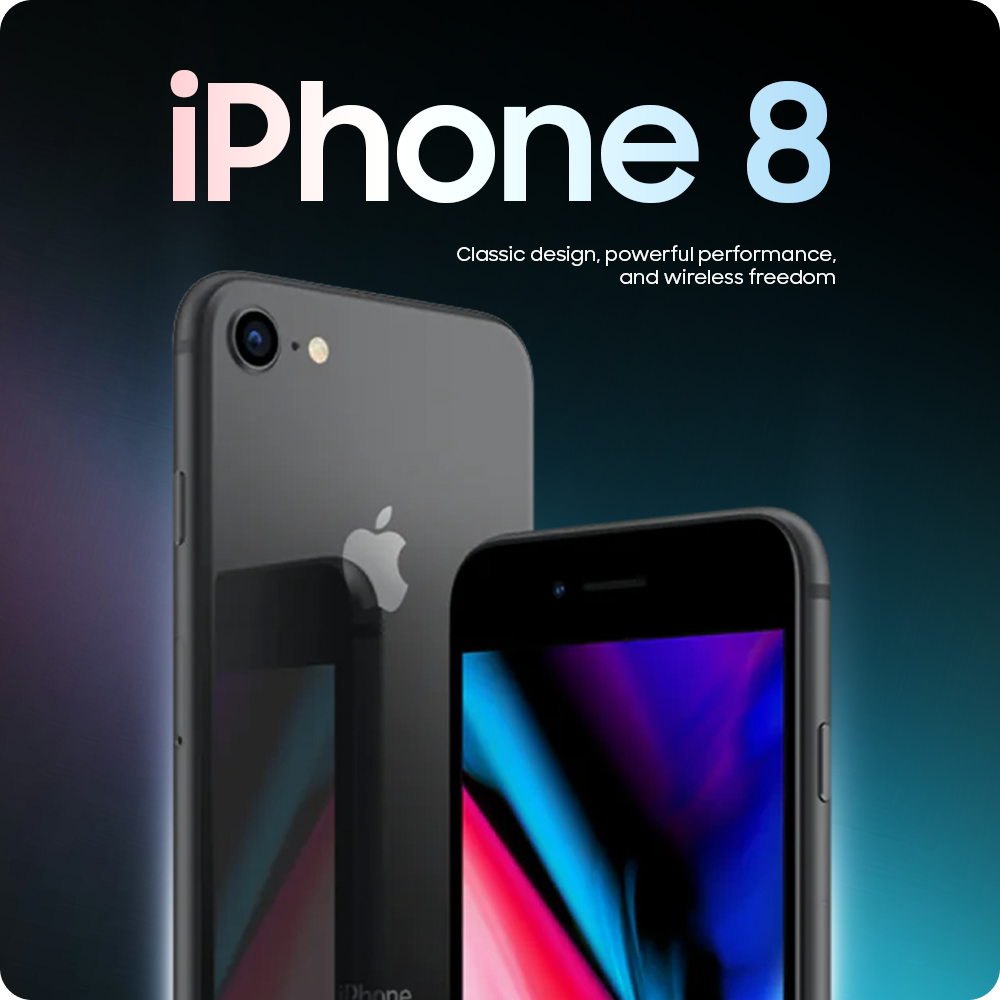
Apple iPhone 8 is one of the best free phone options.
2.2. Apple iPhone 7 Plus
Even though it’s not the latest model, iPhone 7 Plus still holds a special phone for good reason. It offers a user experience that blends power and elegance, all packed into a compact device that fits comfortably in your hand.
With vibrant colors and sharp contrasts, everything you see on the iPhone 7 Plus is clear. Now, if you love photography or simply want to capture moments in beautiful detail, the iPhone 7 Plus’s dual-camera system won’t disappoint.
Under the hood, the iPhone7 Plus is powered by the A10 Fusion chip, which means it has fantastic performance
2.3. Apple iPhone 7
The iPhone 7 stands out as a remarkable device in Apple’s lineup. It’s a device that delivers a premium experience, making it a top pick for anyone seeking reliability and advanced features.
The 4.7-inch Retina HD screen with True Tone technology is a visual masterpiece. It offers vibrant colors and sharp details, with a pixel density of 326 ppi. And with True Tone, the white balance adjusts automatically to match the lighting around you.
When it comes to durability, the iPhone 7 doesn’t hold back. Its IP67 rating means it’s not just water-resistant, but can actually survive being submerged in up to 1 meter of water for 30 minutes.
For those eligible for the Lifeline program, the iPhone 7 is one of the top picks.
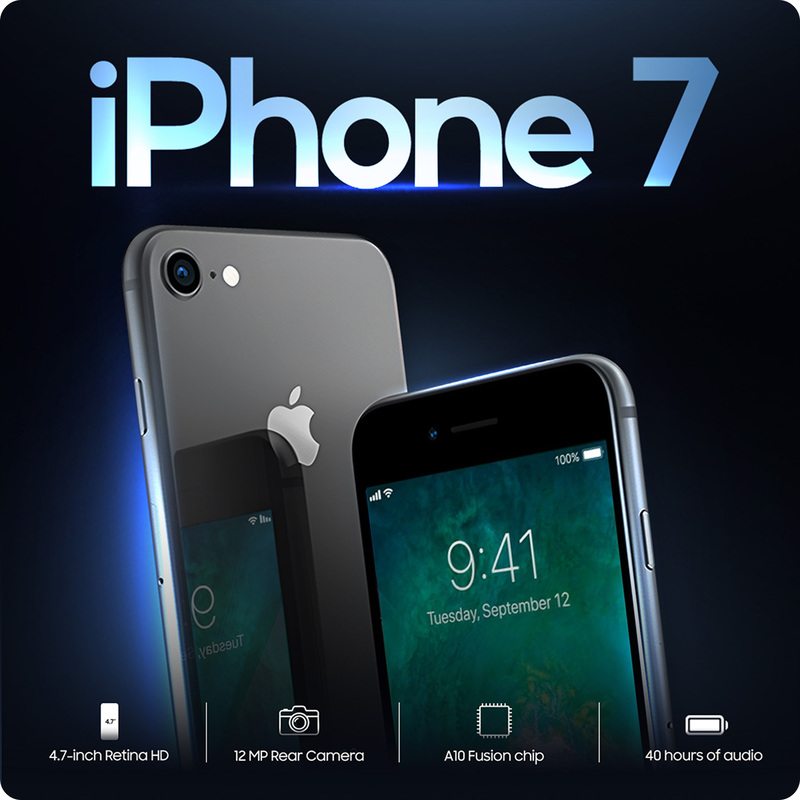
iPhone 7 stands out as a remarkable device in Apple’s lineup.
*More detail: How To Claim A Free iPhone 7 With Food Stamps? *
2.4. Apple iPhone SE 2
The iPhone SE 2 is a perfect example of how Apple blends cutting-edge technology with classic design. It’s designed for ease and efficiency.
The A13 Bionic chip inside the iPhone SE 2 is lightning-fast, making switching between apps a breeze. And the sleek. Its 4.7-inch Retina HD display is a beauty to behold. With its IP67 water and dust resistance rating, this phone can handle whatever life throws at it.
2.5. Apple iPhone 13
From its impressive performance to its pro-level camera and immersive display, the iPhone 13 takes your experience to the next level.
The 6.1-inch Super Retina XDR display offers vibrant, true-to-life colors and deep blacks, thanks to its OLED technology. It’s perfect for anyone who loves to consume media on the go.
Under the hood, the A15 Bionic chip is what makes everything run so smoothly. It’s designed for lightning-fast app launches, seamless multitasking, and incredible gaming performance. The iPhone 13 has a 3227 mAh battery that supports up to 19 hours of video playback.
iPhone 13 isn’t completely free. However, it is a fantastic opportunity for eligible individuals to get this high-quality smartphone at a reduced price or with other benefits. It’s one of the most popular iPhones due to its performance.
And don’t forget that there are also options like the iPhone 11, iPhone 11 Pro Max, iPhone 13 Pro Max, and even the iPhone 14 for those looking to take things up a notch.
**3. How to Get Free Lifeline iPhone **
3.1. Who is eligible for a free iPhone?
Before you get too excited, let’s explore who can actually qualify for a free iPhone through the Lifeline program.
There are two main ways you can qualify: income-based eligibility or program-based eligibility.
Income-based eligibility
Your total household income needs to be at or below 135% of the Federal Poverty Guidelines.
The table shows the 2025 Federal Poverty Guidelines and the income limit used to determine eligibility for Lifeline in the 48 contiguous states and the District of Columbia. For residents of Alaska and Hawaii, the income limits are higher due to the higher cost of living in those areas.
| Household size | Federal Poverty Guidelines | Income Limit (135% of the Federal Poverty Guidelines) |
|---|---|---|
| 1 | $15,650 | $21,128 |
| 2 | $21,150 | $28,553 |
| 3 | $26,650 | $35,978 |
| 4 | $32,150 | $43,403 |
| 5 | $37,650 | $50,828 |
| 6 | $43,150 | $58,253 |
| 7 | $48,650 | $65,678 |
| 8 | $54,150 | $73,103 |
| Each Additional Member | $5,500 | $5,500 |
Program-based eligibility
You can also qualify for a free iPhone if you or someone in your household is already receiving benefits from one of the following programs:
- Supplemental Nutrition Assistance Program (SNAP)
- Medicaid
- Supplemental Security Income (SSI)
- Federal Public Housing Assistance (FPHA)
- Veterans and Survivors Pension Benefit
For those living on Tribal lands, additional programs may help you qualify, including:
- Bureau of Indian Affairs (BIA) General Assistance
- Tribal Head Start (for income-eligible households)
- Food Distribution Program on Indian Reservations (FDPIR)
Step 2: Choose Your Plan
- Free Phone and Plan: If you need both a new phone and a service plan, this option is perfect. You’ll receive a free phone along with the plan to start your service.
- Bring Your Own Device (BYOD): If you already have a phone and just need a service plan, this option is for you. With BYOD, you’ll only receive a SIM card and a mobile plan. It’s a great choice for those who want to keep using their current phone while enjoying the benefits of the Lifeline program.
Step 4: Submit Documentation
If you’re applying based on a government assistance program, provide the necessary documents. If you’re qualifying based on income, submit proof like pay stubs or income statements.
Conclusion
If you meet the eligibility requirements, don’t hesitate to explore your options and take advantage of this incredible benefit. Get your Lifeline free iPhone today!