

On This Page
For many low-income families, the financial barrier to owning multiple devices is significant. However, by using an online application form to get free tablet benefits, eligible individuals can secure the tools they need for both mobility and productivity.
1. Benefits of Using the Online Application Form to Get Free Tablets
The days of mailing paper documents or waiting in long lines at physical kiosks are largely over. The move toward digital enrollment has revolutionized how federal benefits are distributed, offering a more secure and efficient experience for all applicants.
Compared to traditional paper applications or in-person visits, online enrollment makes the process faster, easier, and more secure.
1.1. Faster Approval via Digital Federal Verification Systems
One of the primary advantages of using an online application form to get free tablet service is the speed of verification. Authorized providers are directly integrated with the federal National Verifier.
When you submit your information online, the system can often cross-reference it with national databases in real time. This means that if you are already enrolled in a program like SNAP or Medicaid, your approval can be processed in minutes rather than weeks.
1.2. Secure 24/7 Access and Convenience from Any Location
Digital enrollment allows you to apply whenever it fits your schedule. Whether you are at home, at a library, or on your lunch break, you can access the secure portal from any internet-connected device.
Furthermore, these platforms use advanced encryption to protect your sensitive personal identifiers, ensuring that your identification documents and proof of eligibility are handled with the highest level of privacy and security.
1.3. Does Lifeline Have Tablets for Eligible Subscribers?
A common question among new applicants is: Does Lifeline have tablets?
Lifeline itself does not directly provide tablets. Instead, free or discounted tablets are benefits offered by participating Lifeline providers as part of their device promotions.
This often includes a free government tablet as part of a sign-up incentive or a device bundle. By choosing a provider that prioritizes hardware variety, you can ensure your enrollment delivers the maximum possible value to your household.
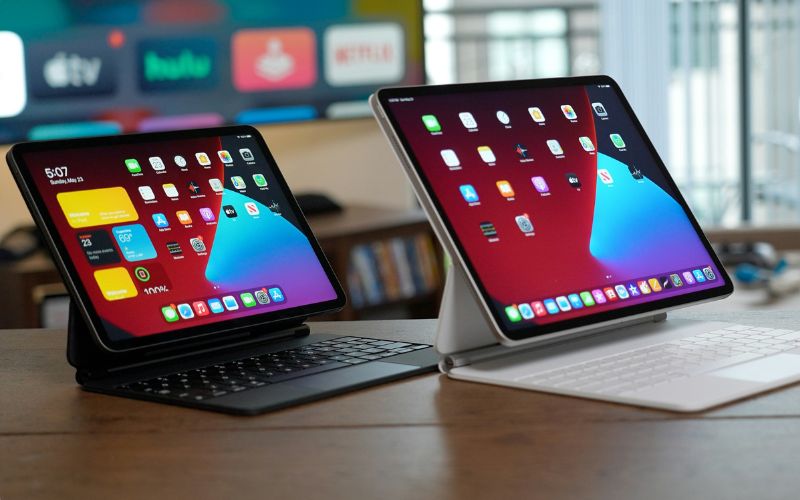
Four simple steps of an online application form to get free tablet. (Image by Unsplash)
2.1. High-Tier Hardware Standards for Professional Performance
These tablets undergo rigorous multi-point inspections to verify battery health, screen responsiveness, and processing speeds. This ensures that your device is a powerful tool for education and professional development, rather than a source of technical frustration.
3. Who Qualifies to Get a Free Government Tablet?
To secure your device through an online application form to get free tablets, you must meet the federal eligibility standards established by the FCC. These standards ensure that the subsidies are used to support those who truly need communication assistance.
3.1. Via Federal Programs Like SNAP, Medicaid, or SSI
The most straightforward path to qualification is through participation in existing aid programs. If you or a member of your household is currently enrolled in any of the following, you are likely eligible:
- Supplemental Nutrition Assistance Program (SNAP/EBT)
- Medicaid
- Supplemental Security Income (SSI)
- Federal Public Housing Assistance (FPHA)
- Veterans Pension and Survivors Benefit
3.2. Based on Total Household Income
If you do not participate in a government assistance program, you can still qualify based on your financial status. If your total annual household income is at or below 135% of the Federal Poverty Guidelines, you are eligible to apply.
This ensures that even those not receiving other forms of aid can still get a free government tablet to help with their digital needs.
»> Also read: How to Apply for Government Free Phone and Tablets 2026?
4. Simplified Steps to Complete Your Online Device Enrollment
Step 1: Check Your Eligibility
There are two main ways to qualify:
- Based on income: Compare your household income against the Federal Poverty Guidelines.
- Based on program participation: You qualify if you are already enrolled in government assistance programs such as SNAP, SSI, Lifeline, or other similar programs.
Note: If the system cannot verify the status automatically, the user will be prompted to upload supporting documents (such as benefit award letters or proof of income).
After selecting your plan and device, you will complete the application by entering your personal details and uploading any required documents. This typically includes a valid government-issued ID and proof of eligibility, such as enrollment in Medicaid, SNAP, SSI, or documentation showing your household income meets Lifeline limits.
Step 3: Submit for Approval and Delivery
Once submitted, applications are often approved within 30 minutes through automatic verification, though some cases may require manual review and take up to 3-4 business days.