

On This Page
1. Orbic Phones: Are They Worth It?
If you’ve been browsing affordable smartphones, you’ve probably come across Orbic.
Orbic is a mobile brand that focuses on budget-friendly smartphones, tablets, and mobile hotspots. They aren’t aiming to compete with Samsung or Apple, but instead, they serve people looking for affordable, no-nonsense devices that work well. Their phones are commonly available through carrier deals, government assistance programs (like Lifeline), and retail outlets.
Orbic’s line isn’t massive, but it covers the basics. Orbic Magic 5G is one of the popular models from this brand. It offers a 6.8-inch display. The screen is decent for browsing, social media, and streaming. One of its strong points is the 5,000mAh battery. The camera performance will likely be decent for everyday photos.
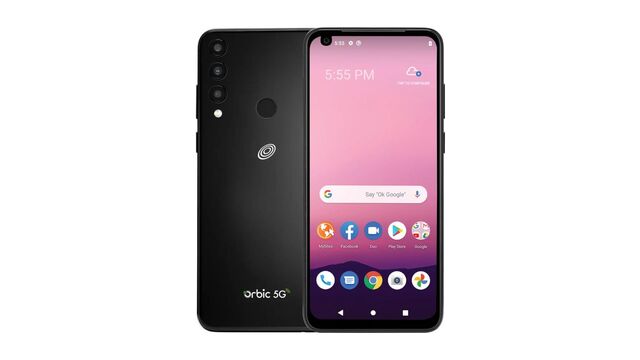
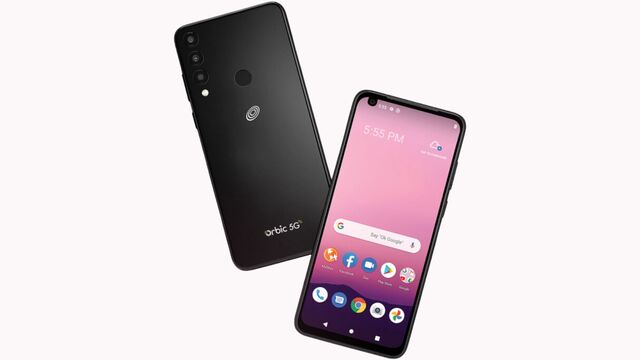
** Orbic is user-friendly and affordable smartphones*.*
What’s good about Orbic phones?
- **Affordable 5G connectivity: **Orbic Android phones are some of the most budget-friendly 5G devices you can buy.
- Long battery life: Many Orbic models such as the Magic 5G, come with large batteries (often 5,000mAh).
- **Simplicity: **Orbic keeps things basic, which makes their phones simple to use, especially for seniors or first-time smartphone users.
However, Orbic phones aren’t speed demons. They usually have lower-end processors, HD displays instead of Full HD or OLED, and average cameras. Additionally, since Orbic isn’t a huge brand, you might not get regular software updates or long-term support.
2. How to Get a Free Orbic Government Phone
Lifeline is a government assistance program that helps low-income individuals save money on phone and internet services. With this program, you can receive a monthly discount of up to $9.25, and if you live on Tribal lands, that discount jumps to $34.25 per month.
2.1. Check your eligibility
You’re eligible if you or someone in your household participates in one or more of the following federal assistance programs:
- Medicaid
- Supplemental Nutritional Assistance Program (SNAP)
- Supplemental Security Income (SSI)
- Federal Public Housing Assistance or Section 8
If your household income is at or below 135% of the Federal Poverty Guidelines, you can still apply.
Step 2: Choose Your Plan
- Free Phone and Plan: This gives you a free Orbic phone with phone services.
- **Bring Your Own Device (BYOD): **Choose it if you want to keep using your current phone while still getting phone service.
Select your free Orbic phone from the available options. Depending on your location, you might see a free phone and tablet combo offer.
Step 4: Submit Your Documents
To confirm your eligibility, you need to upload a few documents. This could include:
- Proof of income (pay stubs, tax return, etc.)
- Proof of participation in government programs like SNAP, Medicaid, or SSI
Step 5: Get Approved & Receive Your Device
Also read: Free Government Phone Services: How to Sign Up & Get a Free Device
3. Orbic Phone Problems & Troubleshooting
**Slow Performance: **Budget-friendly devices often have less powerful processors and limited RAM. Try these:
- Close background apps.
- Clear cache regularly
- Uninstall unnecessary apps. Free up storage.
Network & Connectivity Issues:
- Toggle airplane mode.
- Check APN settings.
- Restart your phone.
Software Updates:
- Manually check for updates: Go to Settings > System > Software Update to see if there’s anything available.
- Use lightweight apps. If your phone isn’t getting updates, try using lite versions of apps to keep it working well.