

On This Page
Switching to a new phone often brings one important question: “Should I delete eSIM from old phone” before the new device is ready?
Unlike a physical SIM card, an eSIM is tied to your device and carrier activation system. It cannot simply be removed and inserted into another phone. Because of that, deleting the old eSIM too early may interrupt calls, text messages, or mobile data.
On the other hand, keeping the old eSIM forever is not ideal either. Once your new device is fully activated, the old profile should usually be removed for security and account management reasons.
1. Should I Delete eSIM from Old Phone?
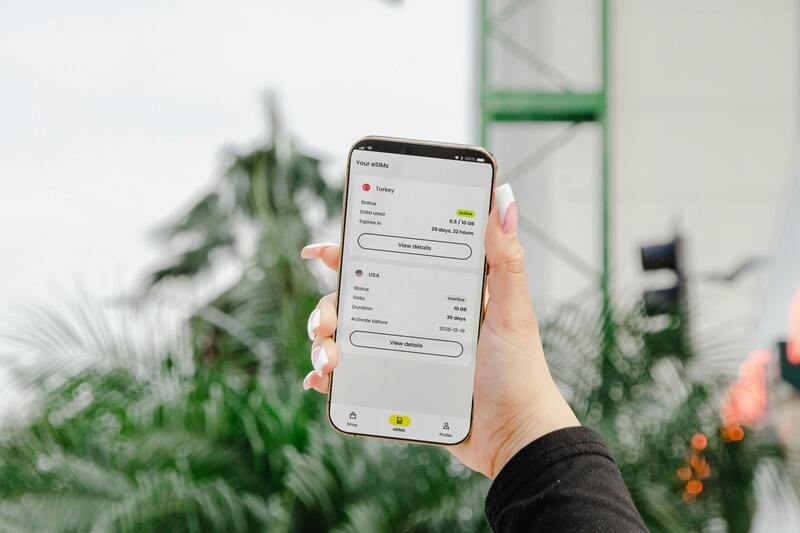
Should I delete eSIM from old phone? It is usually safer to wait until the new device is fully active. (Image by Pexels)
In most situations, the safest answer is no, not immediately.
If you are switching devices, your old eSIM should remain in place until the new phone is fully working. That means the new device should be able to:
- Make calls
- Send and receive texts
- Use mobile data
- Keep in touch normally
Once those basics are confirmed, deleting the old profile becomes much safer.
The reason timing matters is simple: an eSIM is not just a setting on your phone. It is part of your active mobile service. Removing it too early can slow down activation or create unnecessary support requests.
For users wondering “should I delete eSIM from old phone”, think of deletion as the final step, not the first one.
2. What Happens If I Delete the eSIM Off My Old Phone?
The answer depends on whether the new phone is already active.
If the transfer has completed successfully, deleting the old eSIM usually removes an unused profile and causes no issue.
If the switch is still in progress, what happens if I delete the eSIM off my old phone? Several problems may appear:
- Calls may stop temporarily
- Text verification codes may not arrive
- Mobile data may fail on both devices
- A new QR code may be required
- Carrier support may be needed to restore service
This is especially common when the new phone has not finished provisioning on the network.
Keeping the old eSIM active a little longer often prevents these avoidable issues.
3. Should I Keep or Delete eSIM When I Get a New Phone?
A practical answer to Should I keep or delete eSIM when I get a new phone? is to keep it temporarily.
Your old device can still be useful during setup. It may receive verification texts, help confirm account access, or serve as a backup if activation takes longer than expected.
Keeping the old eSIM for a short period makes sense when:
- The new phone is still being activated.
- You are changing between** iPhone** and Android.
- You need your number available during setup.
- You are waiting for carrier confirmation.
Once the new phone is stable and working normally, deleting the old profile is usually the right next move.
That is why “should I delete eSIM from old phone” is less about yes or no, and more about choosing the right time.
4. The Safe Way to Switch eSIM to a New Phone
The safest process is straightforward: activate the new phone first, then remove the old eSIM afterward.
Most carriers handle eSIM moves through reactivation or reassignment rather than a simple transfer.
A reliable setup process usually looks like this:
- Confirm the new phone supports eSIM
- Connect the new device to Wi-Fi
- Request activation or transfer through your carrier
- Install the eSIM on the new device
- Test calling, texting, and data
- Delete the old eSIM only after everything works
Following this order reduces the risk of downtime.
For users still asking should i delete eSIM from old phone, this is the safest method to follow.
How to delete eSIM from old phone safely? Once the new phone is fully working, removal is simple.
On iPhone:
- Open Settings
- Tap Cellular or Mobile Data
- Select the old line
- Tap Remove Cellular Plan or Delete eSIM
On Android devices, the wording may vary, but the option is typically under SIM or Network settings.
Before tapping delete, make sure the new phone has already completed calls, texts, and mobile data testing.
For users changing devices, this can make eSIM activation easier and reduce setup confusion.
The process typically includes:
- Select phone brand
- Choose exact model
- Confirm whether the device supports service and eSIM
This helps prevent failed activation attempts caused by unsupported phones.
Get an eSIM at $0 in Only A Few Steps
Depending on eligibility and availability, qualified users may access low-cost or no-cost service plans.
The general application flow includes:
- Apply online
- Enter ZIP code
- Verify eligibility
- Choose a compatible phone or bring your own device
- Select eSIM when available
- Complete activation steps
This can reduce the cost of switching while making setup easier.
Get your free phone with free monthly services!
Final Thoughts
So, should I delete eSIM from old phone right away? In most cases, waiting is the better choice.
Once the new device is active and confirmed for calls, texts, and data, removing the old profile becomes a simple cleanup step. That order protects your number, reduces stress, and avoids activation delays.
If you are preparing to change phones, focus on activation first and deletion last. It is the simplest way to move forward with fewer problems.