
On This Page
SIM cards for phones are small but essential components that enable your device to connect to a mobile network, make calls, send texts, access mobile data, and keep your phone number linked to your carrier. Understanding how they work helps you manage devices, switch phones, and choose compatible plans more confidently.
1. What Are SIM Cards for Phones?
SIM cards are essential for connecting your phone to a mobile network, enabling communication and data services. Understanding their purpose and functions helps you choose the right device and plan, whether using a standard SIM or a US Mobile SIM card.
Definition of a SIM Card
A SIM card, or Subscriber Identity Module, is a small, removable chip that stores information needed for your phone to connect to a carrier’s network. It contains unique identifiers, such as your IMSI, which link your device to your mobile account. This ensures your phone number, plan details, and basic network permissions are recognized, allowing you to make calls, send texts, and use mobile data reliably.
What a SIM Card Does
A SIM card acts as the bridge between your phone and the carrier network, making communication possible. Its key functions include:
- Storing your phone number and account information
- Authenticating your device on the carrier network
- Enabling calls, text messaging, and mobile data
- Managing access to features like voicemail and Wi-Fi calling
- Holding limited contact information for quick transfer between devices
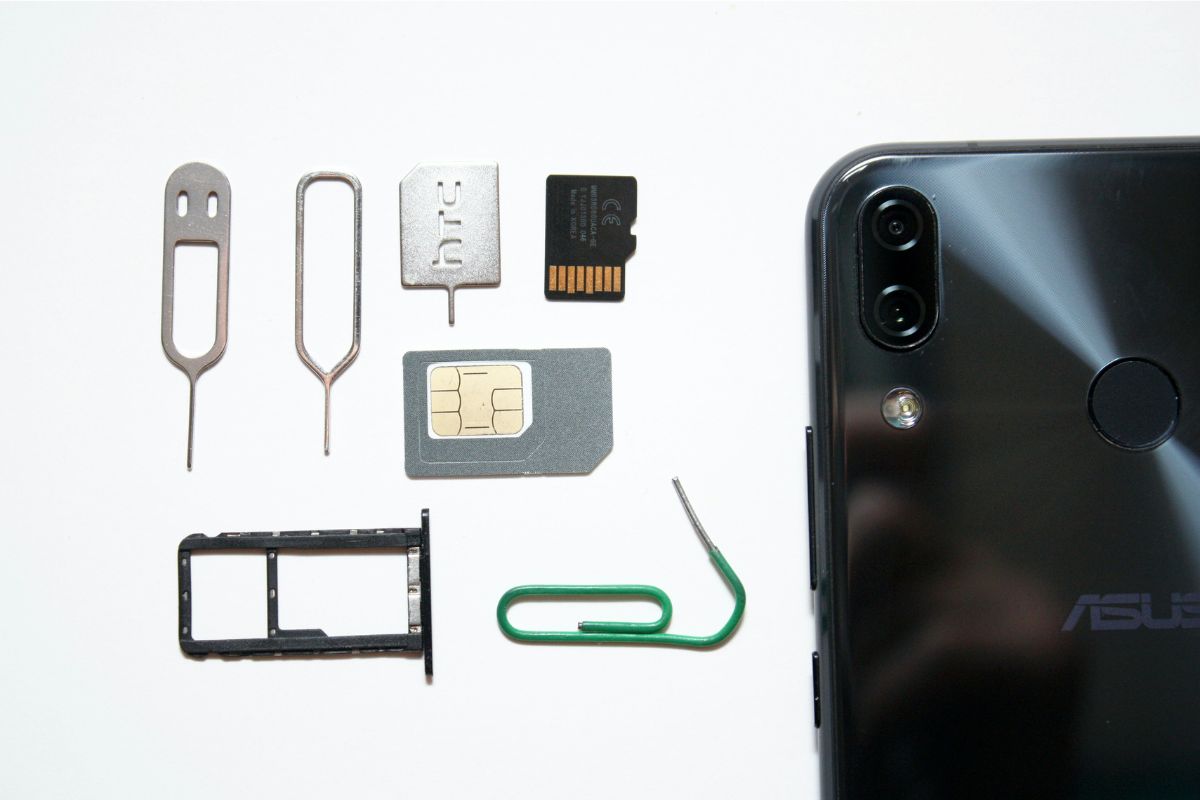
What are SIM cards for phones? (Image by Unsplash)**
2. Types of SIM Cards for Phones
SIM cards come in different formats and options, each designed to meet varying device requirements and user needs. Understanding the differences helps ensure compatibility and optimal performance for your mobile service.
Standard SIM, Micro SIM, and Nano SIM
Physical SIM cards are available in three main sizes: standard, micro, and nano. The standard SIM is the largest and was commonly used in older phones, while micro and nano SIMs are smaller and designed for modern smartphones to save space.
Despite the size differences, all physical SIMs perform the same essential functions, such as storing your phone number, authenticating your device, and enabling network access. When switching devices, it’s important to check which SIM size your new phone requires to ensure seamless connectivity.
Data-Only SIM Cards
Data-only SIM cards are designed primarily for mobile internet usage rather than traditional calls or SMS. These SIMs are ideal for tablets, mobile hotspots, or backup devices that rely on data-intensive activities like streaming, video calls, or cloud access.
Users can often pair a data-only SIM with a plan that provides high-speed 4G or 5G data, giving flexibility for secondary devices without needing a full mobile plan. Understanding your usage needs ensures you choose the right type of SIM for your device and lifestyle.
eSIM Options
An eSIM, or embedded SIM, is a digital SIM that is built directly into compatible devices, eliminating the need for a physical card. Users can activate service remotely, switch carriers, or manage multiple lines without swapping physical SIMs.
*»> Also read: *Quick Ways to Check Your SIM Card Number on Any Phone
3. How to Choose the Right SIM Card for Your Phone
Selecting the right SIM card ensures your phone works seamlessly and meets your communication needs. By evaluating device compatibility, data usage, and network coverage, you can make an informed decision that avoids connectivity issues and maximizes performance.
Check Phone Compatibility
Before choosing a SIM card, confirm that your device supports the SIM type and network bands you plan to use. Phones may require standard, micro, nano, or eSIM formats, and they must be unlocked to work with different carriers.
Checking compatibility prevents frustration, ensures your phone number and plan transfer smoothly, and allows full use of calls, texts, and mobile data.
Consider Your Data Needs
Different SIM cards and plans offer varying data limits, speeds, and features. Assess how much mobile data you typically use for browsing, streaming, or video calls to select a plan that suits your lifestyle. Choosing a plan that matches your usage avoids overage charges while ensuring reliable access to the internet wherever you go.
Compare Carriers and Coverage
Network coverage varies by carrier, so it’s important to choose one that provides reliable service in your area. Compare 4G and 5G availability, nationwide coverage, and additional benefits like international calling.
4. How to Activate a SIM Card for Your Phone?
Activating a SIM card is essential to start using mobile service, including calls, texts, and data. Whether you’re transferring an existing SIM or using a new one, following the correct steps ensures that your device works smoothly and efficiently with your carrier, especially when dealing with SIM cards for phones.
Step 1: Insert the SIM Card
First, locate the SIM tray on your phone, usually on the side or back. Carefully insert the SIM card into the tray, making sure it aligns with the designated slot. Proper insertion ensures that the device can read the SIM and connect to the carrier network without errors.
Step 2: Turn On the Phone
After inserting the SIM, power on your device. This allows the phone to detect the SIM card and begin communication with the network. If the phone does not recognize the SIM immediately, double-check the card’s placement and ensure the device is unlocked and compatible with your carrier.
Step 3: Follow Activation Instructions
Most carriers provide on-screen or online activation instructions. Follow the prompts to enter account information, confirm your plan, and register the SIM with the network. Completing this step properly ensures that your phone number, plan features, and data access are fully enabled.
Step 4: Test Your Connection
Once activated, make a test call, send a text, or use mobile data to confirm that your SIM is functioning correctly. Checking the connection verifies that your phone is fully integrated with the network and ready for everyday use. This step helps identify any issues early, allowing for prompt troubleshooting if necessary.
Final Words
Understanding how to activate and use SIM cards for phones is essential for staying connected, whether you’re switching devices or setting up a new plan. A properly inserted and activated SIM ensures access to calls, texts, and high-speed data without interruptions.