
On This Page
A phone losing signal randomly can become frustrating very quickly, especially when the problem keeps happening without a clear reason.
Some users suddenly see “No SIM” messages appear out of nowhere, while others notice calls dropping, mobile data disconnecting, or the signal returning only after restarting the phone. In many cases, the issue may happen repeatedly throughout the day before disappearing again temporarily.
The problem is not always caused by the SIM card itself. Sometimes the issue comes from network compatibility, outdated carrier settings, physical SIM wear, or even unstable LTE and 5G coverage in certain areas.
Why does my SIM card keep disconnecting? If you want to find out what usually triggers repeated SIM disconnections, here’s the guide you need.
1. Signs Your SIM Card Is Disconnecting Repeatedly
When users start asking “why does my SIM card keep disconnecting”, the problem usually begins with small signal interruptions before becoming more frequent over time.
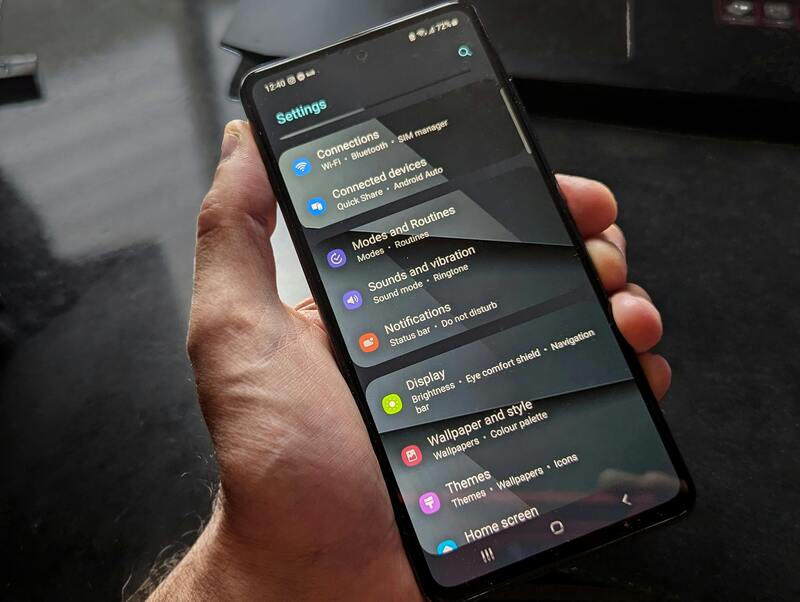
Why does my SIM card keep disconnecting repeatedly? (Image by Pexels)
Sudden “No SIM” or “No Service” Messages
One of the clearest signs appears when the phone suddenly displays:
- “No SIM”
- “SIM Not Detected”
- “No Service”
- “Emergency Calls Only”
even though the SIM card is already inserted correctly.
For many users researching “why does my SIM card keep disconnecting”, this warning may appear briefly before disappearing again once the phone reconnects to the network automatically.
Calls and Texts Fail Unexpectedly
Another common symptom happens when calls suddenly drop or text messages fail without warning.
Users may notice:
- Incoming calls never arrive
- Calls disconnect unexpectedly
- Delayed SMS delivery
- Messages failing repeatedly
Because the SIM card manages communication between the phone and carrier network, unstable SIM connectivity can interrupt both calling and texting services.
Mobile Data Keeps Turning Off
Some SIM problems mainly affect mobile data instead of voice calls.
The phone may:
- Disconnect from LTE or 5G repeatedly
- Lose internet access randomly
- Switch constantly between signal types
- Reconnect only after restarting the device
This often creates confusion because Wi-Fi may still function normally while mobile data becomes unstable throughout the day.
2. Reasons a SIM Card Keeps Disconnecting
Several different problems may explain why your SIM card keeps disconnecting, and the SIM card itself is not always the only cause.
One common cause involves physical SIM wear over time. Small scratches, damaged metal contacts, or improper tray alignment may interrupt communication between the SIM and the phone.
Network compatibility problems can also trigger repeated disconnections, especially when:
- Using older SIM cards on newer 5G phones
- Switching carriers recently
- Traveling internationally
- Using carrier-locked devices
Software problems may also affect SIM stability. Outdated carrier settings, failed network updates, or operating system bugs can sometimes interfere with proper carrier registration.
In other situations, the issue may come from weak network coverage rather than the SIM card itself. Phones constantly moving between unstable LTE or 5G towers may repeatedly disconnect and reconnect automatically.
Apple also notes that carrier settings updates help improve cellular connectivity and network performance on iPhone devices.
Because several different issues can contribute to unstable signal behavior, understanding “why does my SIM card keep disconnecting” often requires checking both the phone and the wireless network together instead of focusing only on the SIM card alone.
3. How to Fix a SIM Card That Keeps Disconnecting?
In many situations, unstable SIM connectivity can be fixed without replacing the phone immediately.
The first step is usually removing the SIM card carefully and checking for visible dirt, scratches, or tray alignment problems. Reinserting the SIM properly may restore stable detection if the issue was caused by poor physical contact.
Restarting the phone can also help reset temporary network registration issues between the device and the carrier.
If problems continue, users should check whether:
- Carrier settings updates are available
- The operating system needs updating
- Airplane mode resets the connection properly
- Mobile network settings require reconfiguration
Testing the SIM card inside another compatible phone can also help determine whether the issue comes from the SIM itself or the original device hardware.
For phones supporting eSIM activation, switching from an older physical SIM to eSIM may sometimes improve stability by removing physical tray and contact issues completely.
4. When You Should Replace Your SIM Card?
Sometimes troubleshooting alone is not enough.
Older SIM cards may eventually become unreliable after years of use, especially if they were originally designed before modern LTE or 5G networks became common.
For users repeatedly asking “why does my SIM card keep disconnecting”, replacing the SIM card may become the most effective long-term solution when problems continue happening regularly.
Replacing the SIM card may be the best option when users experience:
- Repeated “No SIM” errors
- Ongoing mobile data instability
- Physical SIM damage
- Failed carrier detection
- Activation issues after switching phones
This becomes especially important when upgrading to newer smartphones or newer wireless technologies.
In many cases, users searching “why does my SIM card keep disconnecting” discover that replacing an aging SIM card solves the issue much faster than continuing repeated troubleshooting attempts.
5. Get a New SIM Card With Stable Connection & No Cost
For users experiencing recurring SIM instability, it may help improve long-term network reliability if you upgrade to:
- A newer SIM card
- An eSIM-compatible device
- A more recent LTE or 5G phone
For eligible users, some wireless providers may offer replacement SIM cards, compatible devices, or updated wireless plans depending on qualifications and local availability.
- Free SIM card
- eSIM-compatible devices
- LTE and 5G-ready smartphones
- BYOD wireless plans
- Monthly talk, text, and data service
The application process generally includes checking eligibility, entering a ZIP code, selecting an available plan or device, uploading verification documents, and activating service after approval.
Available devices, supported features, SIM options, and monthly data amounts may vary by state and may change over time depending on inventory and network availability.
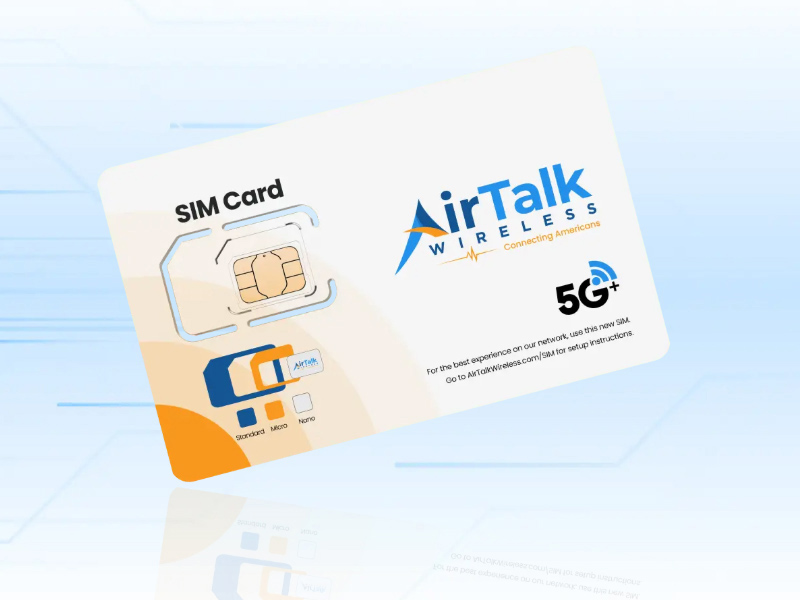
Get a zero-cost SIM card that has the data allowance that you need.
Final Thoughts
Experiencing repeated signal loss, unstable mobile data, or random “No SIM” messages can quickly become frustrating during daily phone usage.
The answer to why does my SIM card keep disconnecting may involve several different causes including physical SIM wear, network instability, outdated carrier settings, compatibility issues, or aging hardware.
In many situations, simple troubleshooting steps may restore stable service. However, older SIM cards or outdated devices may eventually need replacement to maintain reliable LTE or 5G connectivity.
Understanding the real cause behind unstable SIM behavior can make fixing the issue much faster while helping users avoid unnecessary phone replacements or ongoing network problems.